

Displaying the Account Ledger in a Specific Currency
Last updated:
If your organization deals with various foreign currencies, "Edara" makes it easy to display account ledger reports for each currency individually, providing you with accurate financial analysis.
Displaying the Account Ledger in a Specific Currency
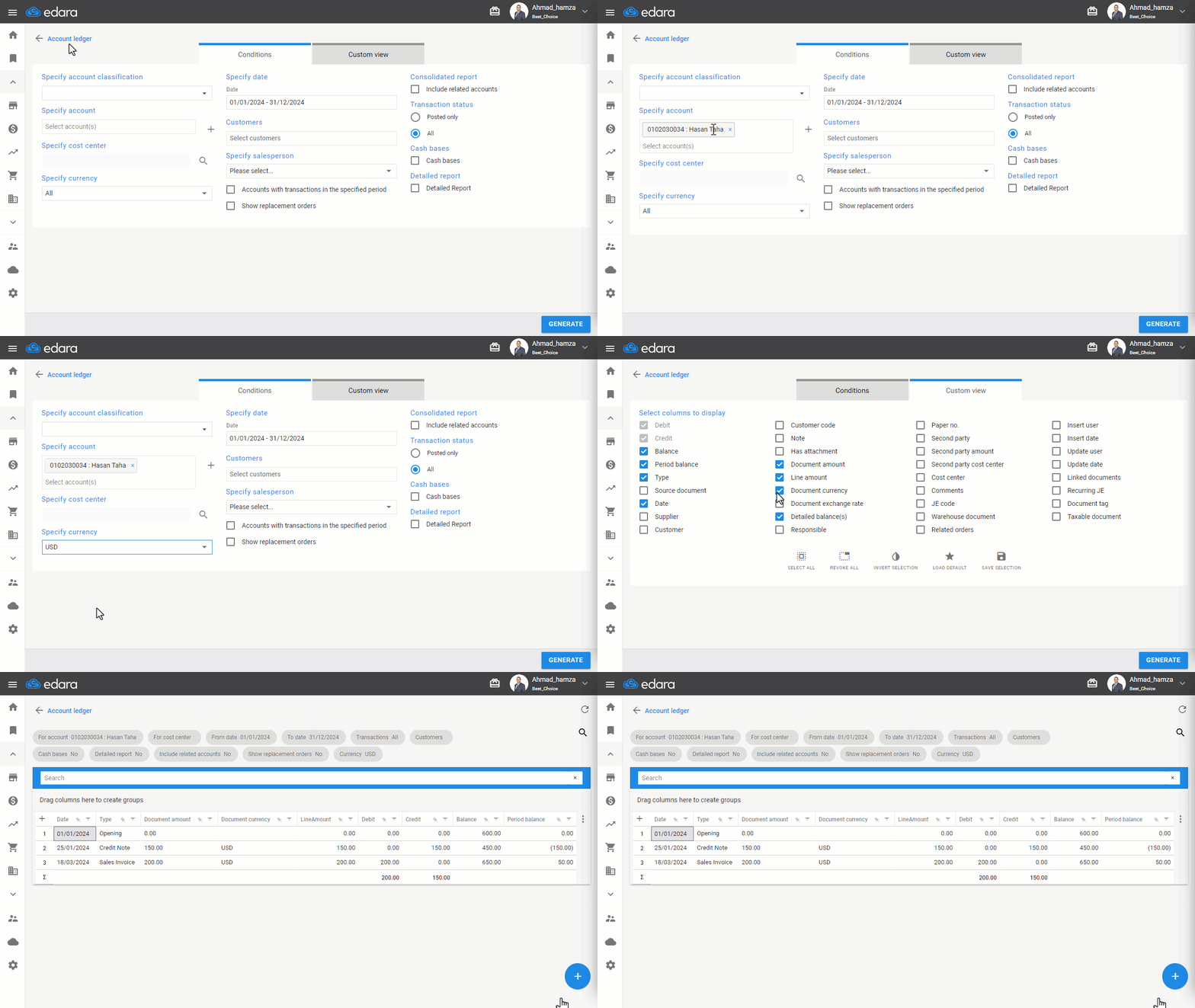
- Go to the Accounting module.
- Open the “Account Ledger” report.
- Select the desired account.
- Choose the required currency type.
- Display the “document currency” by selecting it from "Custom View".
- Click on "Generate".
If you encounter any challenges or have questions during these processes, you can contact our technical support team, who are ready to assist you at any time.
Did this answer your question?