

Displaying the Taxable Document in the Account Ledger Report
Last updated:
When preparing an account ledger, you may need to include the taxable document details to enhance transparency and generate more accurate report results.
“Edara” allows you to display this field easily by following these steps.
Displaying the Taxable Document in the Account Ledger Report
- Go to the Accounting module.
- Open the “Account Ledger” Report.
- Select a customer account that includes tax invoices.
- Enable the “Taxable Document” column from the columns list.
- Click on “Generate”.
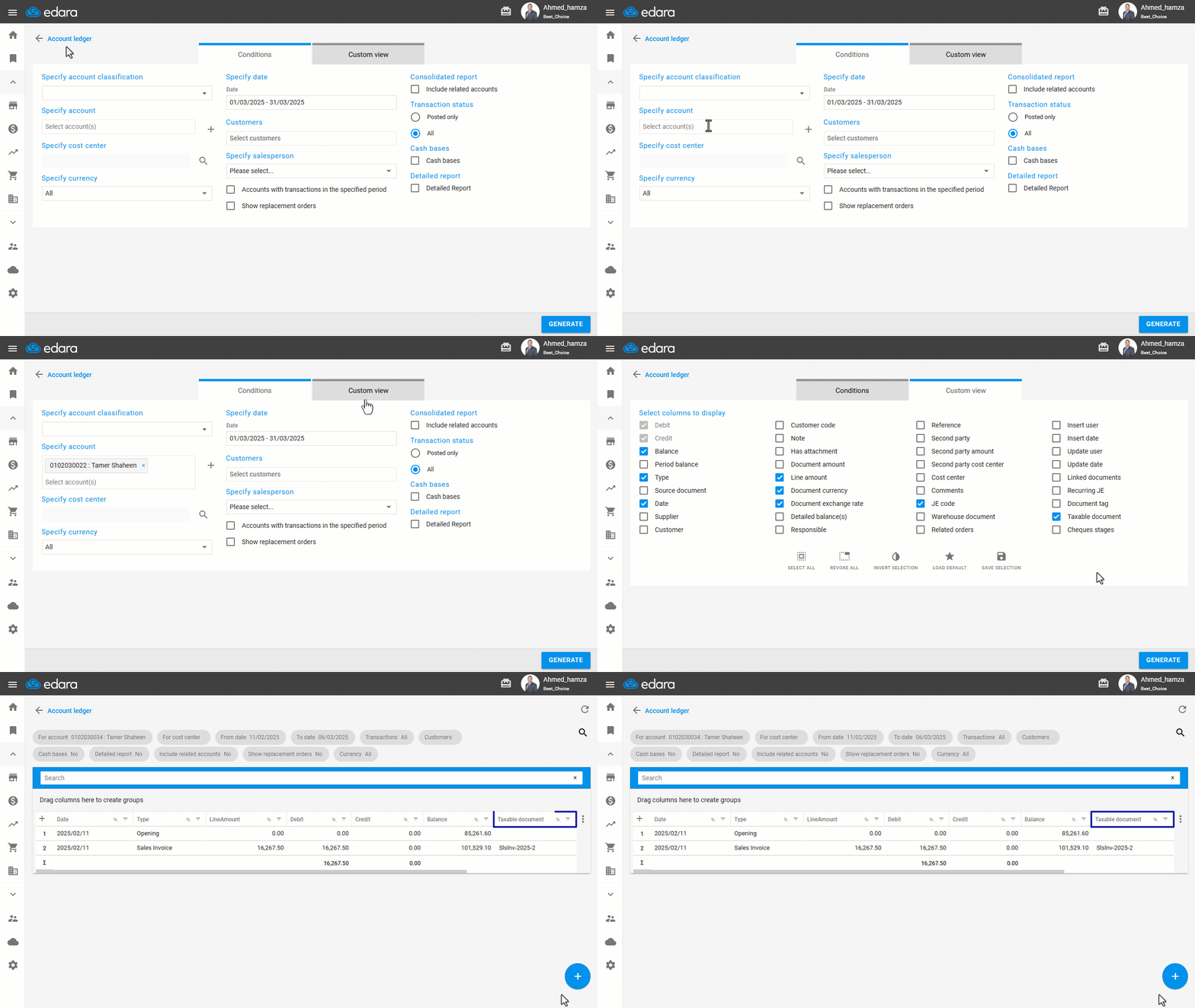
Note: You can also display this column when printing the report by following the steps in the article “Displaying the Taxable Document in the Account Ledger Printout”.
Frequently asked questions
Can I show the taxable document in the account ledger printout?
You can also display this column when printing the report by following the steps in the article “Displaying the Taxable Document in the Account Ledger Printout”.
If you encounter any challenges or have questions during these processes, you can contact our technical support team, who are ready to assist you at any time.
Did this answer your question?