

Displaying the Total Debit and Credit Columns in the Detailed Account Ledger Report
Last updated:
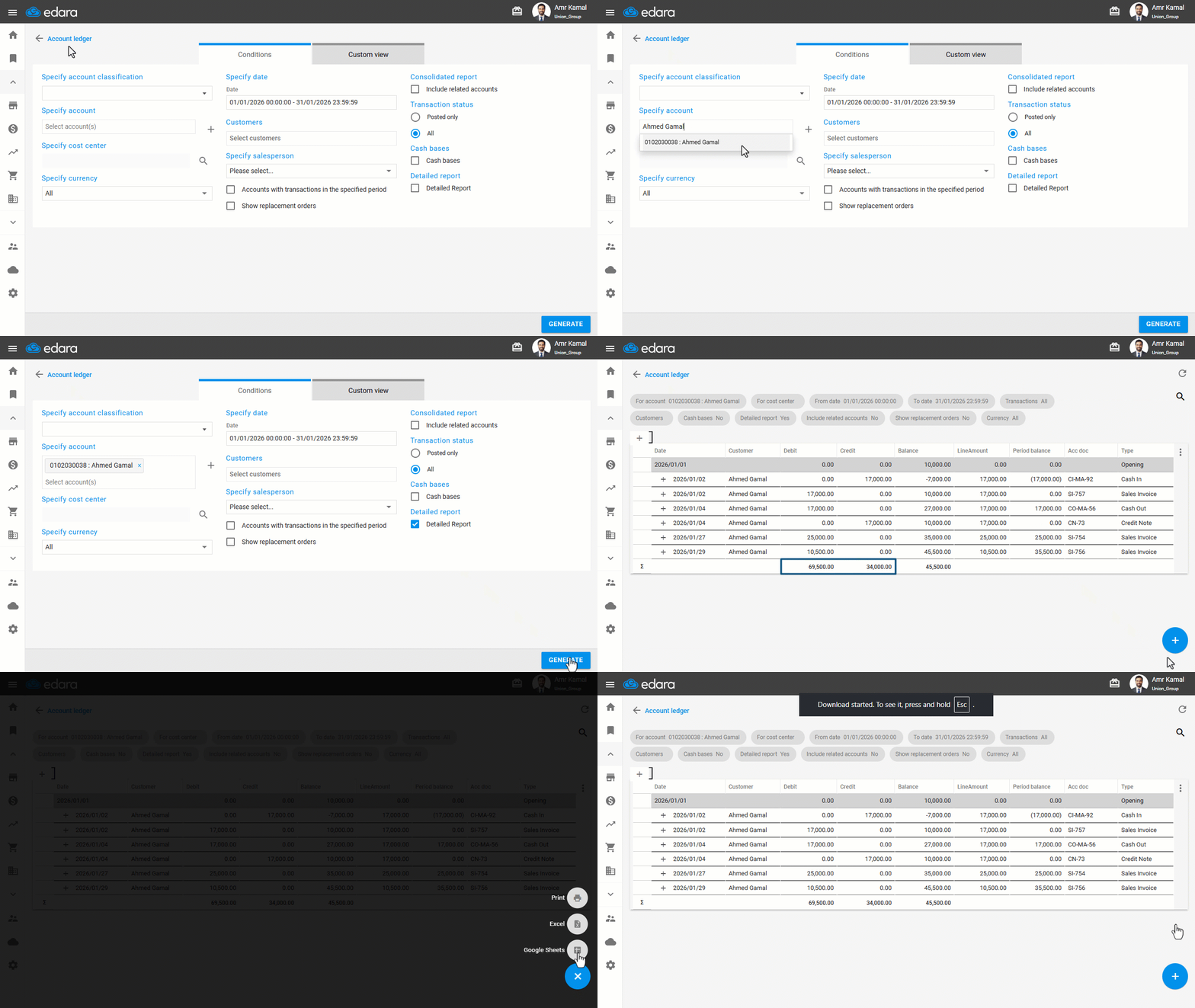
The detailed Account ledger report displays the total Debit and Credit amounts at the end of the report, making it easier to review financial transactions and accurately analyze account balances.
Displaying the Total Debit and Credit Columns in the Detailed Account Ledger Report
- Go to the “Accounting” module.
- Open the “Account ledger” page.
- Specify the account by typing the account name directly or using the “*” symbol.
- Choose the report type “Detailed Report”.
- Click on “Generate”.
The total Debit and Credit amounts will appear at the bottom of the report.
Note: You can export the report to Excel or Google Sheets, or print it by hovering over the “+” icon and selecting the desired option.
If you encounter any challenges or have questions during these processes, you can contact our technical support team, who are ready to assist you at any time.
Did this answer your question?