

Displaying “Line Amount” and “Detailed Balance” in the Account Ledger Report
Last updated:
When dealing with a foreign supplier using a foreign currency different from your base currency on “Edara,” the account ledger report will display in the system’s base currency.
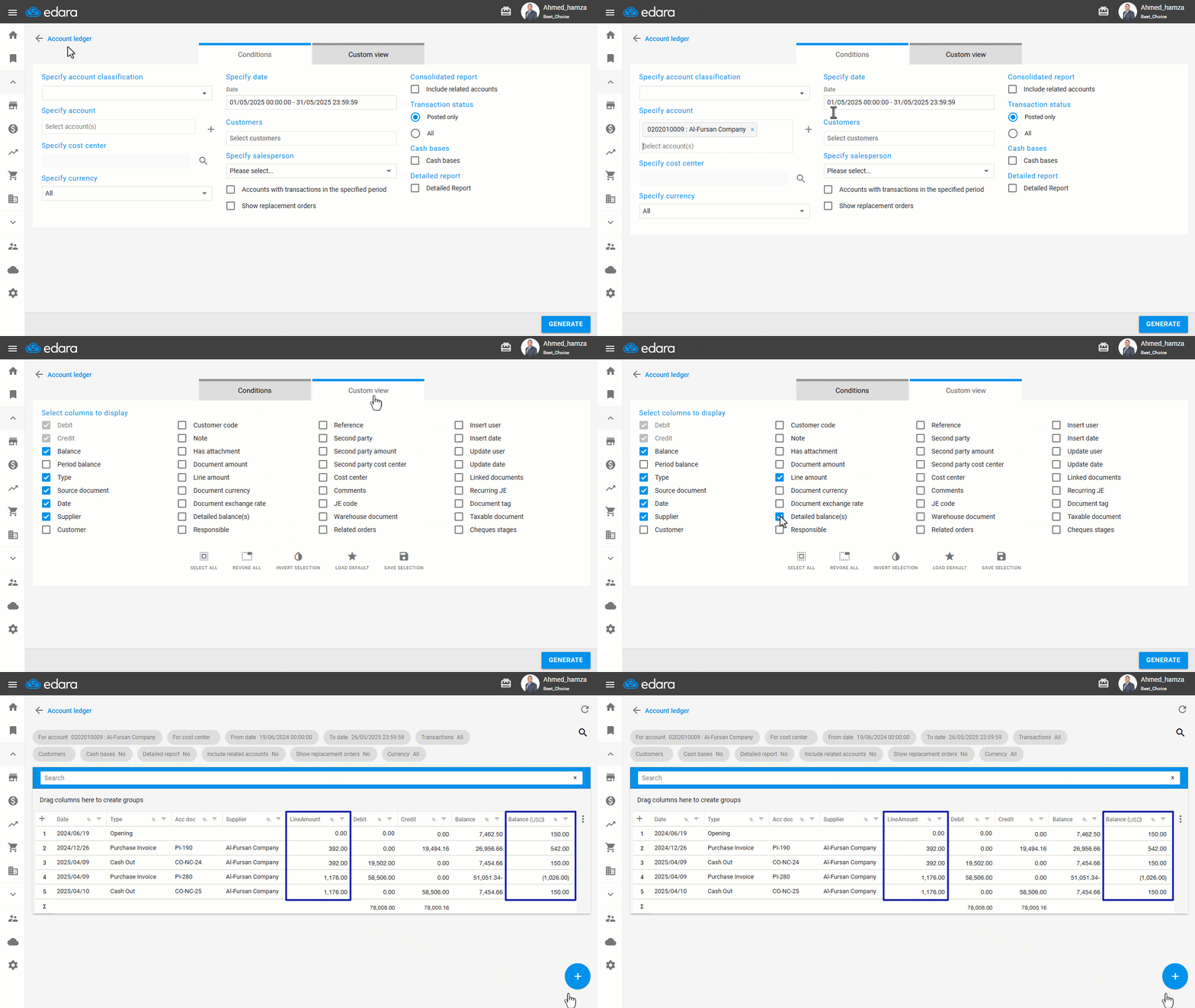
Therefore, “Edara” allows you to show the “Line Amount” and “Detailed Balance” columns in the account ledger report, enabling you to view the currency used for the supplier’s account, the transaction values in the foreign currency, and the remaining balance in that same currency.
Follow these steps to enable and view the relevant data.
Displaying “Line Amount” and “Detailed Balance” in the Account Ledger Report
- Go to the Accounting module.
- Open the “Account Ledger” Report.
- Choose the supplier’s account from the “Specify account” field.
- Set the date range.
- Set the Transaction status to “All”.
- Display “Line Amount” and “Detailed Balance” from the “Custom View” Options.
Note: The Line Amount column will show the transaction value in the supplier’s foreign currency. The Detailed Balance column will display the supplier’s running balance in that same currency after each transaction.
- Click on “Generate”.
Frequently asked questions
What do the Line Amount and Detailed Balance columns show?
The Line Amount column will show the transaction value in the supplier’s foreign currency. The Detailed Balance column will display the supplier’s running balance in that same currency after each transaction.
If you encounter any challenges or have questions during these processes, you can contact our technical support team, who are ready to assist you at any time.