

Displaying Customers’ Deferred Payments
Last updated:
When dealing with a large number of customers, you may need to identify those with overdue payments or who haven’t paid for a certain period without reviewing each customer individually.
Displaying Customers’ Deferred Payments

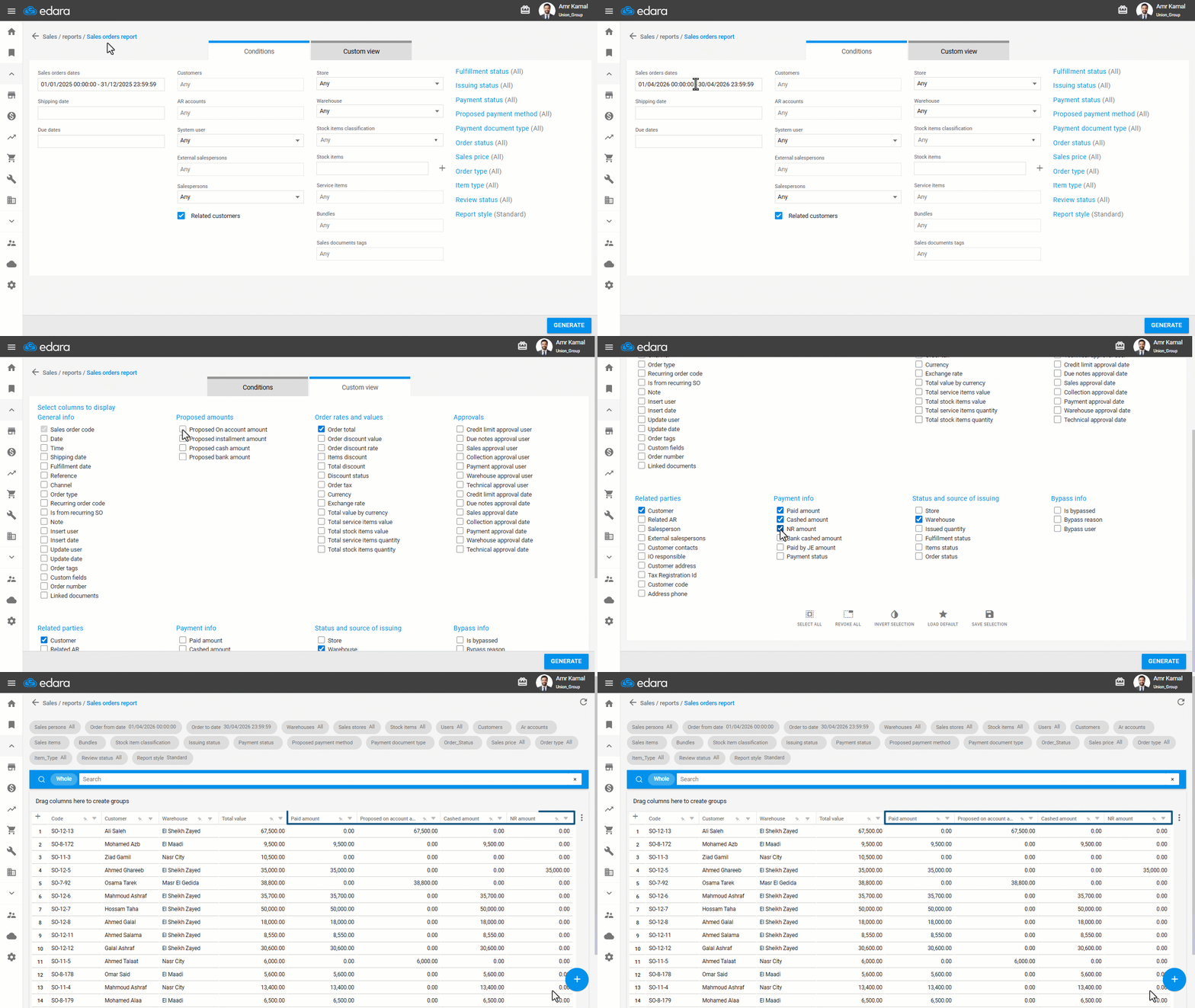
- Go to the “Sales” module.
- Open the “Sales Orders Report” page.
- Select the required date range.
- Go to the “Custom view”.
- Select the required columns from “Proposed amounts” and “Payment info”.
- Click on “Generate”.
Notes:
- You can track customer debts in detail by displaying the Receivables Aging Report.
- You can review the details of a specific customer’s account by displaying an Account Ledger for a Customer Linked to an AR Account.
Frequently asked questions
How do I track customer debts in detail?
You can track customer debts in detail by displaying the Receivables Aging Report.
If you encounter any challenges or have questions during these processes, you can contact our technical support team, who are ready to assist you at any time.
Did this answer your question?