

Knowing the Approver for a Sales Order
Last updated:
Sometimes, it is necessary to know the person responsible for approving sales orders to ensure transparency and accurate tracking of operations.
Steps to Know the Approver for a Sales Order
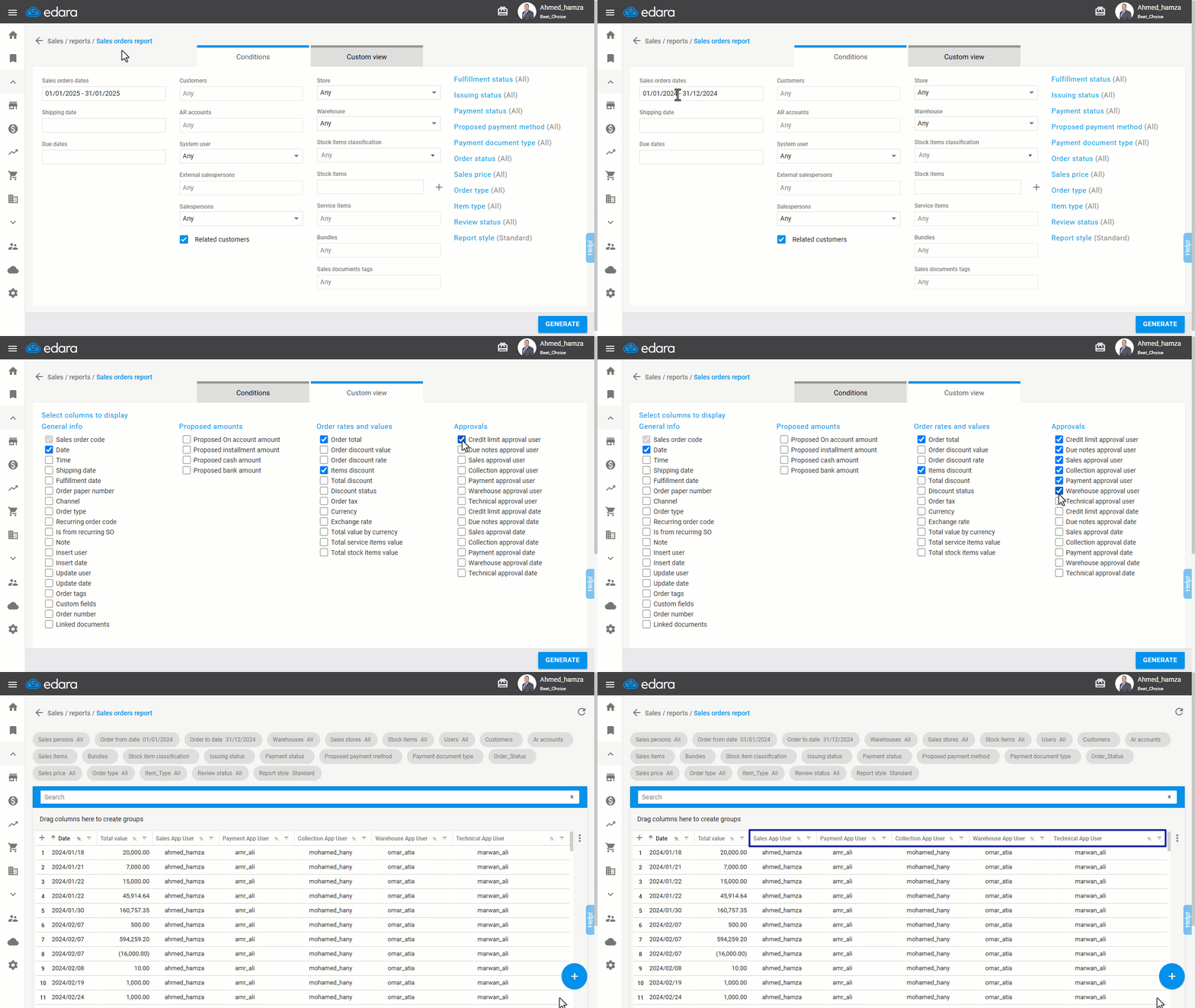
- Go to the Sales module.
- Open the “Sales Orders” Report.
- Select the period during which you want to view the orders.
- Choose the columns related to the users responsible for approval from “Custom View”.
- Click on “Generate”.
If you encounter any challenges or have questions during these processes, you can contact our technical support team, who are ready to assist you at any time.
Did this answer your question?