

Knowing the Time of Each Type of Approval
Last updated:
Understanding when different types of approvals are given helps you review all approvals clearly, such as credit limit approvals, sales approvals, and more. This enhances discipline and ensures that workflows align with approved protocols.
Steps to Know the Time of Each Type of Approval
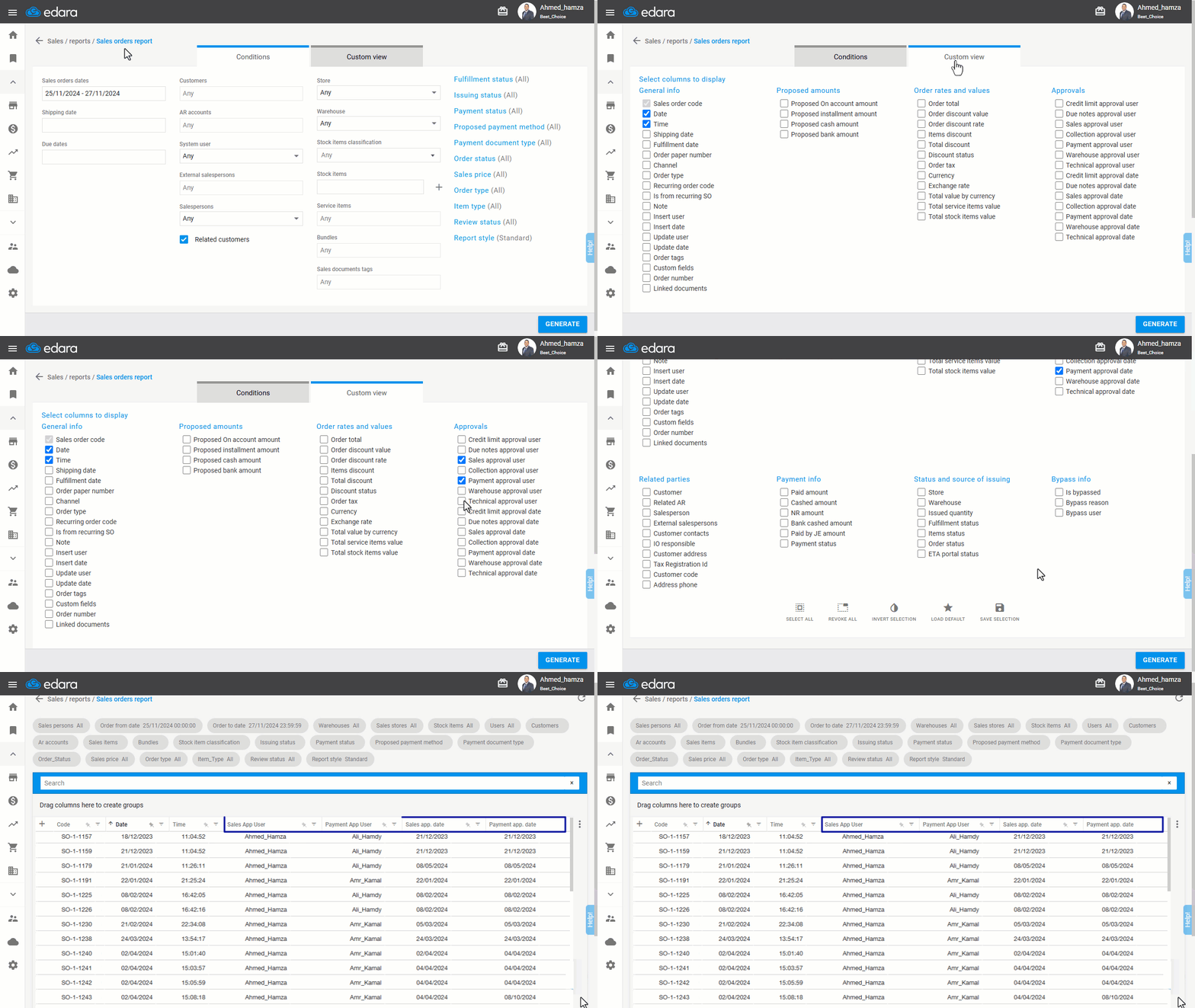
- Go to the Sales module.
- Click on “Sales Orders Report”.
- Click on “Custom View”.
- Choose the approvals you want to display in the report, such as (Sales approval user, Sales approval date, Payment approval user, and Payment approval date).
- Click “Save Selection”.
- Click on “Generate”.
If you encounter any challenges or have questions during these processes, you can contact our technical support team, who are ready to assist you at any time.
Did this answer your question?