

Difference Between the Sales Orders Report and the Sales Report
Last updated:
Reports in “Edara” help you monitor sales from different perspectives.
Difference Between the Sales Orders Report and the Sales Report
1- Sales Report
The Sales Report is based on actual transactions and displays sales that have already been executed, as follows:
- Takes Goods Issue Returns and Receive Returns into account.
- Does not include the tax value specified in the Sales Order.
- Displays only the quantities that have been issued, and does not show quantities that have not been issued.
2- Sales Orders Report
The Sales Orders Report is based on Sales Order documents themselves, regardless of actual issuing, as follows:
- Takes Sales Orders and Sales Returns into account only.
- Includes the tax value added in the Sales Order.
- Displays the full Sales Order quantity, regardless of whether it has been partially issued or not issued yet.
Practical Examples of the Differences Between the Two Reports
First: Difference Due to Tax Calculation
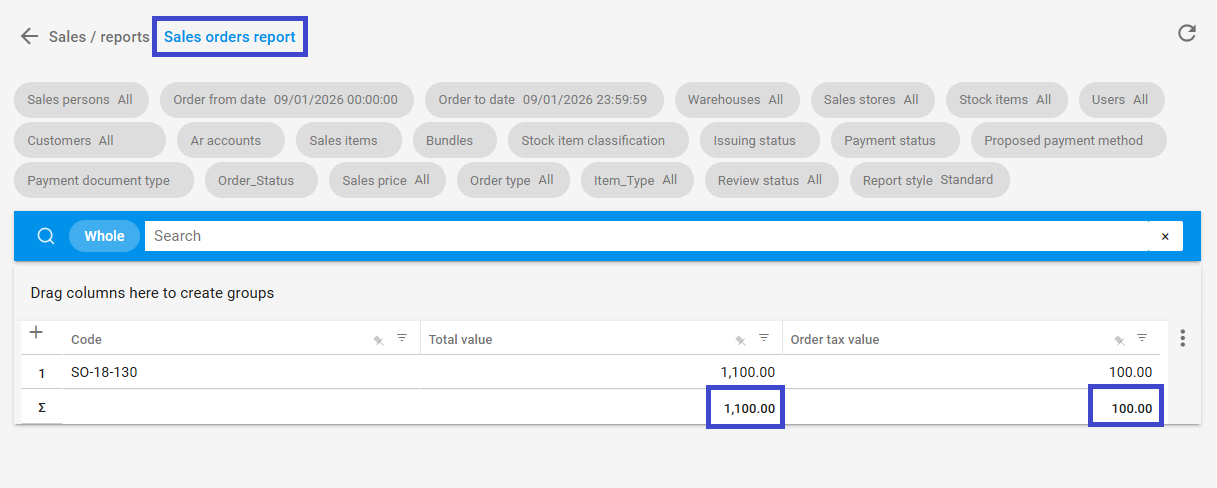
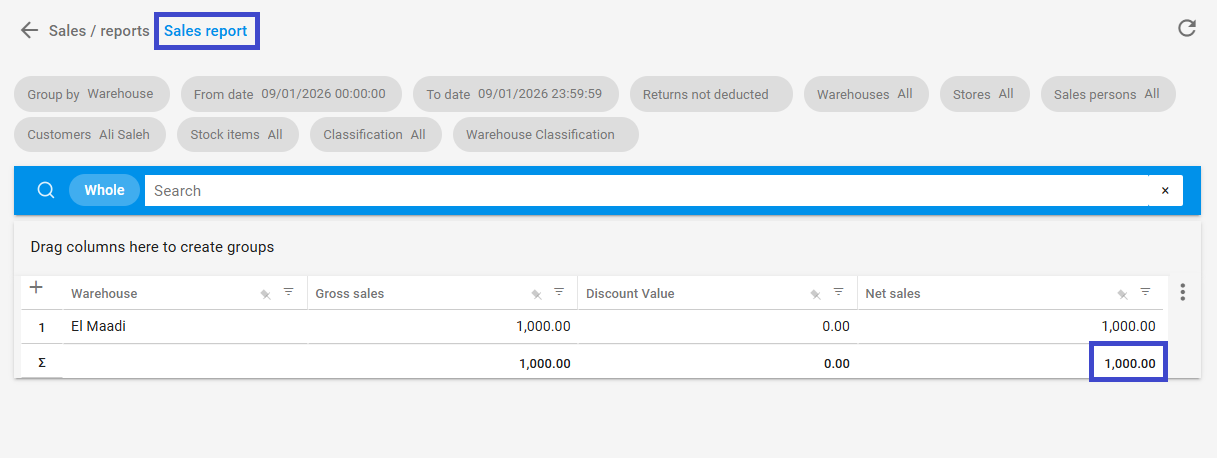
When running both reports with the same conditions (same date range with returns deducted):
- Total value in the Sales Orders Report = 1,100.00
- Net sales in the Sales Report = 1,000.00
The difference (100) is due to the tax value, as the Sales Report does not include the tax specified in the Sales Order.
Equation: 1,100 − 1,000 = 100
Second: Difference Due to Unissued or Partially Issued Sales Orders
When running both reports with the same conditions (date and returns deducted):
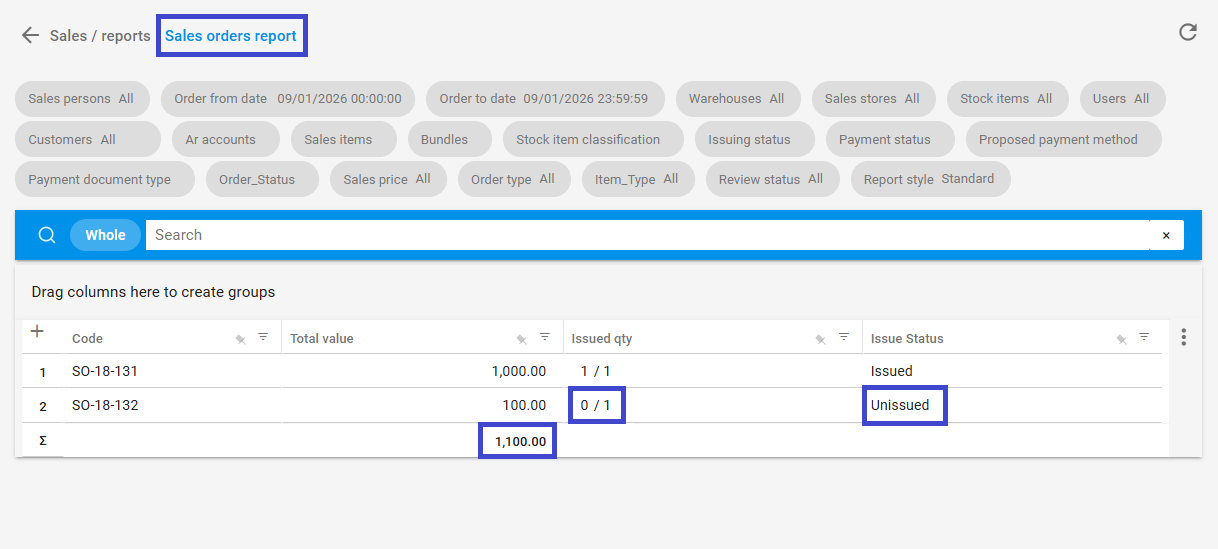
- Total value in the Sales Orders Report = 1,100.00
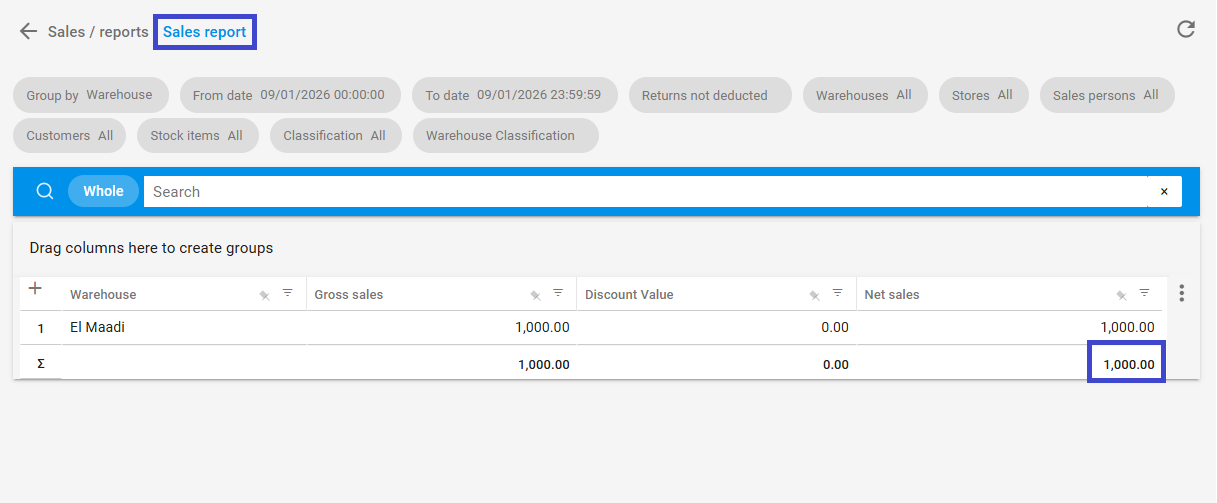
- Net sales in the Sales Report = 1,000.00
A difference of 100 appears due to Sales Orders that have not been issued yet or have been partially issued only.
You can verify this through the Issued Quantity column or the Issuing Status inside the Sales Orders Report. Accordingly, the Sales Report displays only what has been actually issued.
Third: Difference Due to Issue Documents Not Linked to Sales Orders
In some cases, the results may appear as follows:
- Net sales in the Sales Report = 1,300.00
- Total value in the Sales Orders Report = 1,100.00
Despite running both reports with the same criteria, a difference of 200 appears.
This difference is due to independent Goods Issue documents that are not linked to Sales Orders. These documents appear in the Sales Report but do not appear in the Sales Orders Report.
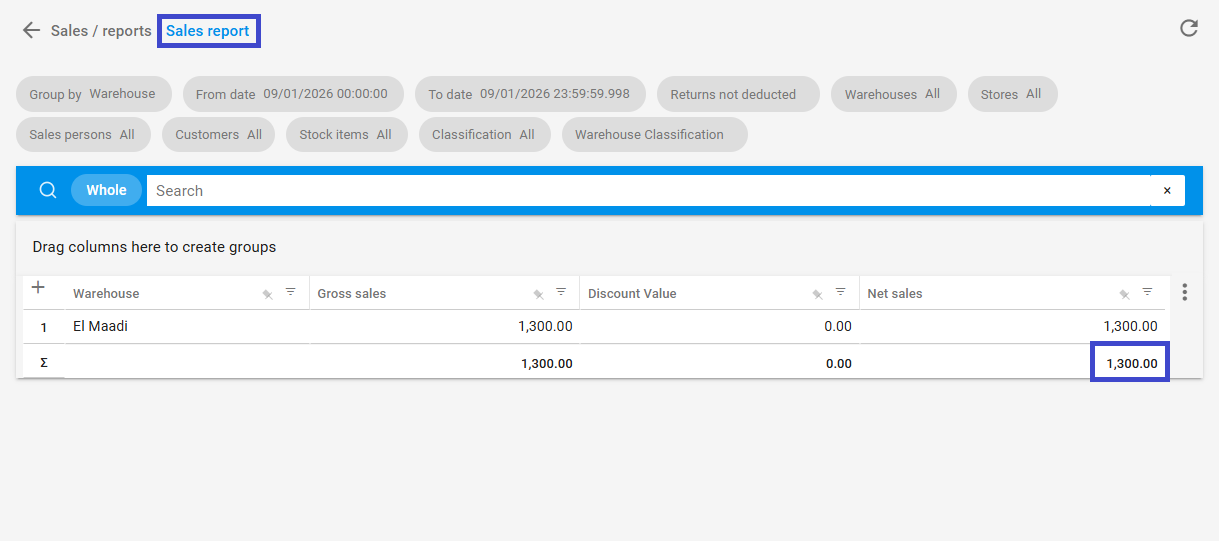
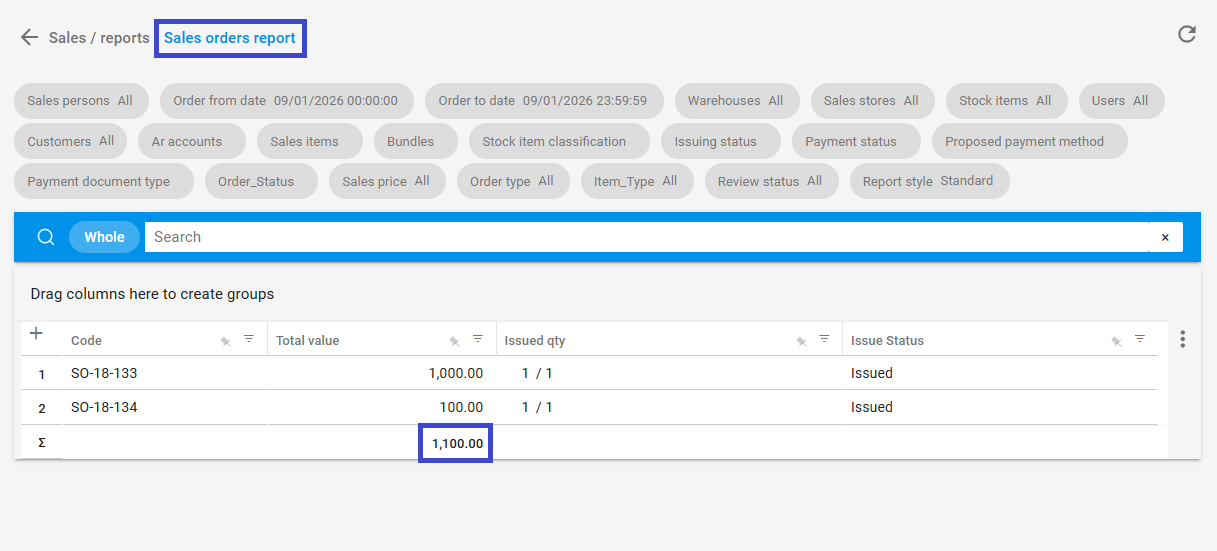
You can verify this by:
- Generating the Work Orders Report.
- Selecting Issue offerings only within the same period.
- Filtering documents not linked to Sales Orders.
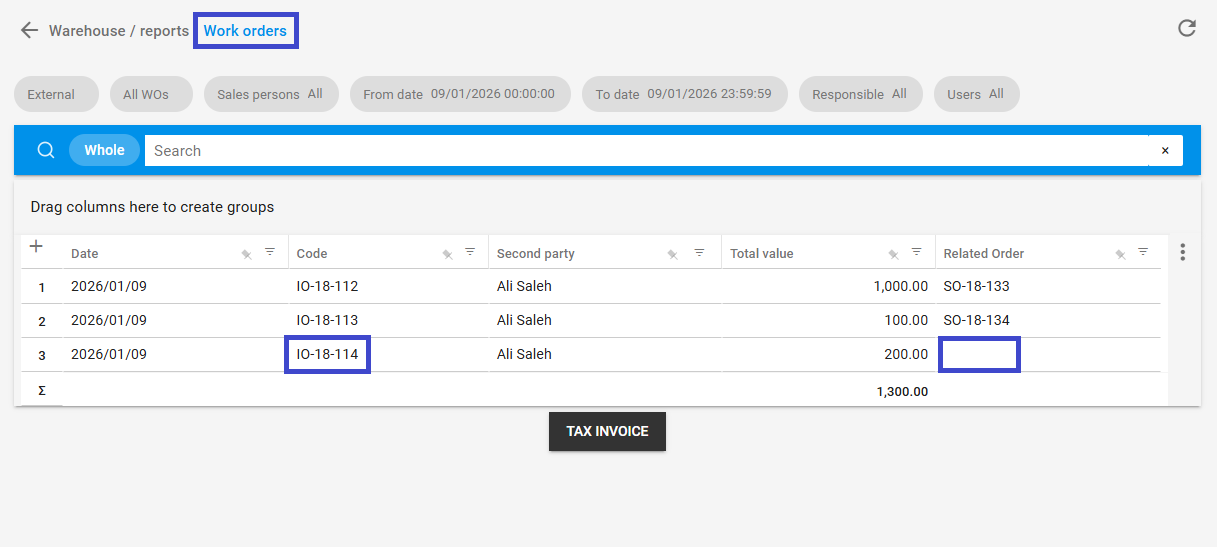
If you encounter any challenges or have questions during these processes, you can contact our technical support team, who are ready to assist you at any time.