

Exporting the Sales Return Orders Report to Excel
Last updated:
"Edara" makes it easy to review sales returns by allowing you to export the relevant report as an Excel file.
Exporting the Sales Return Orders Report to Excel
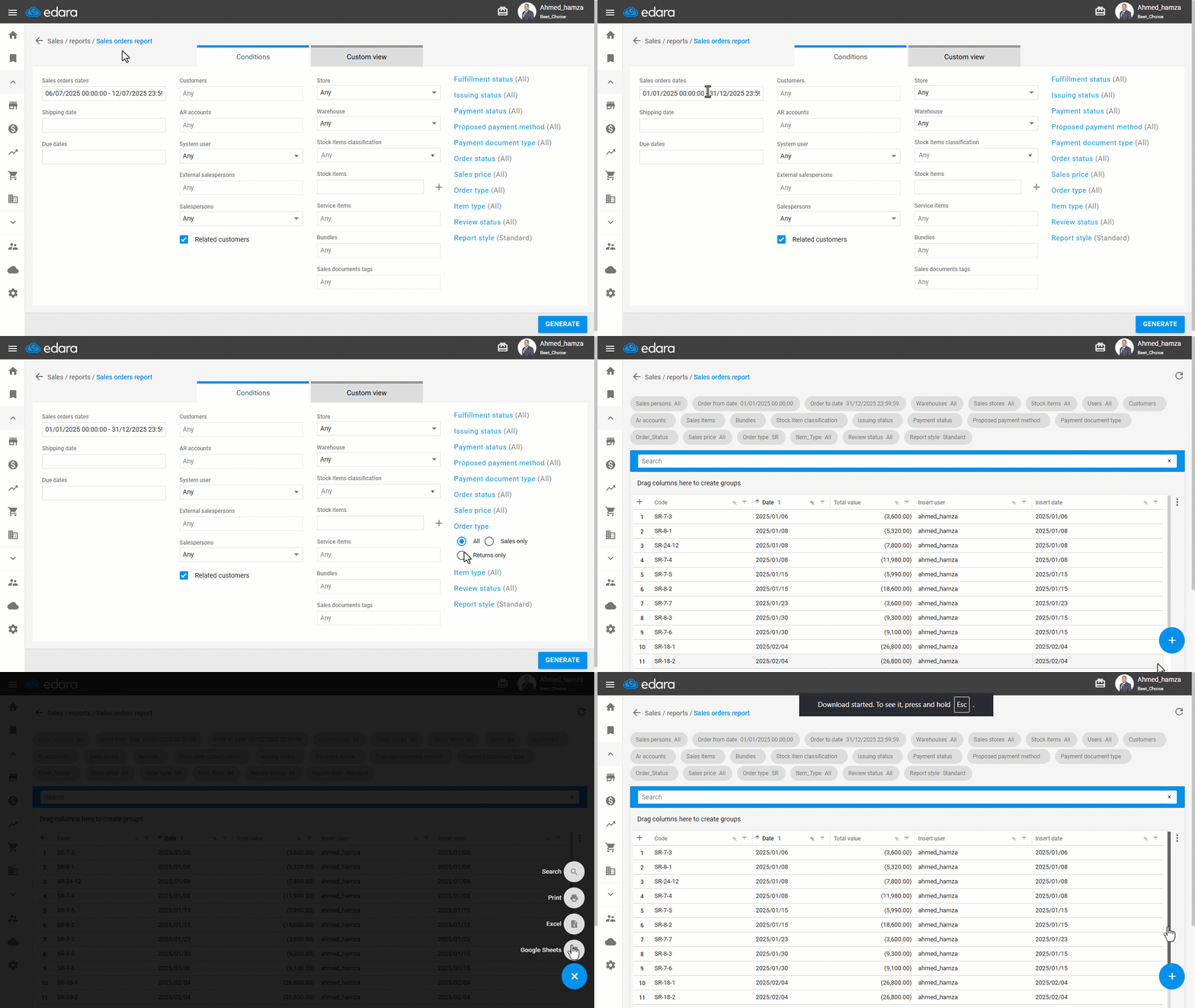
- Go to the Sales module.
- Open the “Sales Orders Report”.
- Specify the desired date range.
- Set the Order Type to “Returns Only”.
- Click on “Run”.
- Scroll to the bottom of the page and click the "+" icon.
- Select “Excel”.
If you encounter any challenges or have questions during these processes, you can contact our technical support team, who are ready to assist you at any time.
Did this answer your question?