

Displaying the Sales Returns Linked to the Sales Orders
Last updated:
To track sales returns, the system enables you to display returns linked to each sales order, ensuring accurate accounting reviews and informed decision-making.
Displaying the Sales Returns Linked to the Sales Orders

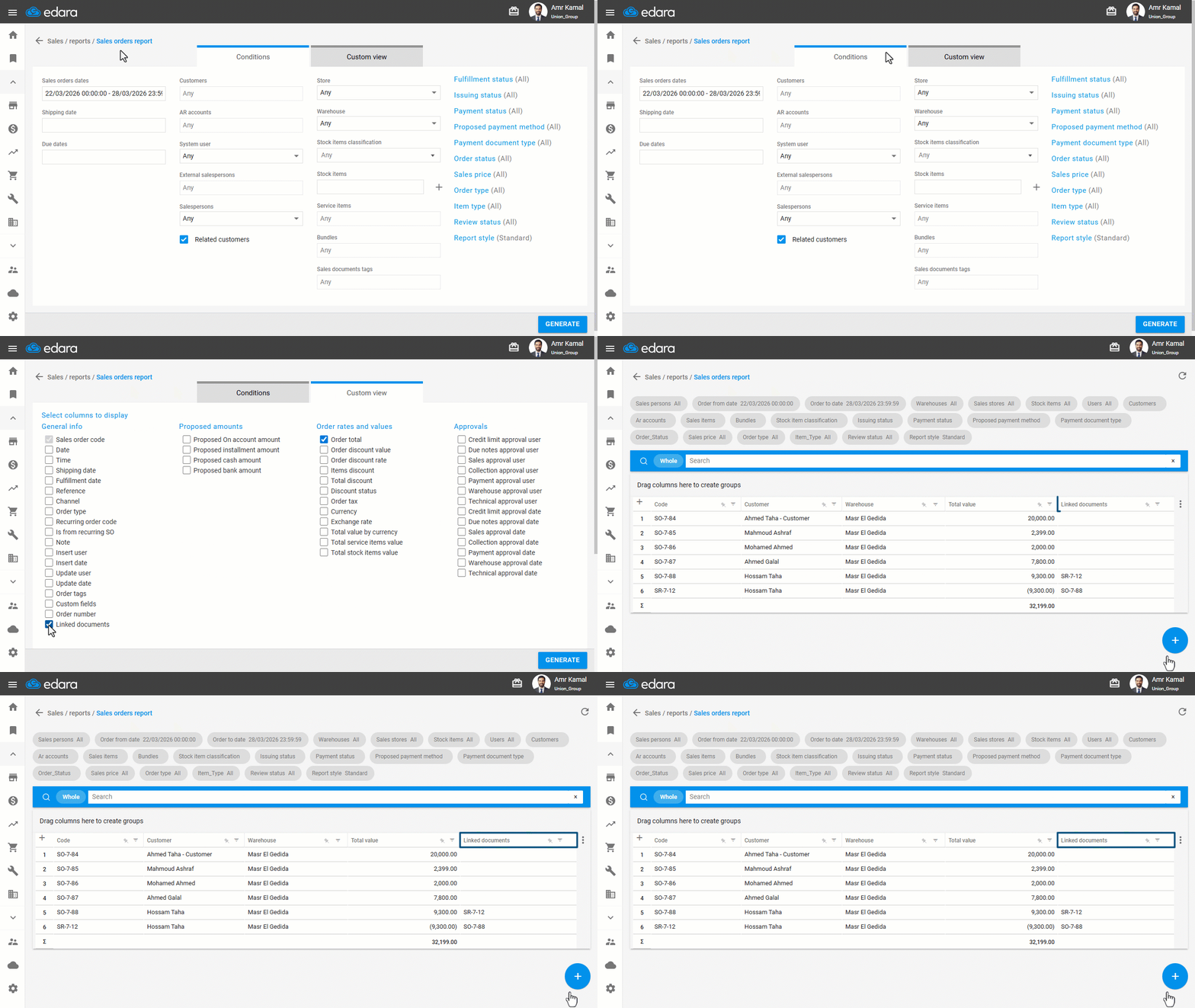
- Go to the “Sales” module.
- Open the “Sales Orders Report” page.
- Go to “Custom view”.
- Enable the “Linked Documents” option.
- Click on “Generate”.
The “Linked Documents” column will appear, showing the returns associated with the sales orders, as shown in the following image.
If you encounter any challenges or have questions during these processes, you can contact our technical support team, who are ready to assist you at any time.
Did this answer your question?