

Viewing the Receivables Aging Report
Last updated:
The Receivables Aging Report is a valuable analytical tool for the accounting team, providing critical information about overdue customer receivables.
This allows them to identify customers with high payment risks and take necessary steps to mitigate these risks. It also helps improve credit management, debt collection, and financial stability.
Viewing the Receivables Aging Report
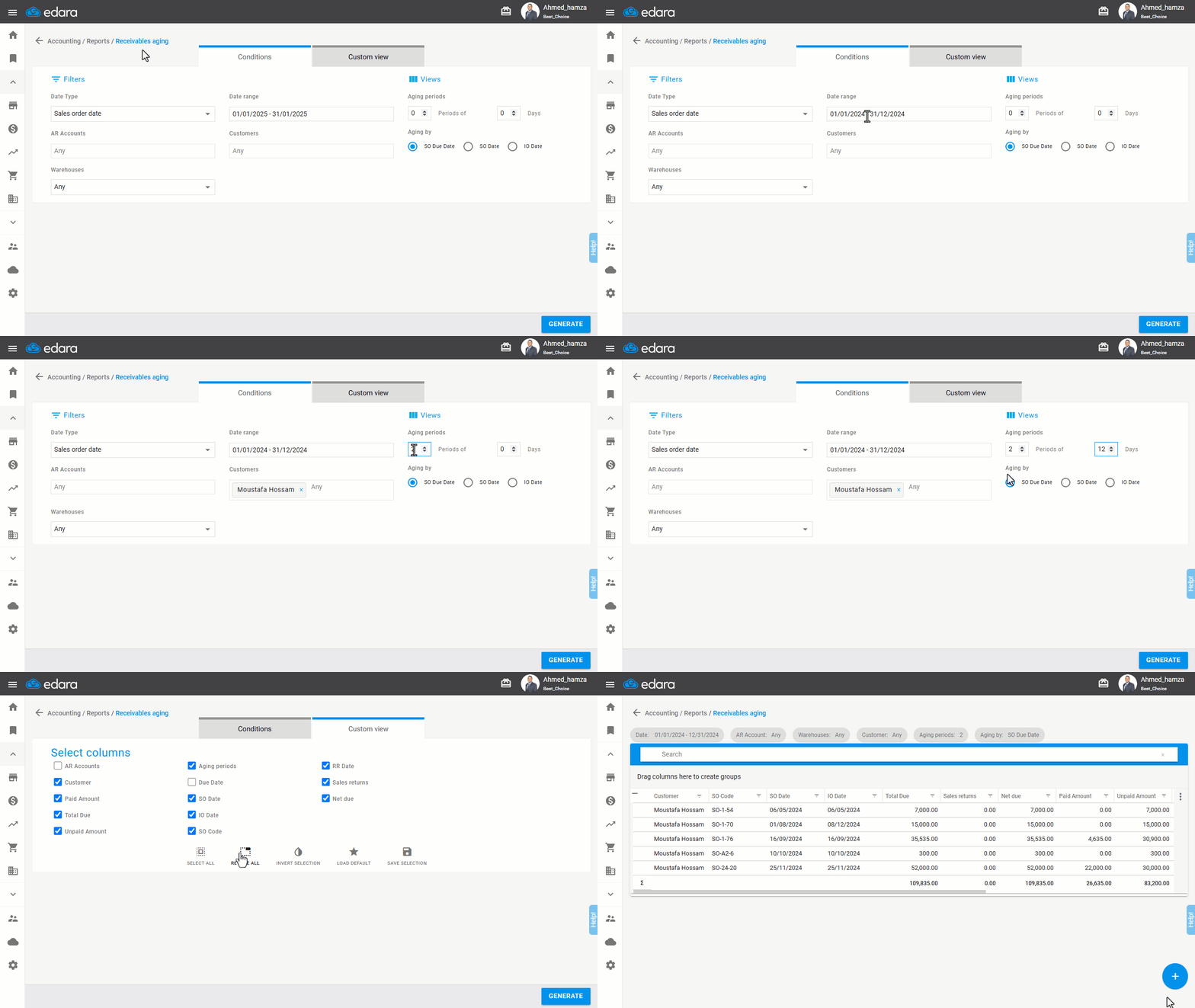
- Go to the Accounting module.
- Open the “Receivables Aging”.
- Select the date range, which can be the sales order date, due date, or fulfillment date.
Note: The conditions for displaying sales orders are:
- The sales order is linked to a sales invoice (SI) document.
- The order status is "Unpaid".
- The Unpaid value must exceed zero.
- Select the AR account.
- Choose the Warehouse.
- Set the Period.
Note: You can control the time for users by restricting the date range.
- Select the Customer (if you need the debt for a specific customer).
- Define the “Aging Period”.
- Set the “Aging By”.
- Choose the columns you want to display from the “Columns view”.
Note:
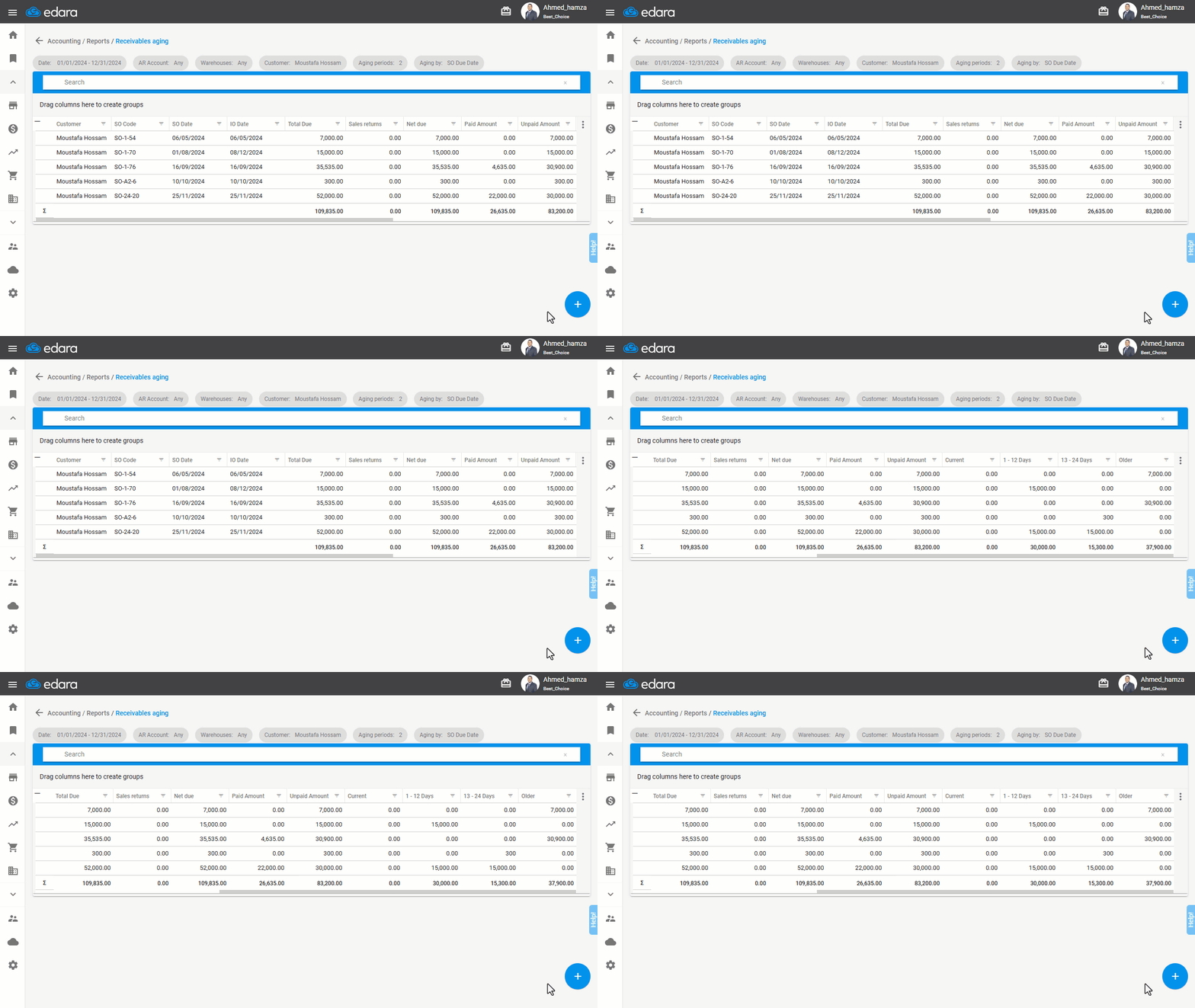
- Sales Returns Column: Displays the value of sales returns linked to the sales order.
- RR Date Column (Receive returns): If the sales order is linked to multiple returns, it shows the date of the last sales return document.
- Net Due Column: The value of the sales order minus the value of linked sales returns.
- Click on “Generate”.
Note: The values for sales, returns, and paid or remaining amounts are displayed in the system's currency. Any foreign currency documents are converted into the system's currency using the conversion rate specified in the document.
Frequently asked questions
When do sales orders appear in the receivables aging report?
The conditions for displaying sales orders are: The sales order is linked to a sales invoice (SI) document, The order status is "Unpaid", The Unpaid value must exceed zero.
In which currency are the values shown in the receivables aging report?
The values for sales, returns, and paid or remaining amounts are displayed in the system's currency. Any foreign currency documents are converted into the system's currency using the conversion rate specified in the document.
If you encounter any challenges or have questions during these processes, you can contact our technical support team, who are ready to assist you at any time.