

Recording Your Screen to Report an Issue
Last updated:
Screen recording helps clearly demonstrate the issue or inquiry practically, allowing the support team to understand the case and respond faster.
Recording Your Screen to Report an Issue
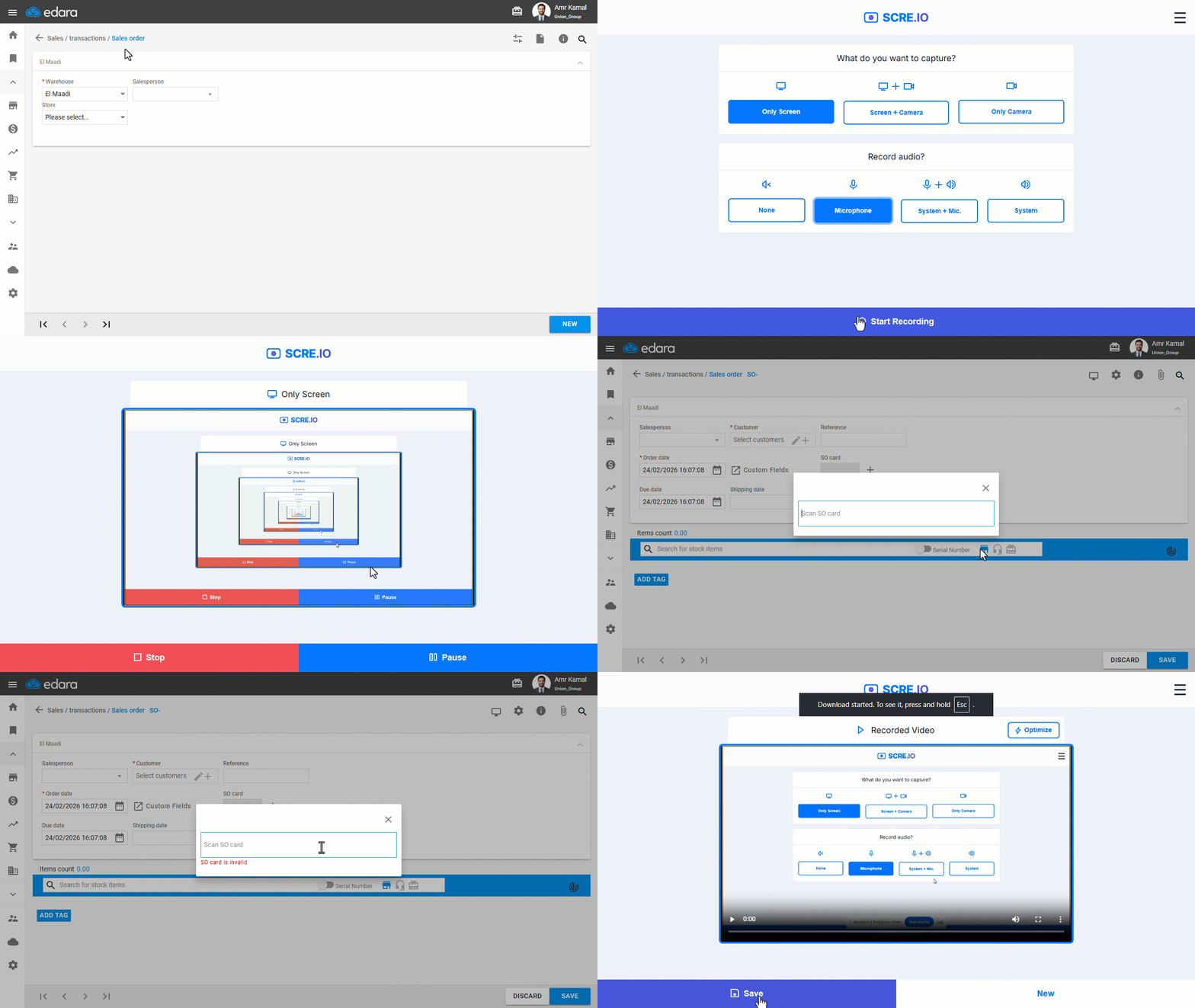
- Open the screen recording link:https://app.scre.io/.
- Click on “Only Screen”.
- Enable “Microphone” to record a voice explanation during the recording.
- Click on “Start recording” to begin.
- Select “Entire Screen”.
- Click on “Share”.
- Go to “Edara” and clearly record the steps or issue you encounter.
- Once finished, click on “Stop”.
- Click on “Save” to save the record.
Sending the Record to the Support Team
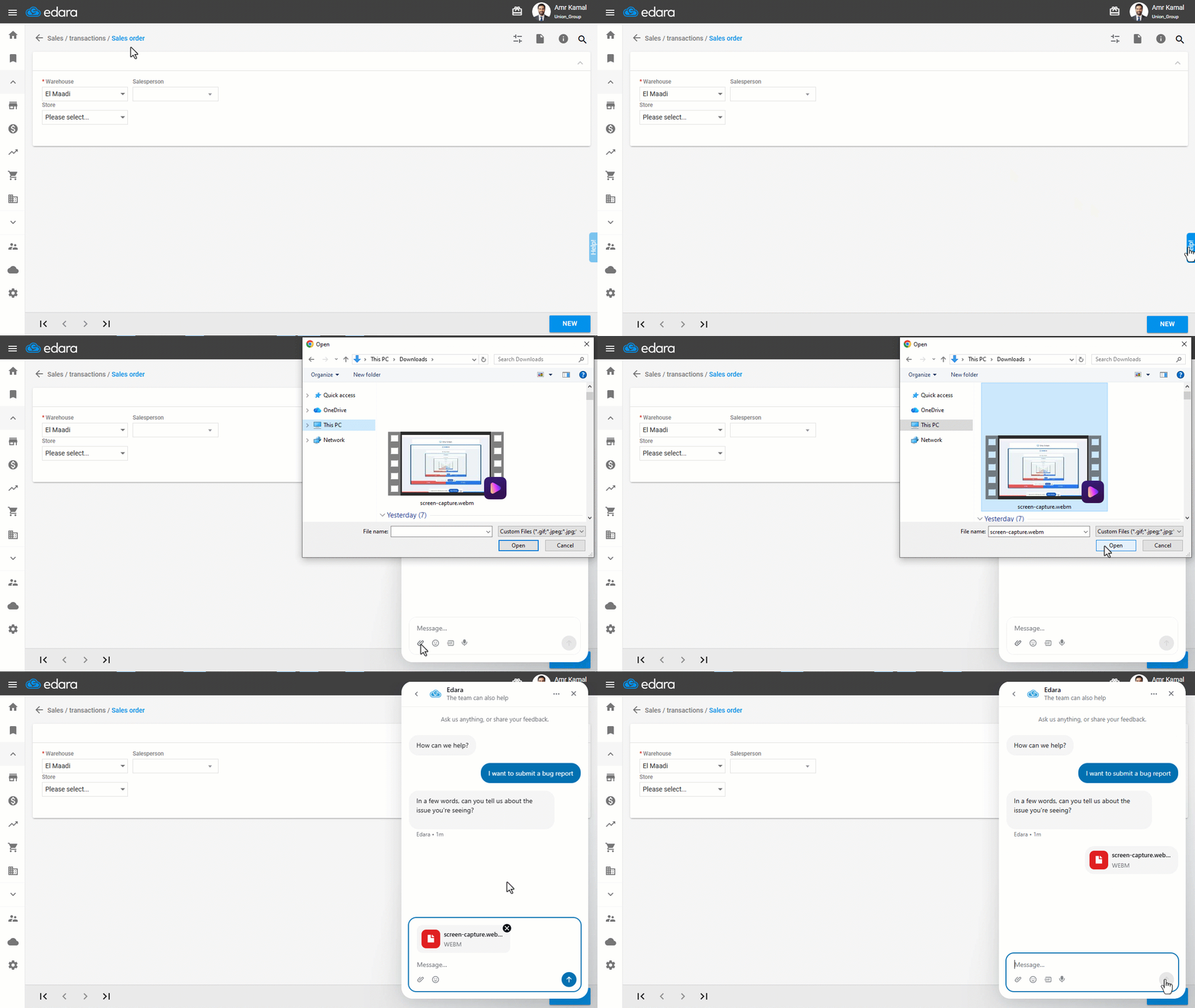
- Go to “Edara”.
- Click on the “Help” icon.
- Start a new chat with the support team.
- Send the screen record in the chat and wait for the support team’s response to follow up and resolve the issue.
If you encounter any challenges or have questions during these processes, you can contact our technical support team, who are ready to assist you at any time.
Did this answer your question?