

Displaying Known Devices and Active Users
Last updated:
When using multiple devices or browsers to access “Edara”, you may need to identify which devices are currently in use and which users are active on them.
You can display the devices registered in “Edara”, identify the users connected from each device, and review the details of the browsers being used. This gives you a clearer overview of the devices and active sessions associated with your company’s account.
Displaying Known Devices and Active Users
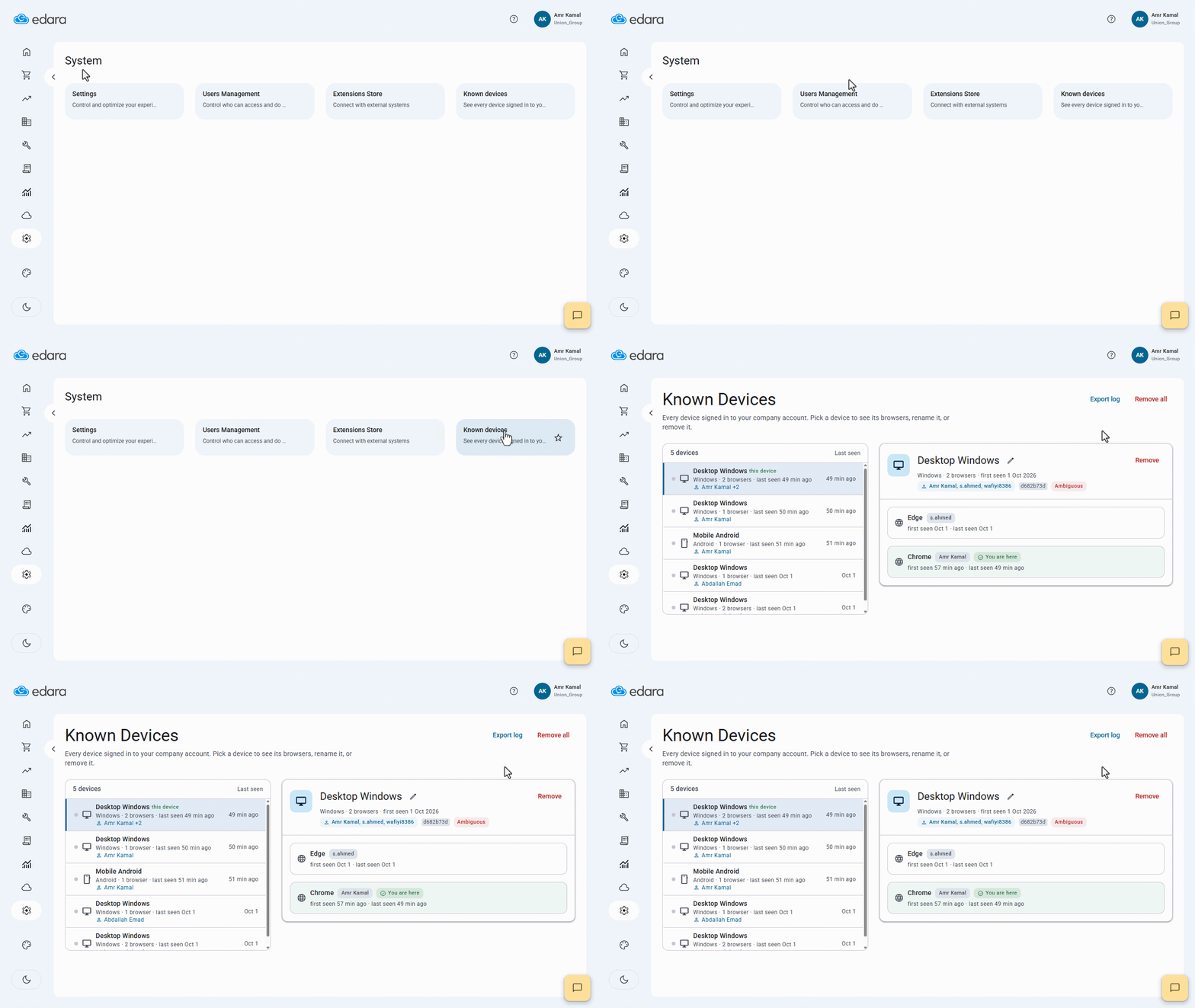
- Go to “System”.
- Open the “Known Devices” page.
A list of the devices and browsers currently being used by users connected to the system will appear, showing details about the device, operating system, and browser being used.
If you encounter any challenges or have questions during these processes, you can contact our technical support team, who are ready to assist you at any time.