

Accessing Previous Conversations
Last updated:
If you want to refer back to a previous response or review information shared with you by the technical support team, you can access all your previous conversations through the Help Center within “Edara”.
There, you can easily review and search through conversations without having to start a new conversation each time.
Accessing Previous Conversations
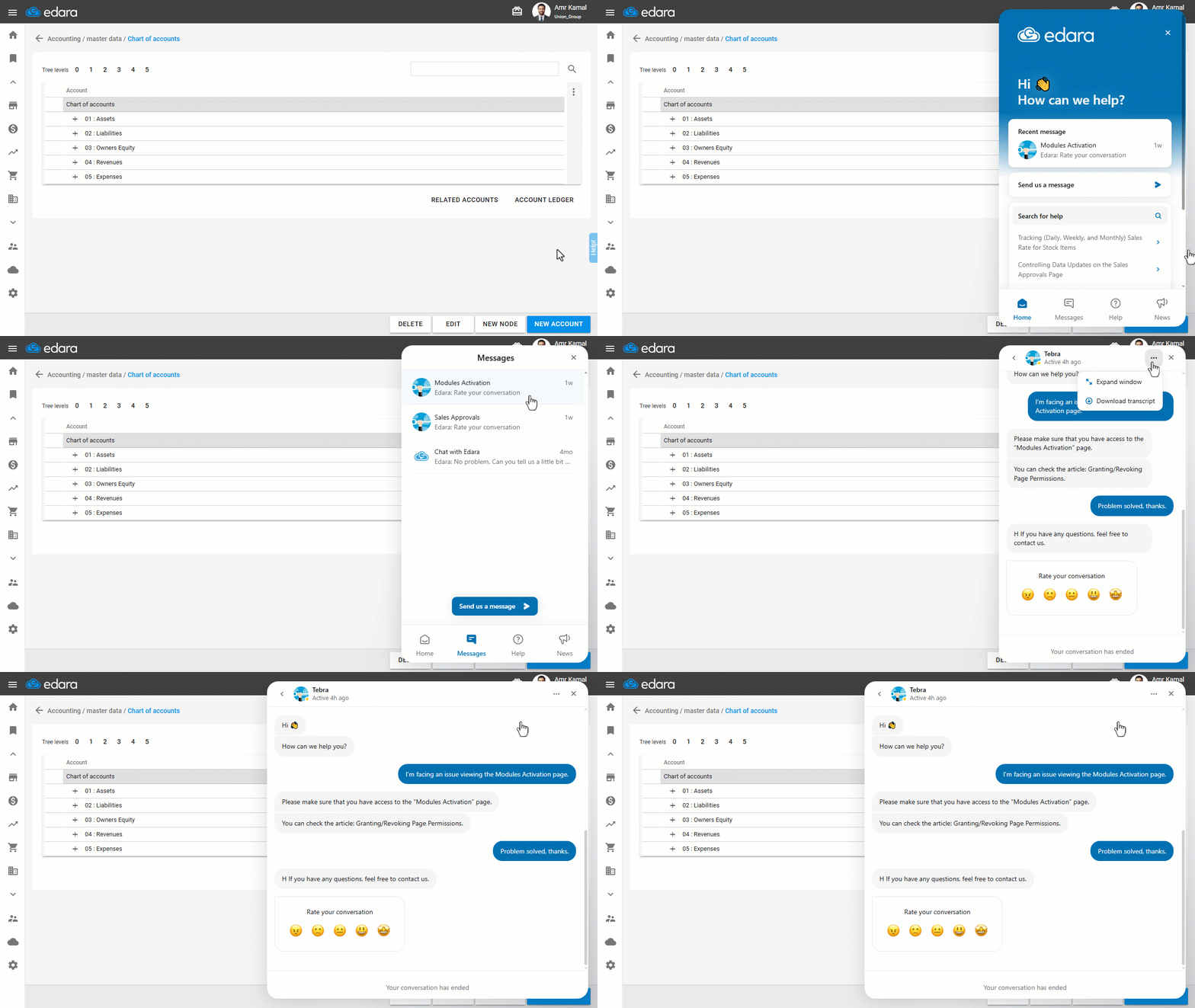
- Click on “Help”.
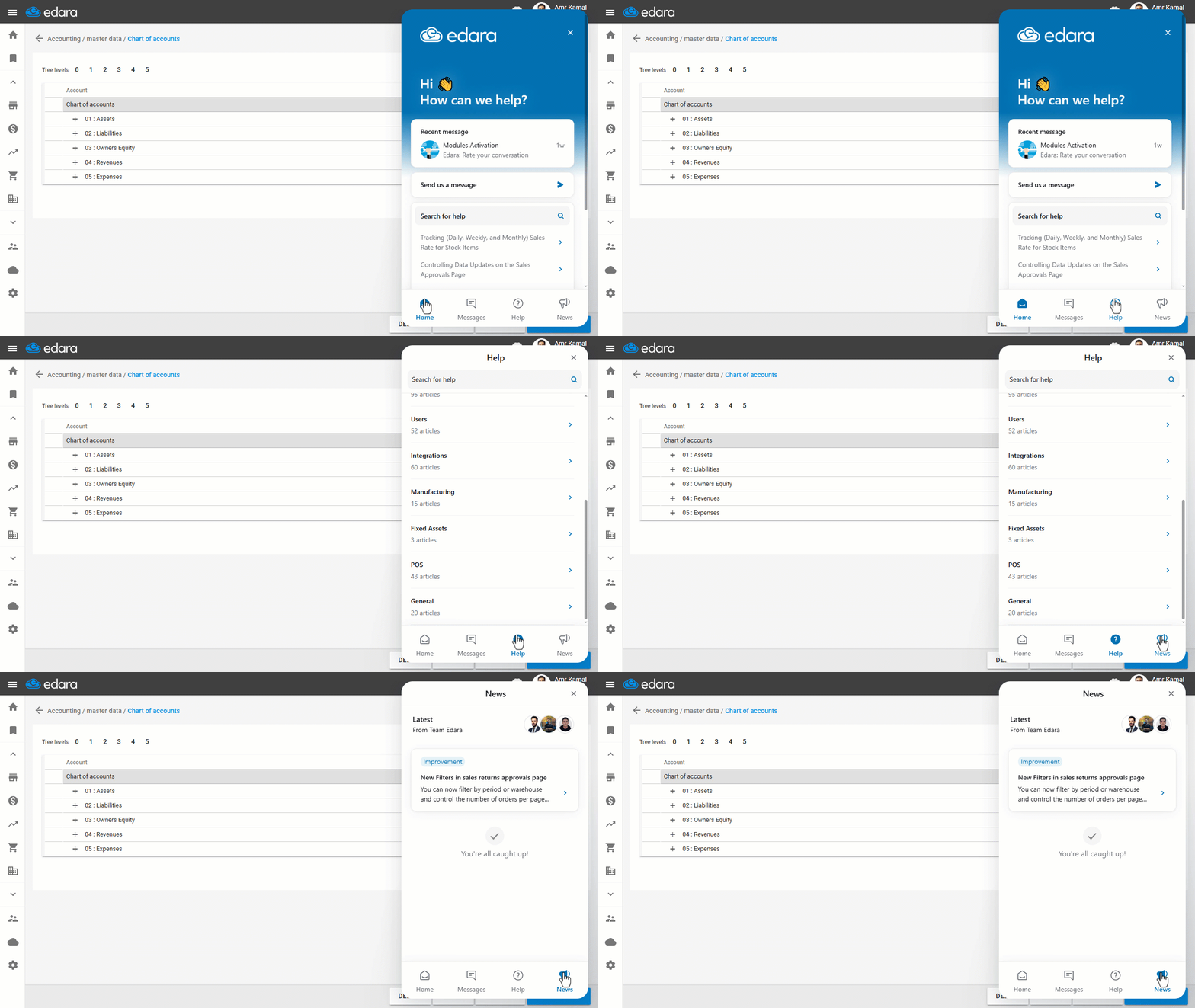
The main page of the Help Center will appear, which includes the following sections:
- Messages: to view and return to previous conversations.
- Help: to search for articles related to different parts of the system.
- Improvement: to view the latest system updates and announcements.
- Go to the “Messages” section to display your previous conversations.
- Click on the conversation you want to open to view its details.
Note: You can click on "⋯" and select “Expand Window” to view the conversation more clearly and make the details easier to read.
Note: You can also display articles by collections through the “Help” section or check the latest updates from the “News” section.
If you encounter any challenges or have questions during these processes, you can contact our technical support team, who are ready to assist you at any time.