

Updating Your Organization's Master Data in “Edara 3.0”
Last updated:
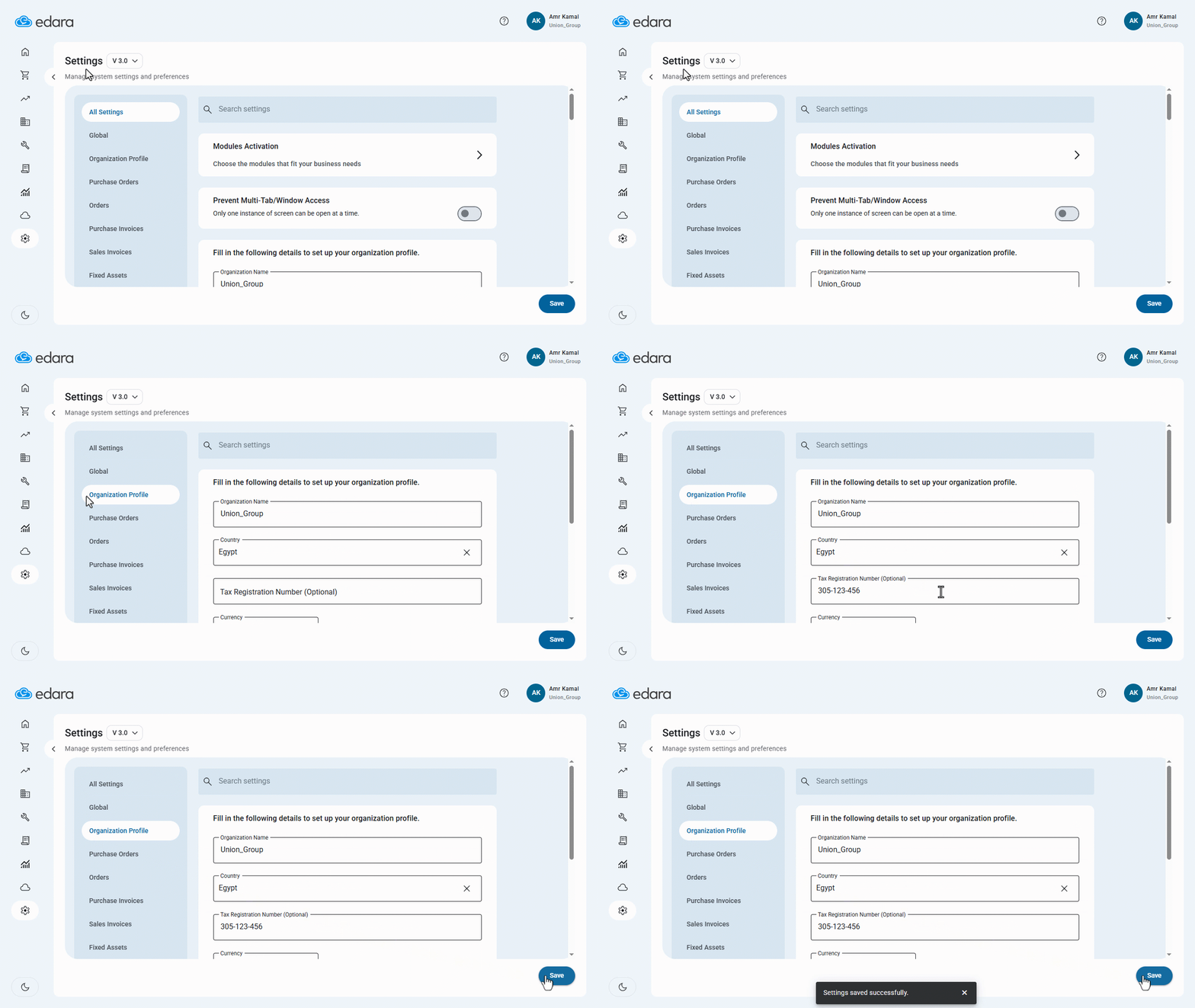
When you need to update your company’s basic details, such as phone number, address, or currency, you can modify them directly in “Edara” to ensure the new details are displayed correctly.
Updating Your Organization's Master Data in “Edara 3.0”
- Go to “System”.
- Open the “Settings” page.
- Click on ”Organization Profile”.
- Update the details that have changed.
- Click on “Save”.
If you encounter any challenges or have questions during these processes, you can contact our technical support team, who are ready to assist you at any time.
Did this answer your question?