

Allowing Pop-Up Windows to Display Printing upon Saving
Last updated:
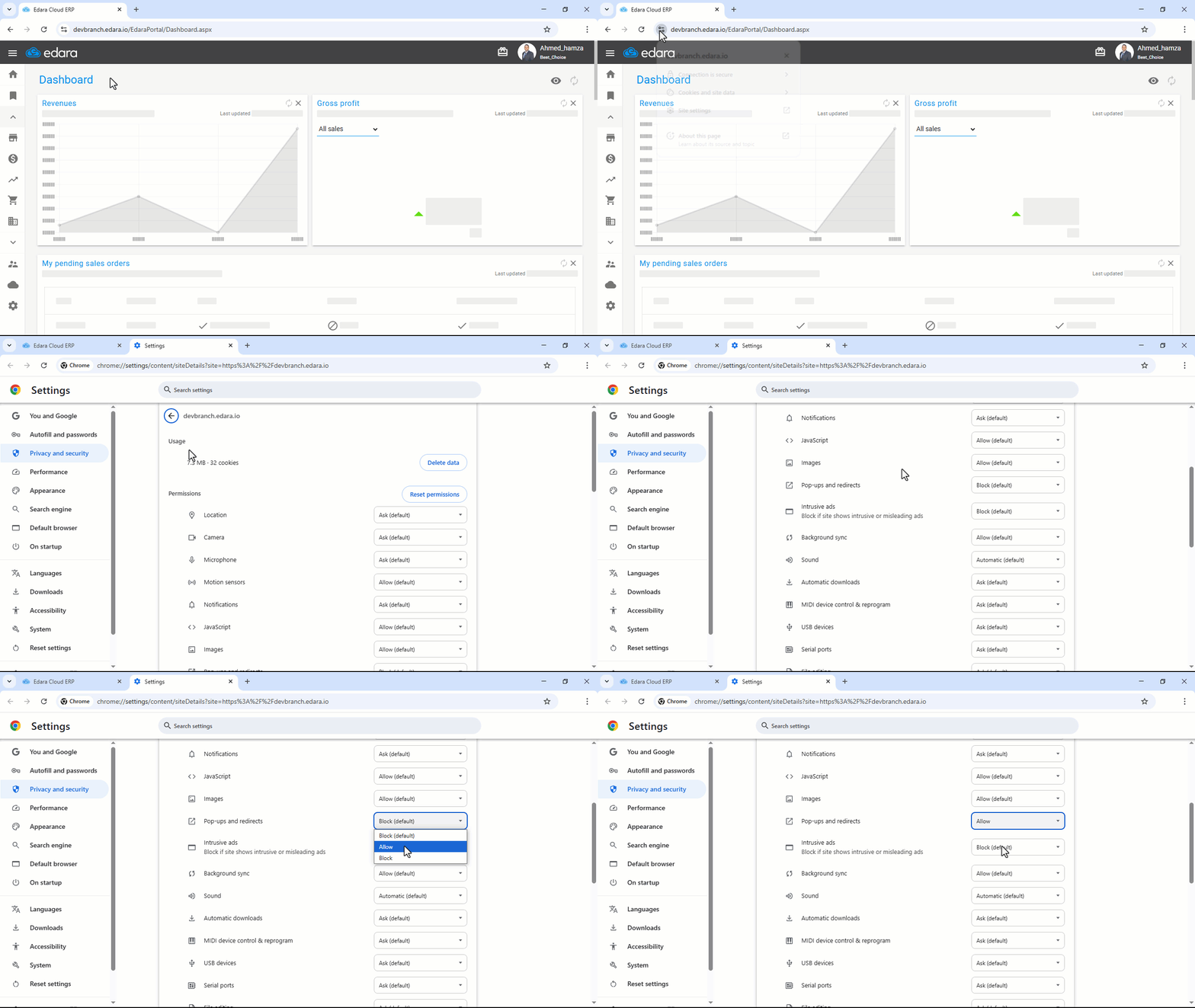
Activating the "Allow Pop-Up Windows" option enables automatic printing upon saving.
Allowing Pop-Up Windows to Display Printing upon Saving
- Open “Edara”.
- Click on the icon "
 " next to the URL.
 - Select "Site Settings".
- Look for the icon of Pop-Ups and Redirects option “
 ”.
”. - Click on the “▼” icon and choose "Allow".
If you encounter any challenges or have questions during these processes, you can contact our technical support team, who are ready to assist you at any time.
Did this answer your question?