

Adding a Page to Favorites
Last updated:
Adding pages to Favorites allows you to quickly access your most frequently used pages without needing to search for them across different modules.
Adding a Page to Favorites

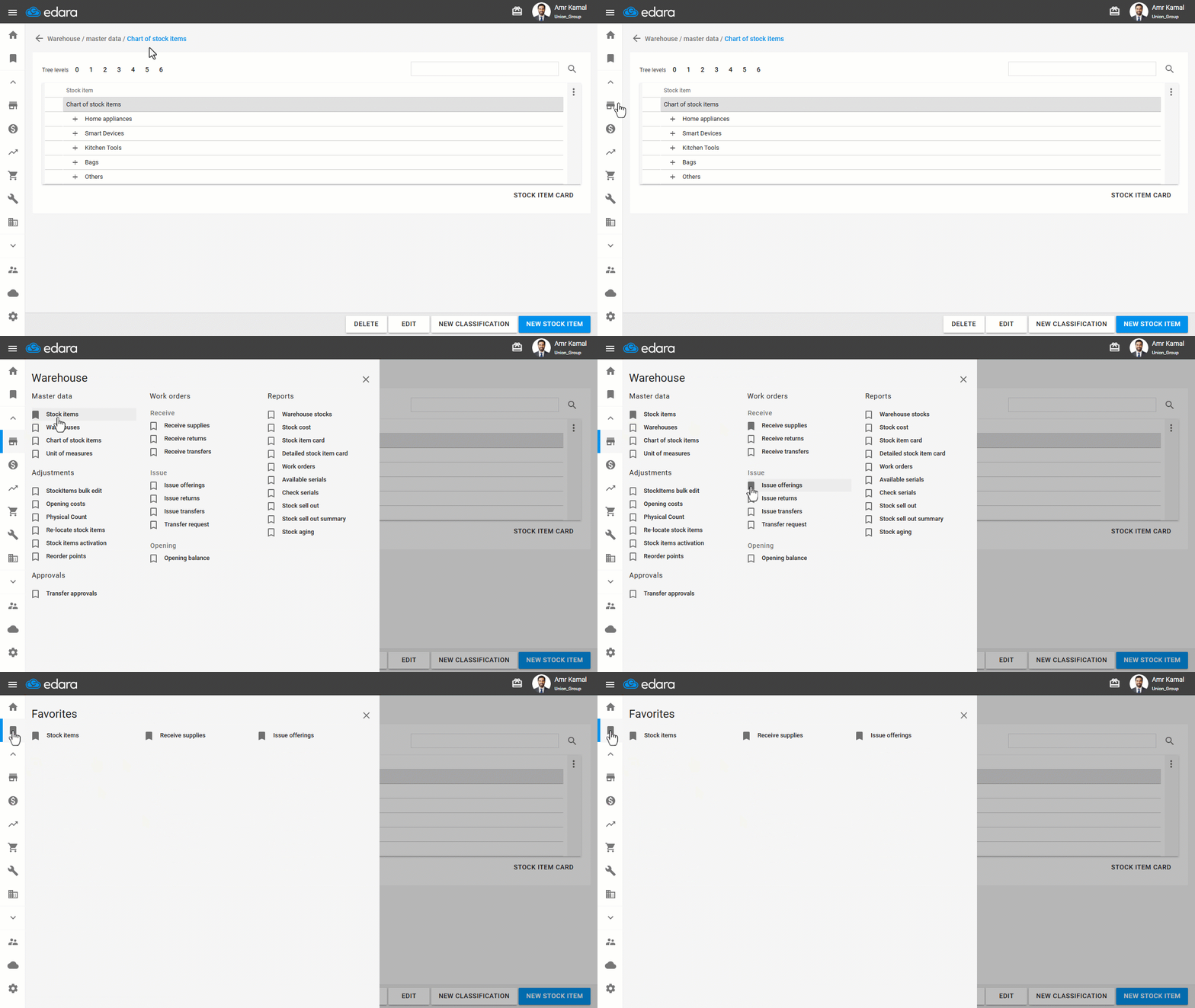
- Go to the module that contains the page you want to add to Favorites.
- Click on the "
 " icon next to the page.
The page will be automatically added to Favorites.
If you encounter any challenges or have questions during these processes, you can contact our technical support team, who are ready to assist you at any time.
Did this answer your question?