

Syncing Customers Between “Edara” and “Shopify”
Last updated:
This step allows you to fully synchronize customer data between “Edara” and “Shopify”, so that customers are automatically created and updated in “Edara” whenever customer data is created or updated in “Shopify”.
Syncing Customers Between “Edara” and “Shopify”

When a new customer is created in “Shopify”, the system automatically creates a corresponding customer in “Edara”, transferring the main data based on the predefined integration settings.
Similarly, when a customer’s data is updated in “Shopify”, their information is automatically updated in “Edara”.
Creating or modifying customers in “Edara” depends on linking fields between both systems, as shown in the following table:
| Shopify | Edara |
|---|---|
| First name + Last name | Name |
| Phone | Mobile |
| Postal code | Postal Zip code |
| Address name | Address name |
| Country | Country |
| Governorate (Province) | City/Area |
| City | District |
| Address | Address name |
| Address + Apartment/Suite, etc. | Address name |
| Phone | Address phone |
To manage creation and update settings:
- Click the “
 ” icon.
 - Select the AR Account on which the customer will be created.
- Click on “Save”.
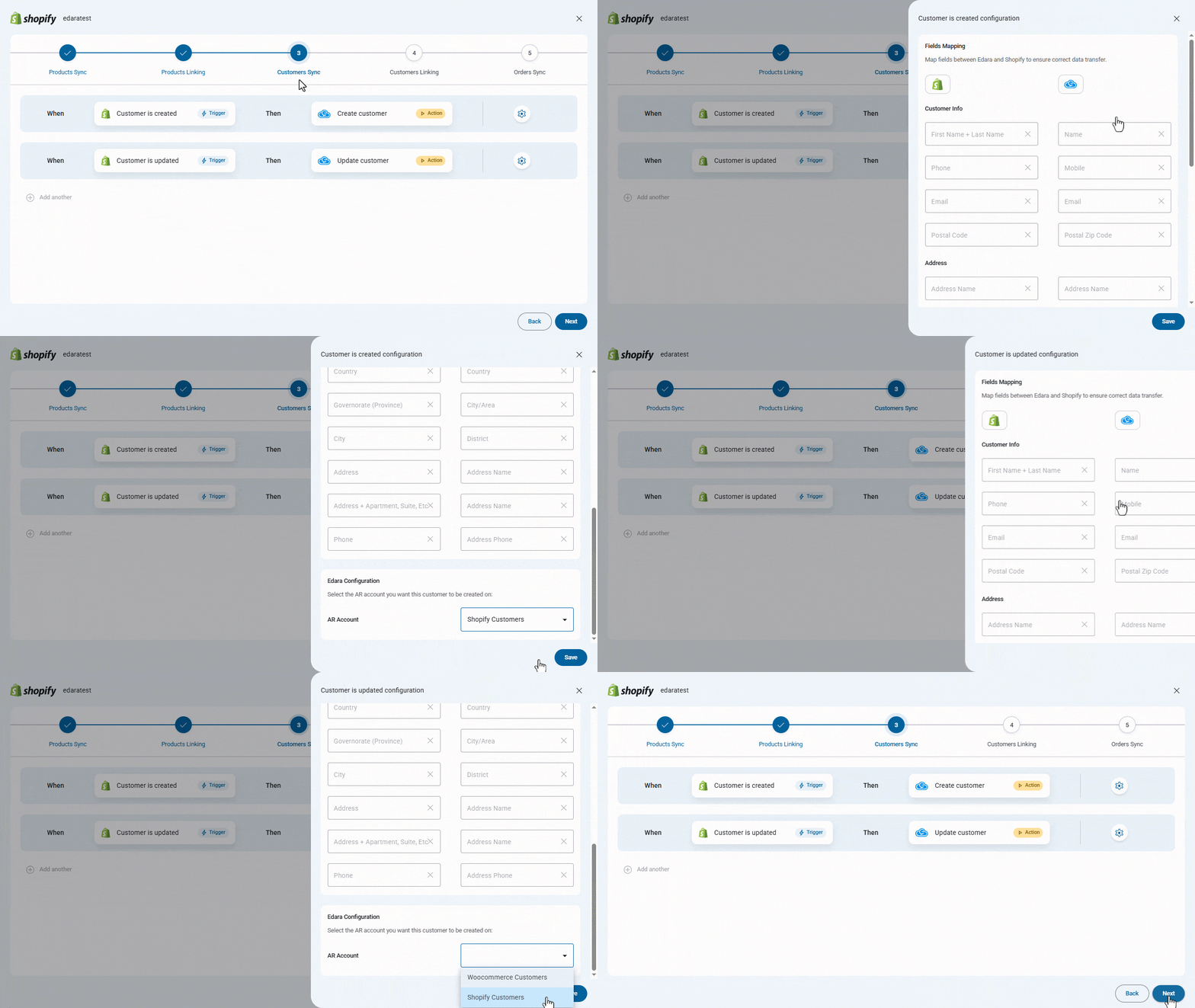
After finishing, click on “Next” to move to the next step: Customer Linking.
If you encounter any challenges or have questions during these processes, you can contact our technical support team, who are ready to assist you at any time.