

Granting/Revoking Supervision Permission for Sales Persons
Last updated:
"Edara" provides the ability to grant sales supervisors access rights, enabling them to review and analyze the sales reports of their team members to evaluate each individual's performance.
Additionally, you can revoke this permission when necessary to prevent unauthorized use.
Granting Supervision Permission for Sales Persons
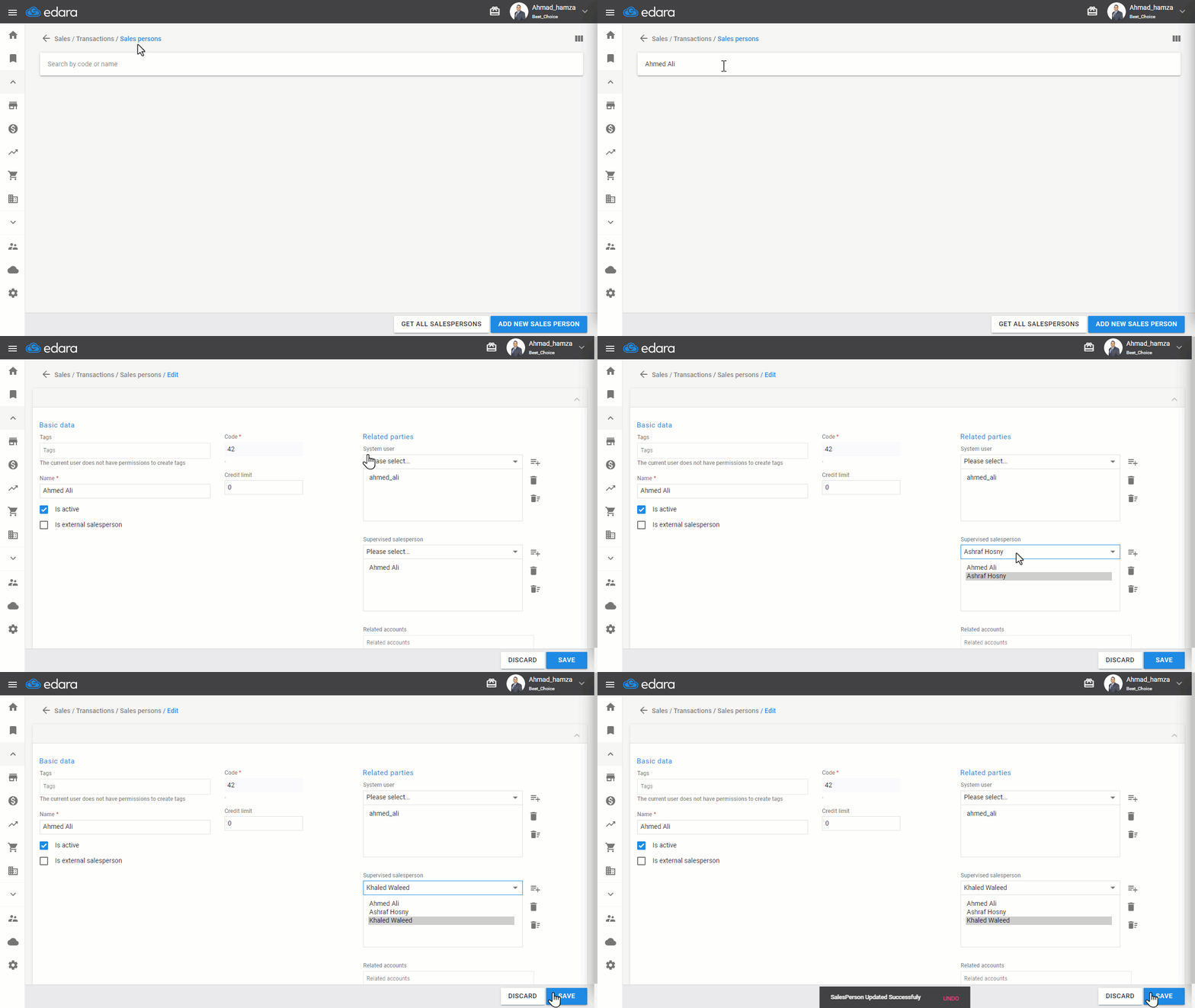
- Go to the Sales Module.
- Select Salesperson.
- Search for the officer by name or code.
Note: You can also click "Get All SalesPersons" to view and choose from all salespersons' data.
- Choose the desired sales officer.
- Click on 🖊 to edit.
- Add the salespersons for whom supervision is required using the dropdown list.
- Click “Save.”
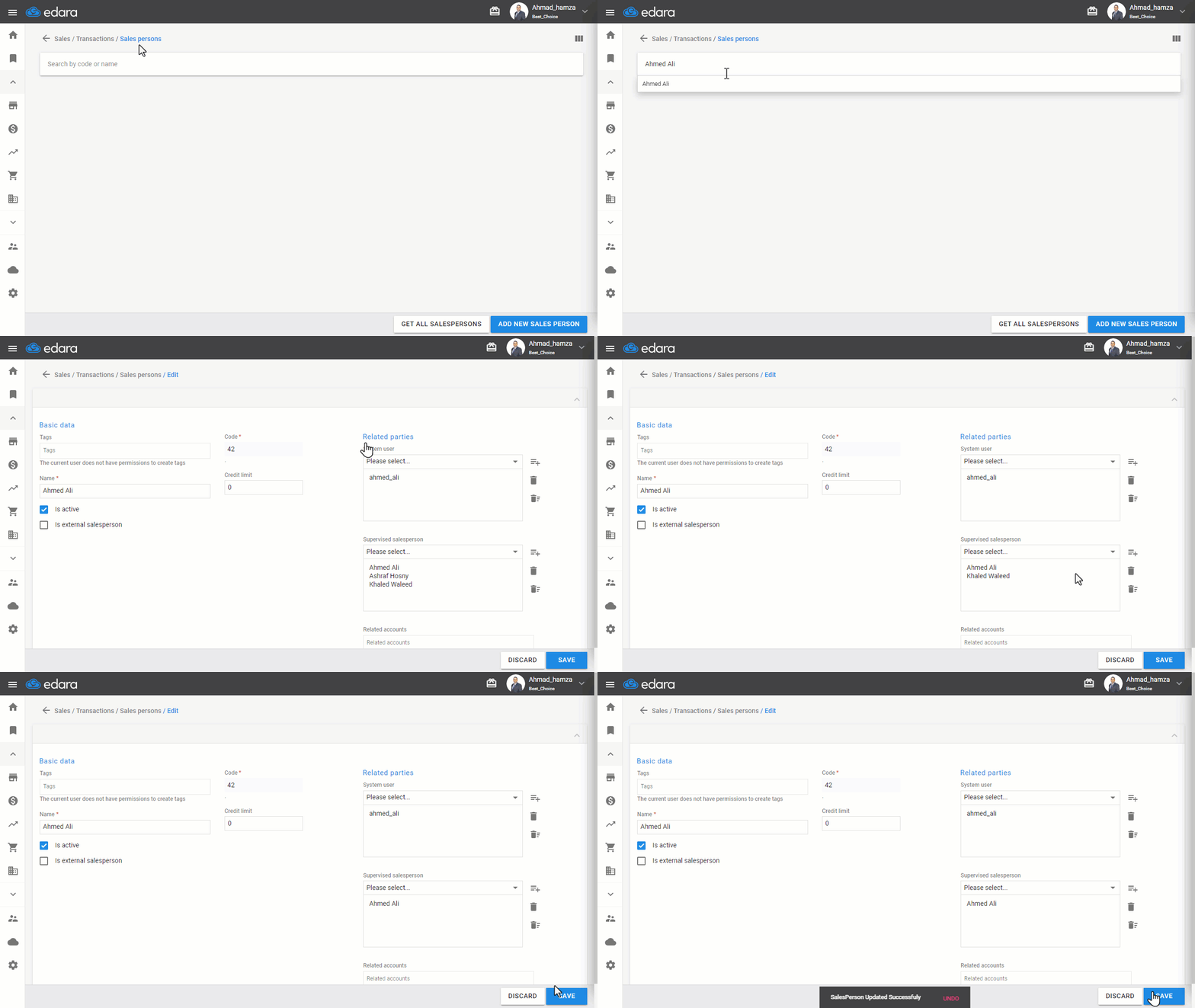
Note: You can revoke this permission by following the previous steps, then:
- Select the supervisor's name from the Sales Supervisor list.
- Click 🗑️ to remove the supervisor.
- Click “Save.”
Frequently asked questions
How do I revoke the supervision permission?
You can revoke this permission by following the previous steps, then: Select the supervisor's name from the Sales Supervisor list, Click 🗑️ to remove the supervisor, Click “Save.”.
If you encounter any challenges or have questions during these processes, you can contact our technical support team, who are ready to assist you at any time.