

Deactivating a Salesperson
Last updated:
In some cases, you may need to unlink a salesperson who is no longer active or no longer part of your team.
For example, if a salesperson has left the company or changed roles, you can use the Edara system to deactivate their account and remove their link to sales activities.
Deactivating a Salesperson
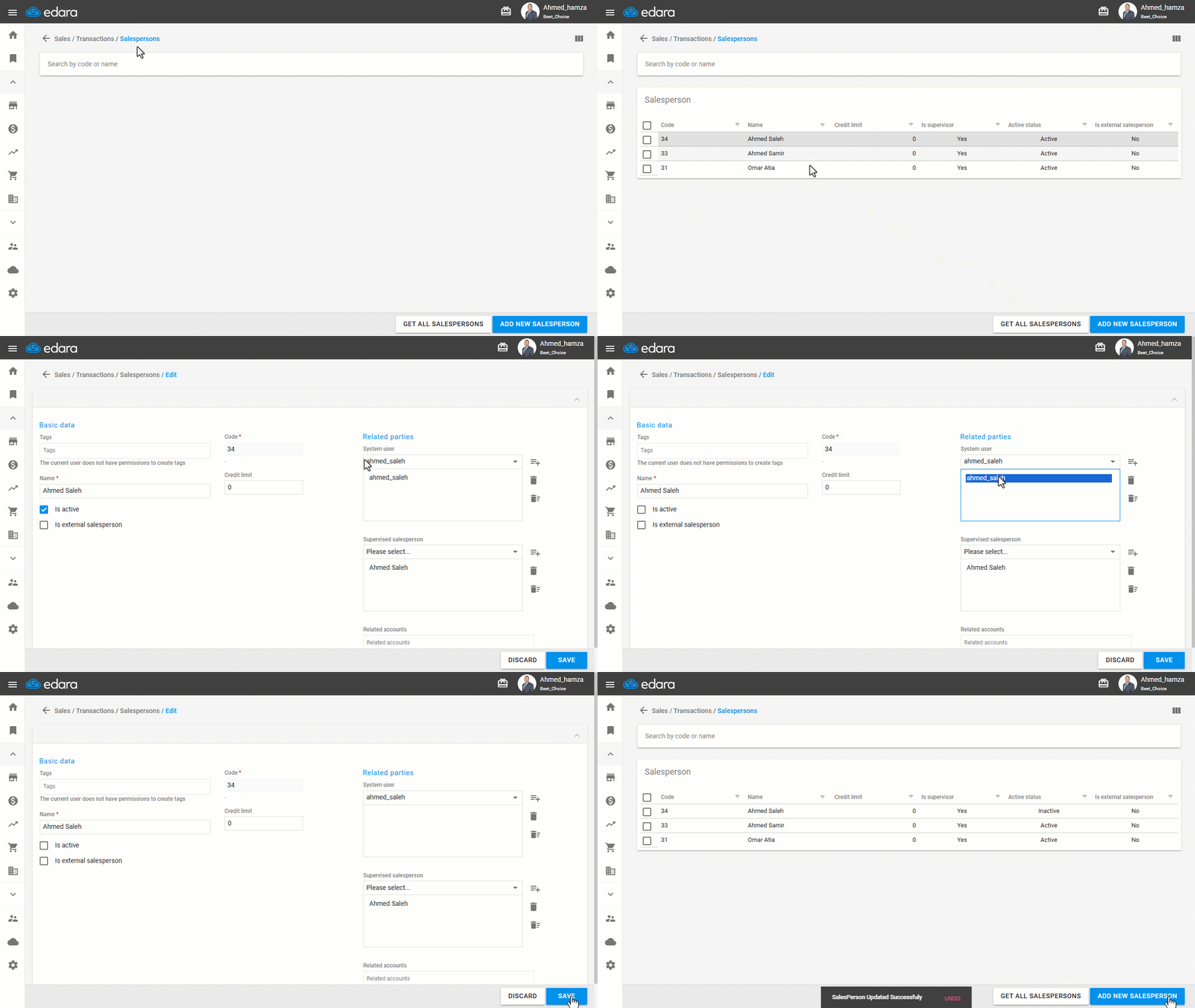
- Go to the Sales module.
- Open the “Salesperson” page.
- Click on “Get All Salespersons”.
- Select the salesperson, then click 🖉 to edit.
- Uncheck the ☑️ to deactivate the salesperson.
- Click on the username, then click 🗑️.
- Click on “Save”.
If you encounter any challenges or have questions during these processes, you can contact our technical support team, who are ready to assist you at any time.
Did this answer your question?