

Deleting Unused Salesperson
Last updated:
If a salesperson was created by mistake and no transactions have been recorded under their name, “Edara” allows you to delete them easily.
Deleting Unused Salesperson
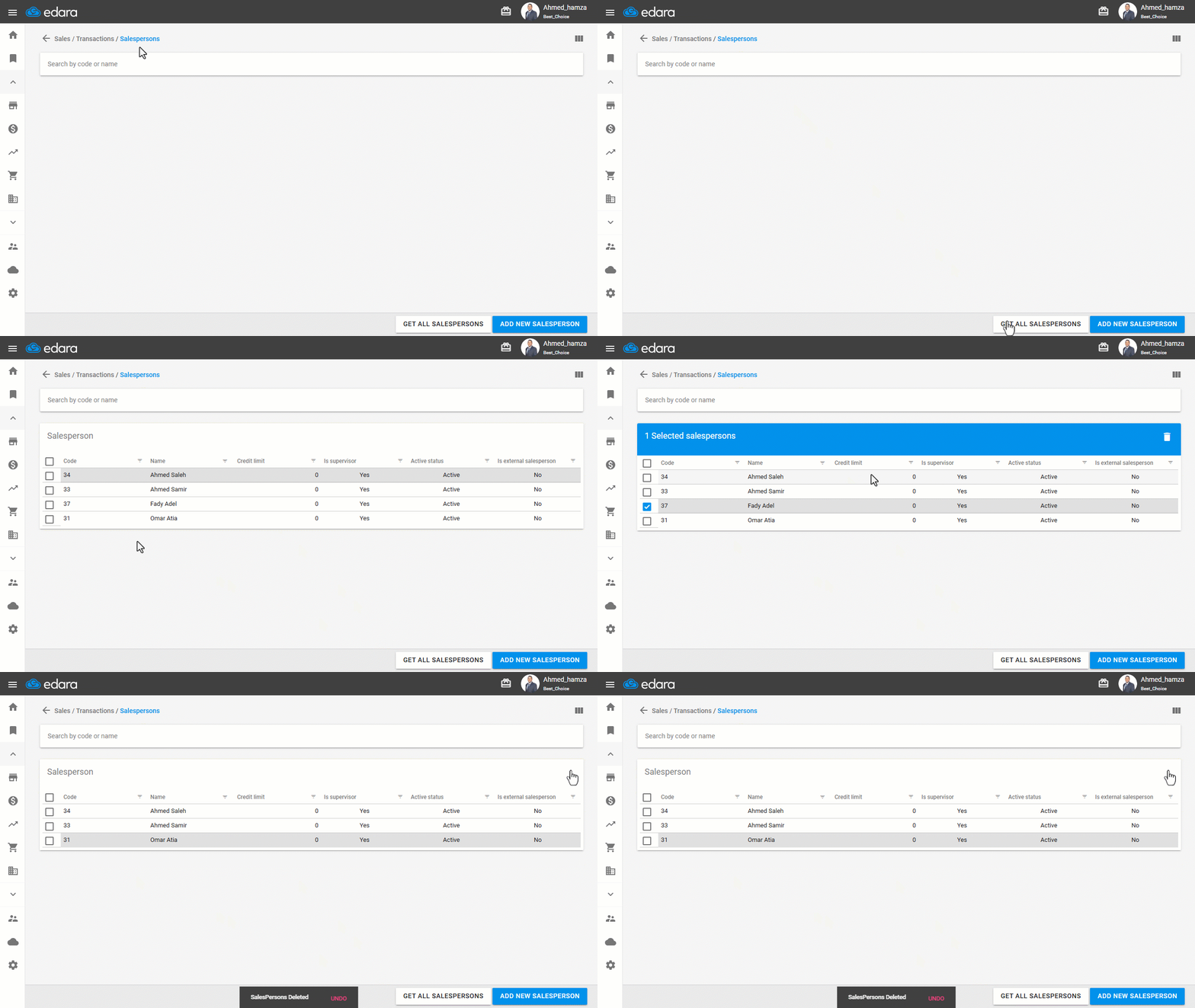
- Go to the Sales module.
- Open the “Salespersons” page.
- Click on “Get All Salespersons”.
- Click on the “▢” checkbox next to the salesperson’s name.
- Click the delete icon “🗑️”.
Note: If the salesperson has already been involved in transactions and you no longer want their name to appear when creating sales orders, you can simply deactivate them and remove their supervisor role.
Frequently asked questions
What if the salesperson already has transactions?
If the salesperson has already been involved in transactions and you no longer want their name to appear when creating sales orders, you can simply deactivate them and remove their supervisor role.
If you encounter any challenges or have questions during these processes, you can contact our technical support team, who are ready to assist you at any time.
Did this answer your question?