

Updating the Payment Status for Sales Orders
Last updated:
You can update the payment status of previously paid Sales Orders to ensure they appear with the correct status in the system.
Updating the Payment Status of Sales Orders
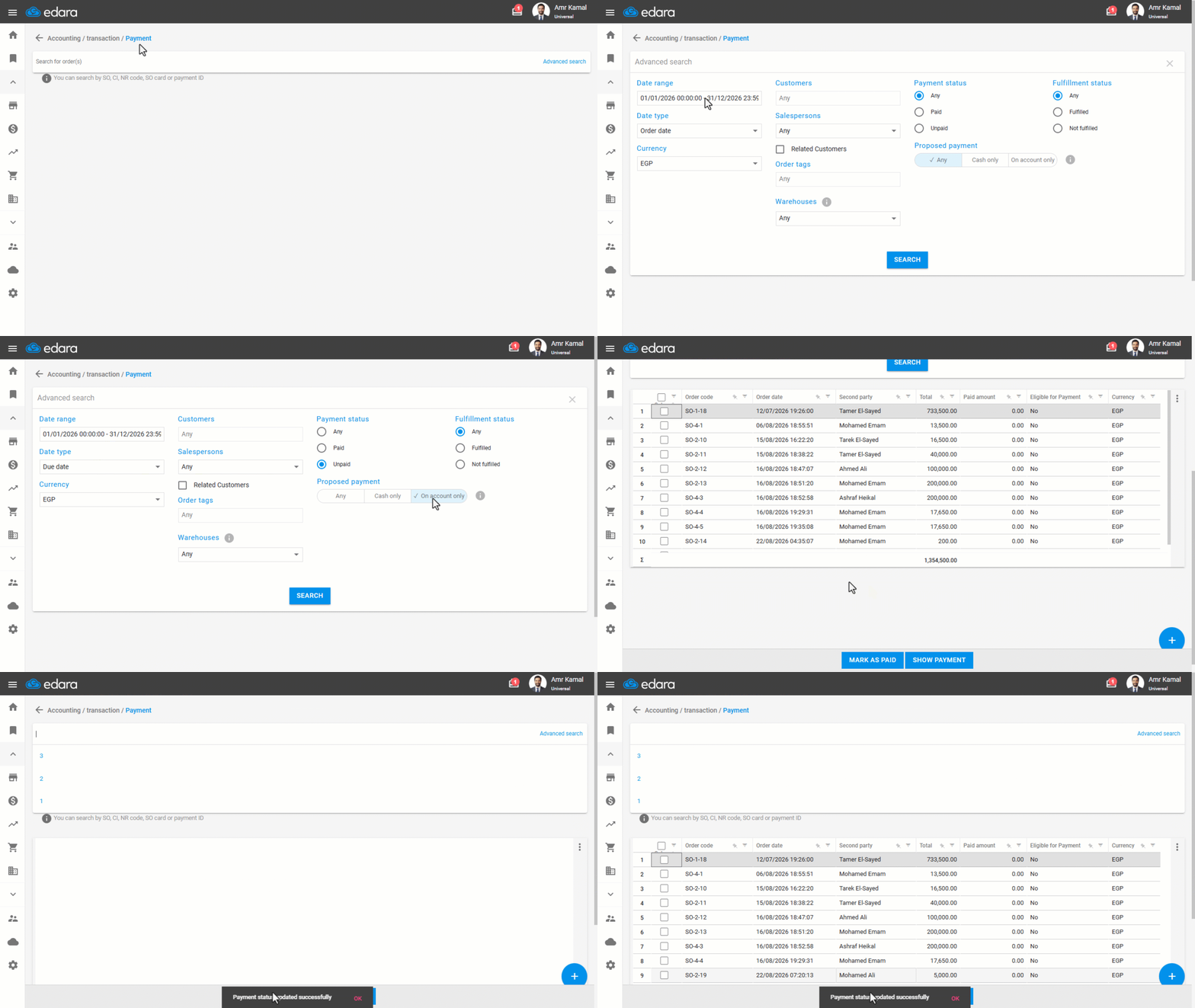
- Go to the “Accounting” module.
- Open the “Payment” page.
- Click on “Advanced Search”.
- Select the date range.
- Select the date type.
- Select the payment status “Unpaid”.
- Select the Proposed payment.
- Select the Fulfillment status.
- Click on “Search”.
- Select one or more sales orders.
- Click on “Mark as Paid”.
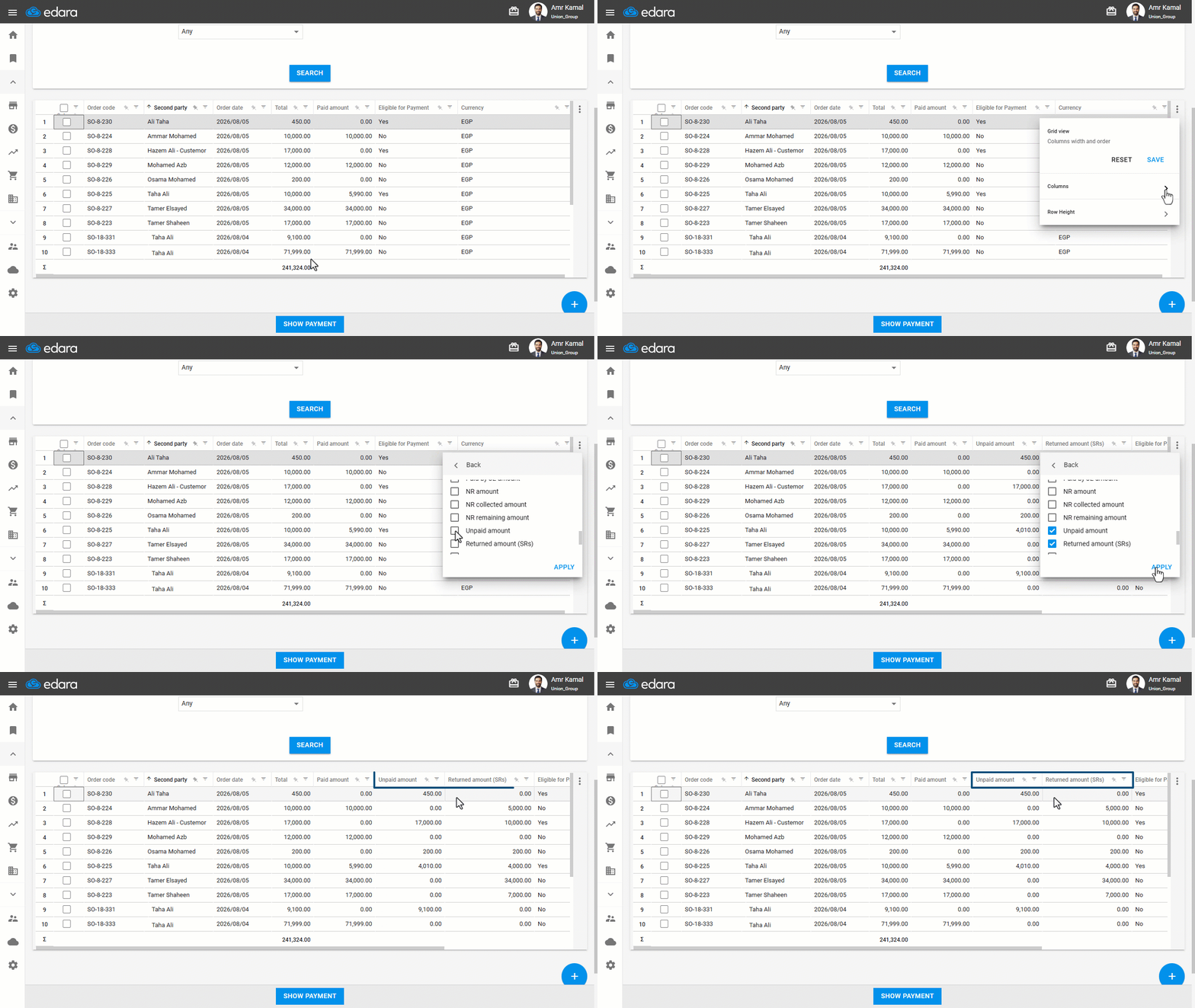
You can also control which columns are displayed by clicking “︙”, then “❯”, enabling the required columns, and clicking on “Apply”. You can also display the “Unpaid Amount” and “Returned Amount (SRs)” columns to review these amounts before updating the payment status to Paid.
Notes:
- The “Unpaid Amount” and “Returned Amount (SRs)” values are calculated according to the document currency.
- When “All” is selected as the payment status, the “Update to Paid” and “Update to Unpaid” buttons are hidden, while the “View Payments” button remains available.
Frequently asked questions
Why is the “Update to Paid” button hidden?
When “All” is selected as the payment status, the “Update to Paid” and “Update to Unpaid” buttons are hidden, while the “View Payments” button remains available.
If you encounter any challenges or have questions during these processes, you can contact our technical support team, who are ready to assist you at any time.
Did this answer your question?