

Displaying Details of the Amounts Actually Paid on the Payment Page
Last updated:
When settling a large number of sales orders from the Payment page, the paid amounts may be distributed across multiple cash treasuries and different bank accounts. This can make it time-consuming to review the cash or bank account to which each payment was collected for every sales order individually. You can now view the details of the amounts actually paid for sales orders directly from the Payment page, without having to review each order separately.
Displaying Details of the Amounts Actually Paid on the Payment Page

- Go to the “Accounting” module.
- Open the “Payment” page.
- Click on "Advanced Search".
- Select the date range.
- Select "Paid" as the payment status.
- Click on "Search".
Make sure the "Payment ID" column is displayed among the columns shown in the results.
- Select the payment orders for the required payment document.
- Click on "Show Payment".
Note: You can search directly by the Payment ID using the search bar on the payment page.
- Go to “Actual Payment.”
- Click on “
 ” next to the paid amount.
The details of the amount actually paid will be displayed, showing the accounts and cash treasuries to which the amount was credited, depending on the payment method used.
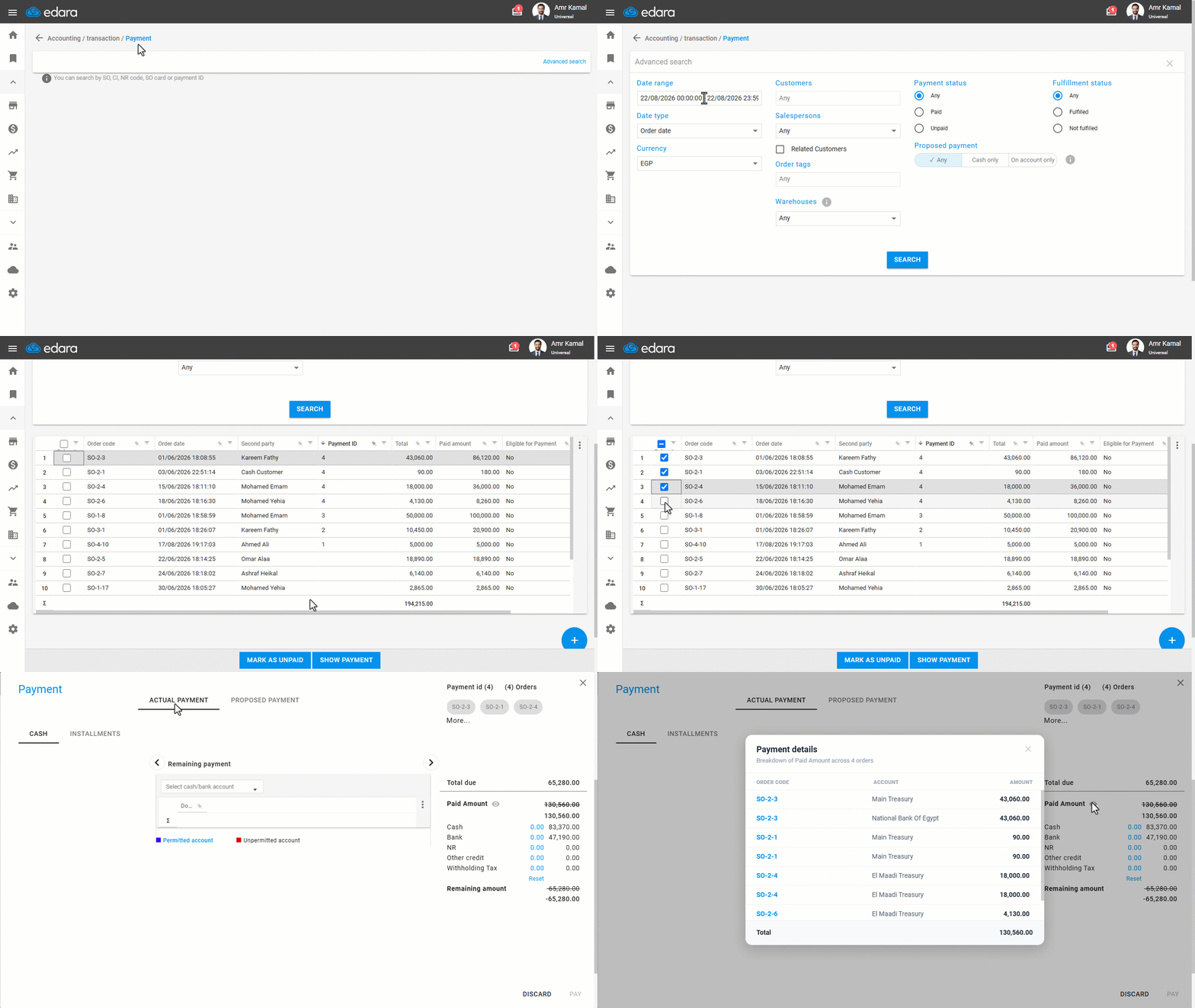
The details of the amount paid vary depending on the payment method, as follows:
- Cash: Displays the name of the cash treasury to which the amount was credited.
- Bank: Displays the name of the bank account to which the amount was credited.
- NR: Displays the receivables notes account associated with the payment transaction.
- Other credit: Displays amounts paid through journal entries.
- Withholding Tax: Displays amounts paid for this tax type when the “Withholding tax” option is enabled within the journal entry.
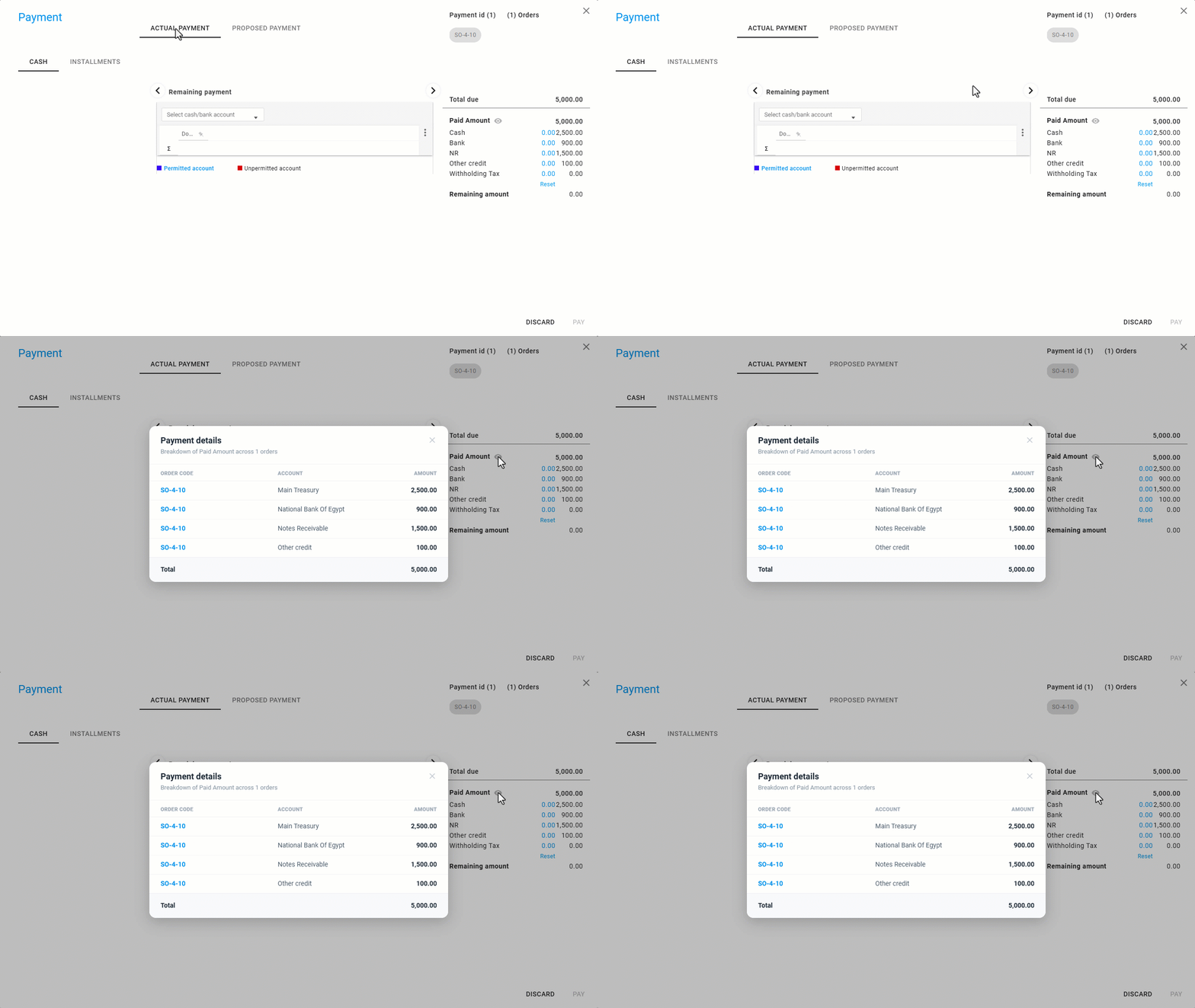
Note: Accounts Receivable notes appear under the details of the amount actually paid when the "Allow NR/NP posting" setting is enabled in the Accounting Settings.
Frequently asked questions
When do notes receivable appear in the details of the amount actually paid?
Accounts Receivable notes appear under the details of the amount actually paid when the "Allow NR/NP posting" setting is enabled in the Accounting Settings.
If you encounter any challenges or have questions during these processes, you can contact our technical support team, who are ready to assist you at any time.