

Filtering by Warehouse Permissions on the Payment Page
Last updated:
During payment processing from the "Payment" page, Sales Orders from all warehouses are displayed by default, regardless of the user’s warehouse permissions.
When a cashier is assigned to a specific warehouse, they may need to pay only the Sales Orders related to that warehouse, without viewing orders from other warehouses on the Payment page.
Therefore, “Edara” allows you to control which Sales Orders appear on the Payment page based on the user’s warehouse permissions. This ensures payments are processed for the correct warehouse and helps prevent collection errors.
Filtering by Warehouse Permissions on the Payment Page

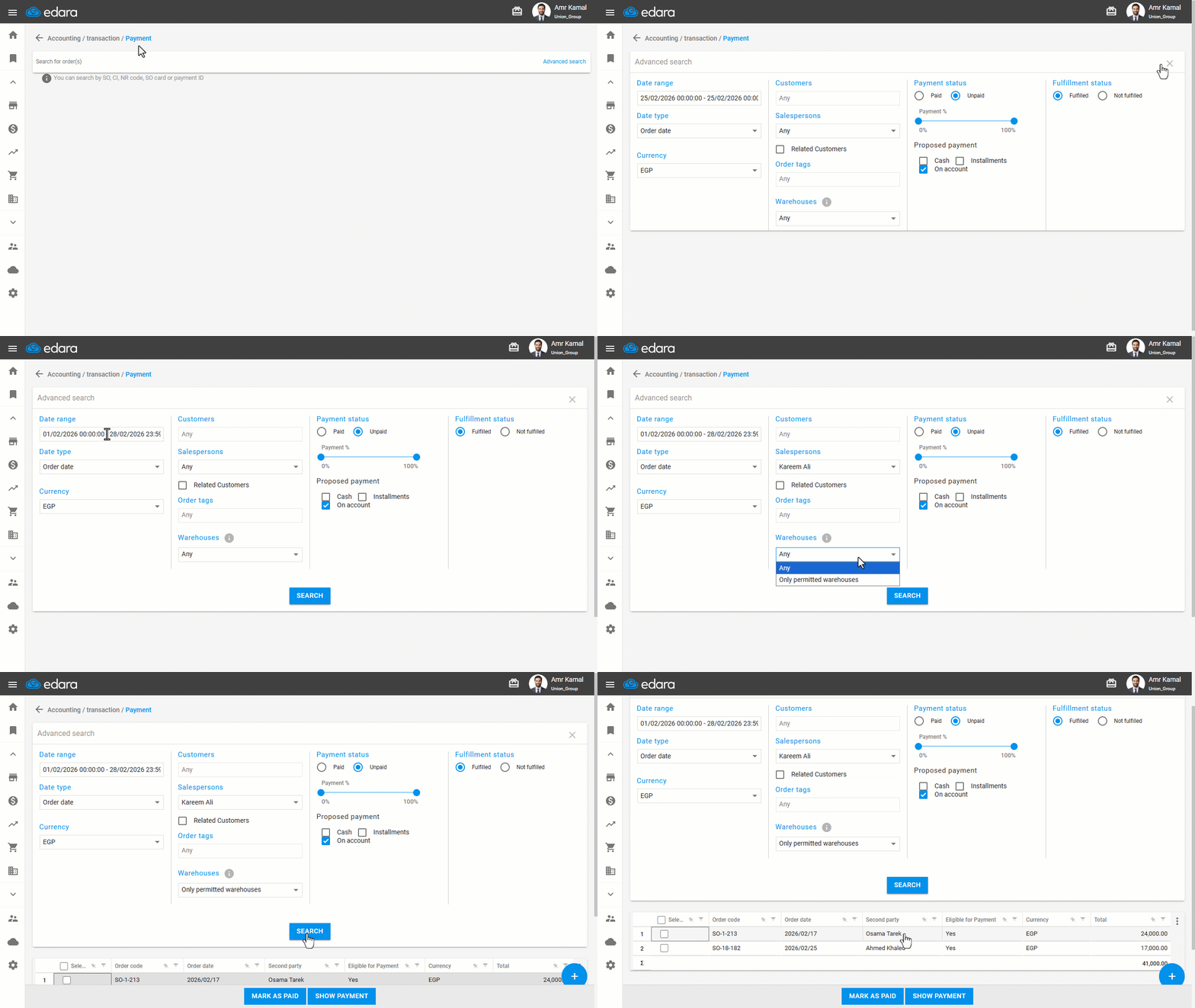
- Go to the "Accounting" module.
- Open the "Payment" page.
- Click on "Advanced Search".
- Select the required date range.
- Select the Salesperson.
- Choose the warehouses using one of the following options:
- Any: To display all Sales Orders from any warehouse.
- Only permitted warehouses: To display Sales Orders only from warehouses permitted to the user.
- Click on "Search".
Note: This filter only controls the display of Sales Orders from warehouses. Sales Orders from a Sales Store will always appear on the Payment page, regardless of the warehouse filter settings.
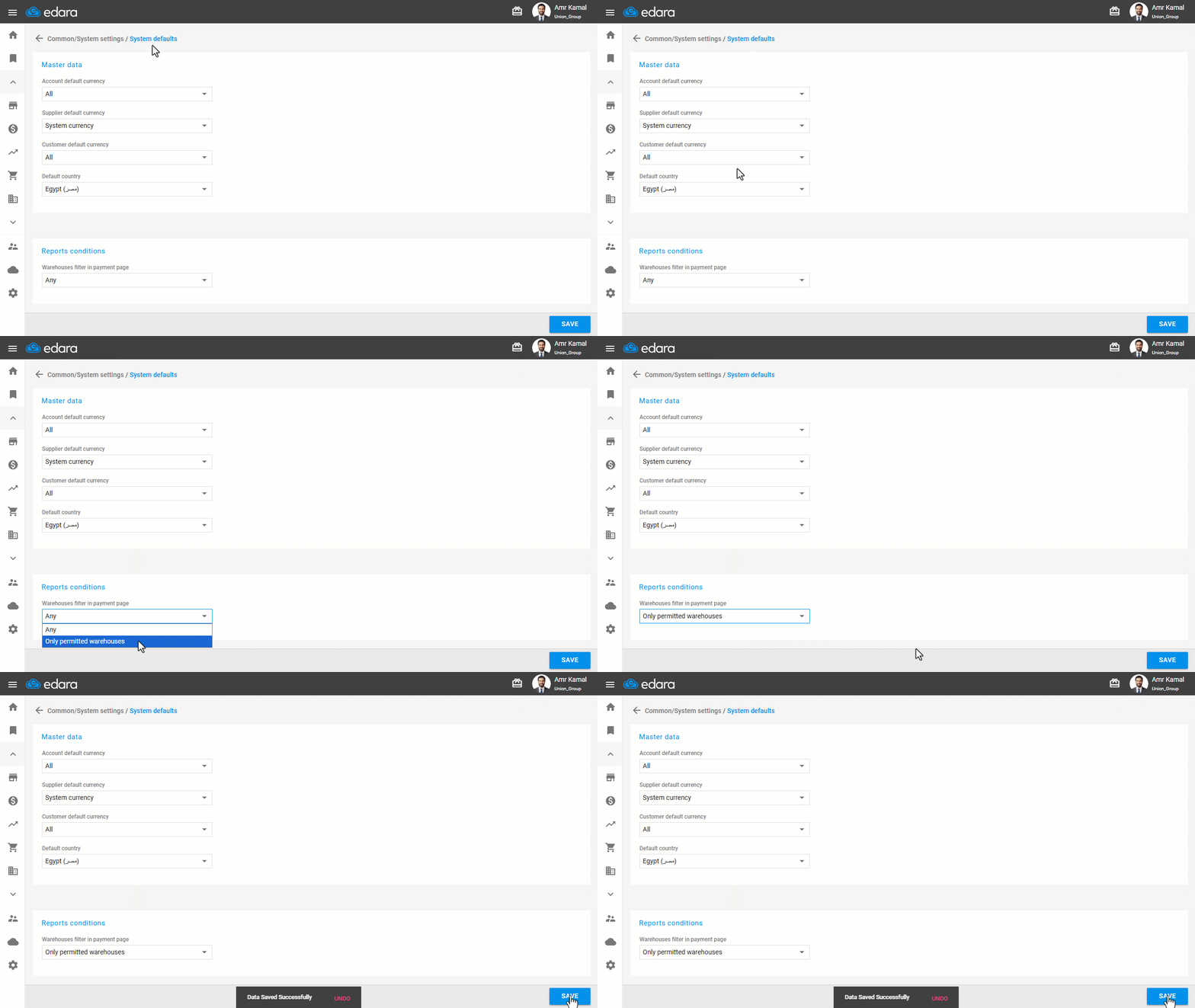
Note: You can control the default warehouses filtering option on the Payment page through the "System defaults" page. Set the default value for the warehouse filter (Any / Only permitted warehouses) and then click on "Save".
Controlling Warehouse Filter Permissions on the Payment Page
You can determine whether a user is allowed to change the warehouse filter on the Payment page or must use the default setting only. This ensures Sales Orders are displayed according to their permissions and business requirements.
- Go to "Users".
- Open the "Pages Permissions" page.
- Select the required user.
- Click the "+" icon next to "Accounting" until you reach the "Payment" page.
By default, permissions are enabled and visible.
- Manage the "Dropdown List - Warehouses" permission by setting it as hidden or disabled based on your needs.
- Click on "Save".
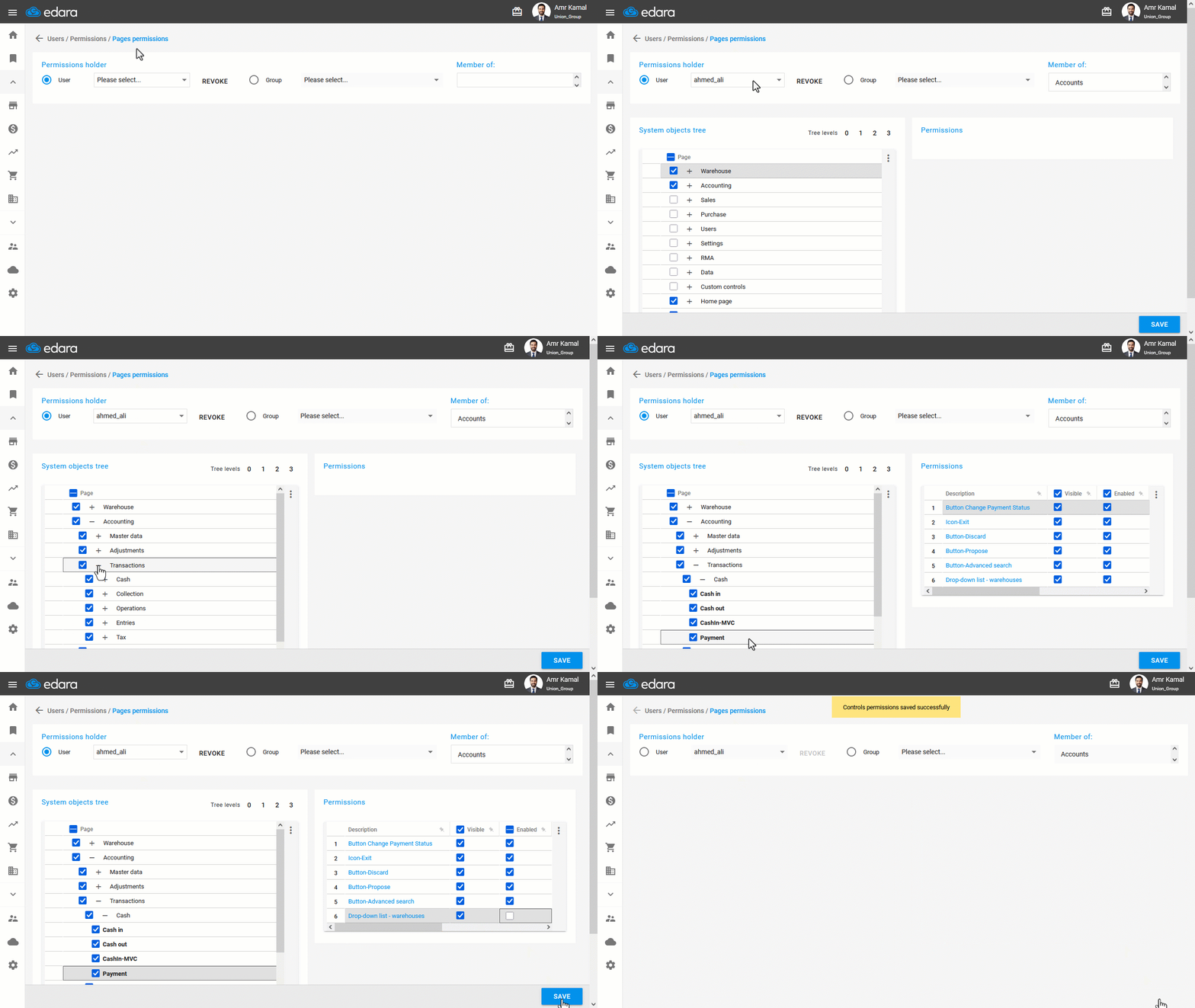
Note: If the default value is set to "Only permitted warehouses" and the permission to control the filter is restricted, the user will only see Sales Orders related to their authorized warehouses on the Payment page and will not be able to view or pay orders from other warehouses.
Frequently asked questions
Does the warehouse filter affect sales orders from a sales store?
This filter only controls the display of Sales Orders from warehouses. Sales Orders from a Sales Store will always appear on the Payment page, regardless of the warehouse filter settings.
If you encounter any challenges or have questions during these processes, you can contact our technical support team, who are ready to assist you at any time.