

Adding a Store Quota
Last updated:
Determining the right product quantities for each sales store should be based on careful analysis of market demand, customer behavior, and the characteristics of each location. Key factors to consider include sales volume, stock turnover rate, and storage capacity.
To support this, “Edara” allows you to assign stock item quotas to sales stores through two flexible methods.
Adding a Store Quota
“Edara” allows you to add these quotas in two ways:
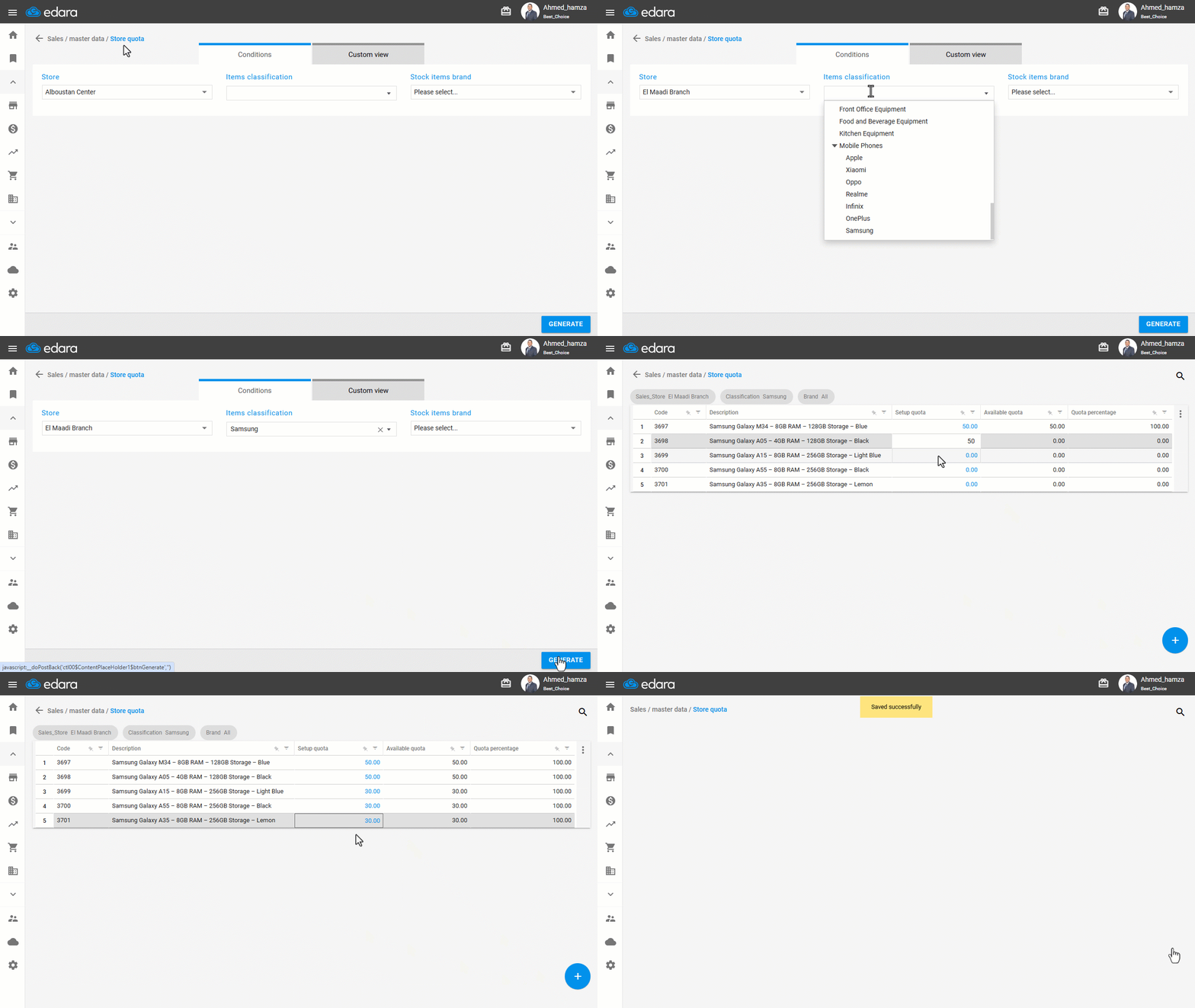
Method 1: Manual Editing
- Go to the Sales module.
- Open the “Store Quota” page.
- Select the Store you want to assign quotas to.
- Select the Stock Items Classification (Optional).
- Select the Stock Items Brand (Optional).
- Click on “Generate”.
- Enter the Setup Quotas for the required Items.
- Click on “Save”.
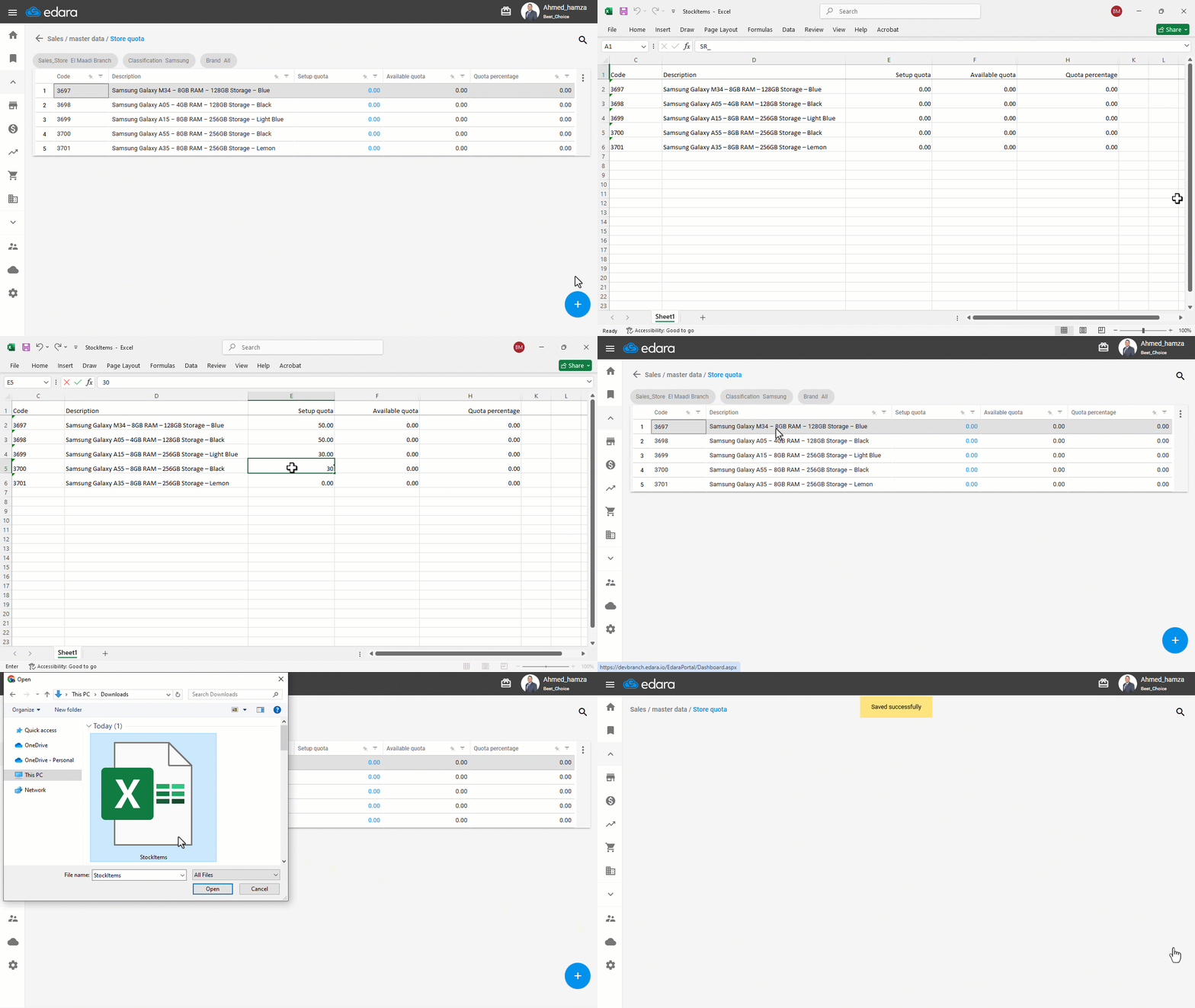
Method 2: Using Excel Import
- Follow the same steps above until Step 6.
- Click the ➕ icon.
- Select “Excel” to export the data template.
- Make the required changes in the exported file.
- Click the ➕ icon again.
- Choose “Import Excel”.
- Upload the modified file.
- Click on “Save”.
If you encounter any challenges or have questions during these processes, you can contact our technical support team, who are ready to assist you at any time.
Did this answer your question?