

Viewing Sales Profitability for a Specific Customer
Last updated:
You can view the profitability generated from a specific customer over a selected period by grouping their sales data within the report.
Viewing Sales Profitability for a Specific Customer
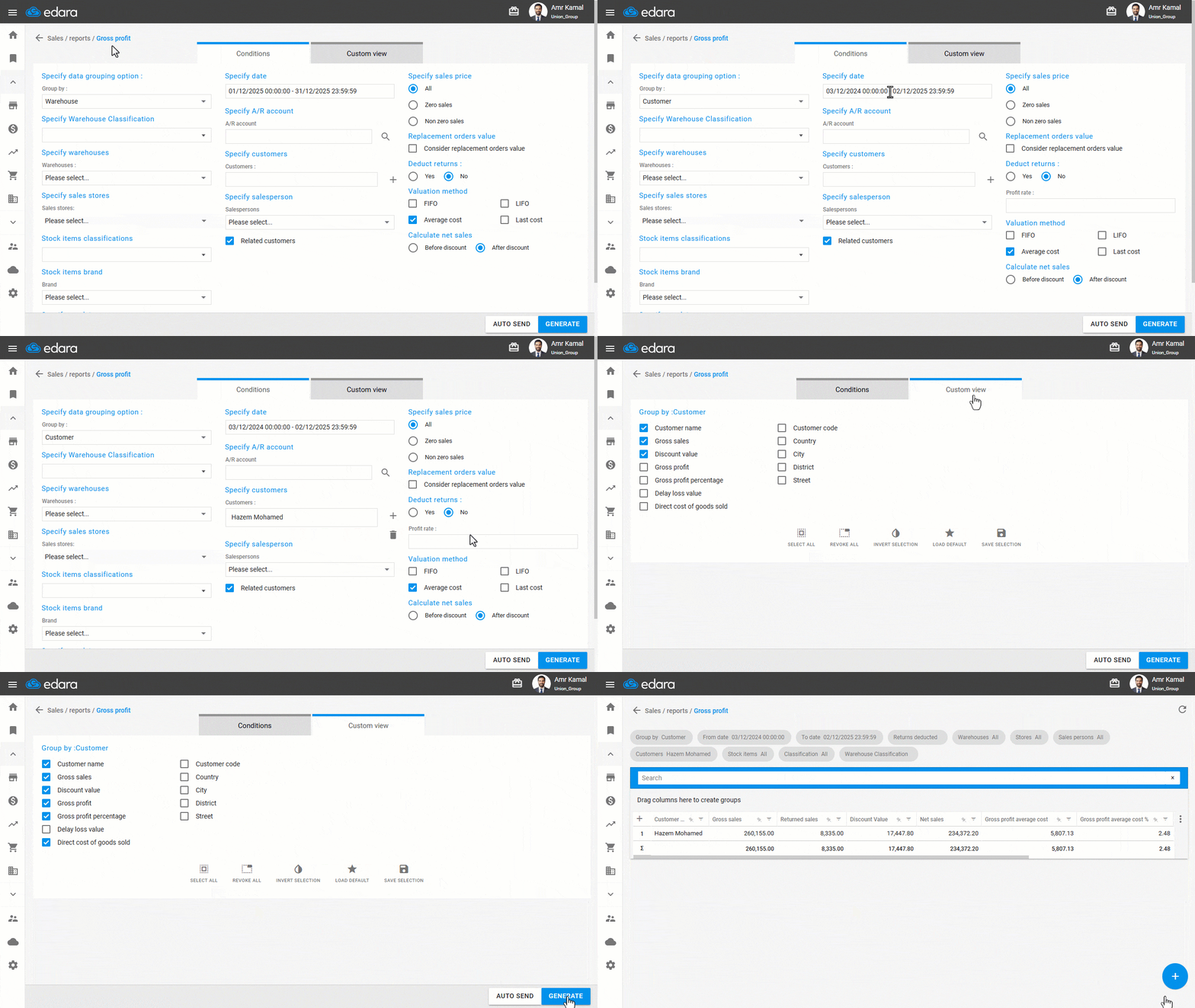
- Go to the “Sales” module.
- Open the “Gross Profit report” page.
- Select “Customer” from the “Group By” field.
- Specify the required date range.
- Click on “+” next to the Customer field to search for the customer.
- Choose whether to “deduct returns” from profit.
- Select whether to calculate net sales “Before discount” or “After discount”.
- Go to “Custom view”.
- Enable the columns you want to display in the report.
- Click on “Generate”.
If you encounter any challenges or have questions during these processes, you can contact our technical support team, who are ready to assist you at any time.
Did this answer your question?