

Comparing the Cost of Goods Sold Between the Gross Profit and Account Ledger Reports
Last updated:
When you need to review the accuracy of the cost of goods sold or ensure that figures match across different reports, you can compare the cost of goods sold between the Gross Profit report and the Account Ledger report.
Comparing the Cost of Goods Sold Between the Gross Profit and Account Ledger Reports
This is done in two steps:
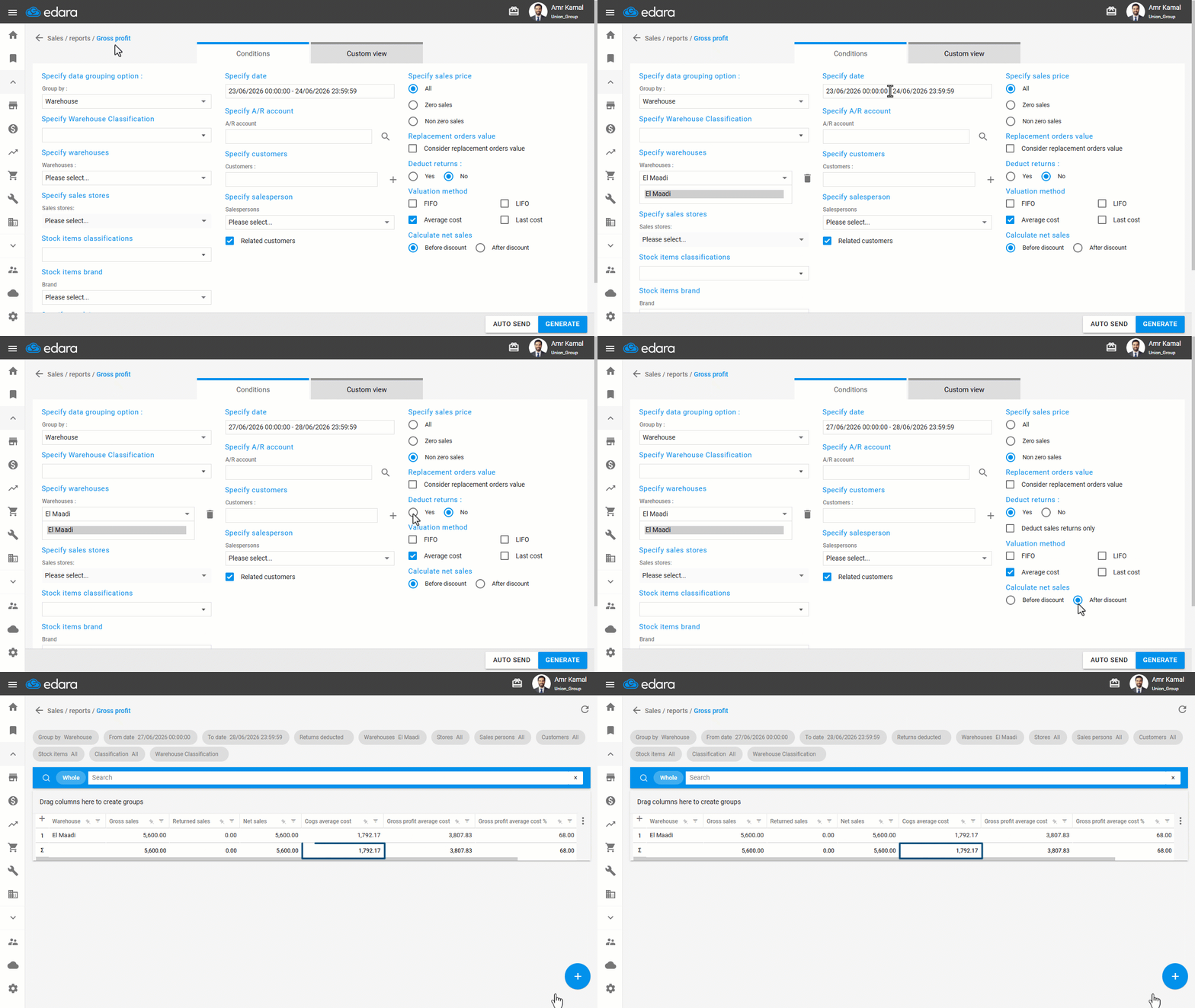
First: Displaying the Gross Profit Report
- Go to the "Sales" Module.
- Open the "Gross profit report" page.
- Select Warehouse.
- Select the required date range.
- Specify sales price to "Non-zero sales".
- Set Deduct Returns to "Yes".
- Select the Default valuation cost specified in the warehouse settings.
- Set Net Sales Calculation to "After discount".
- Click on "Generate".
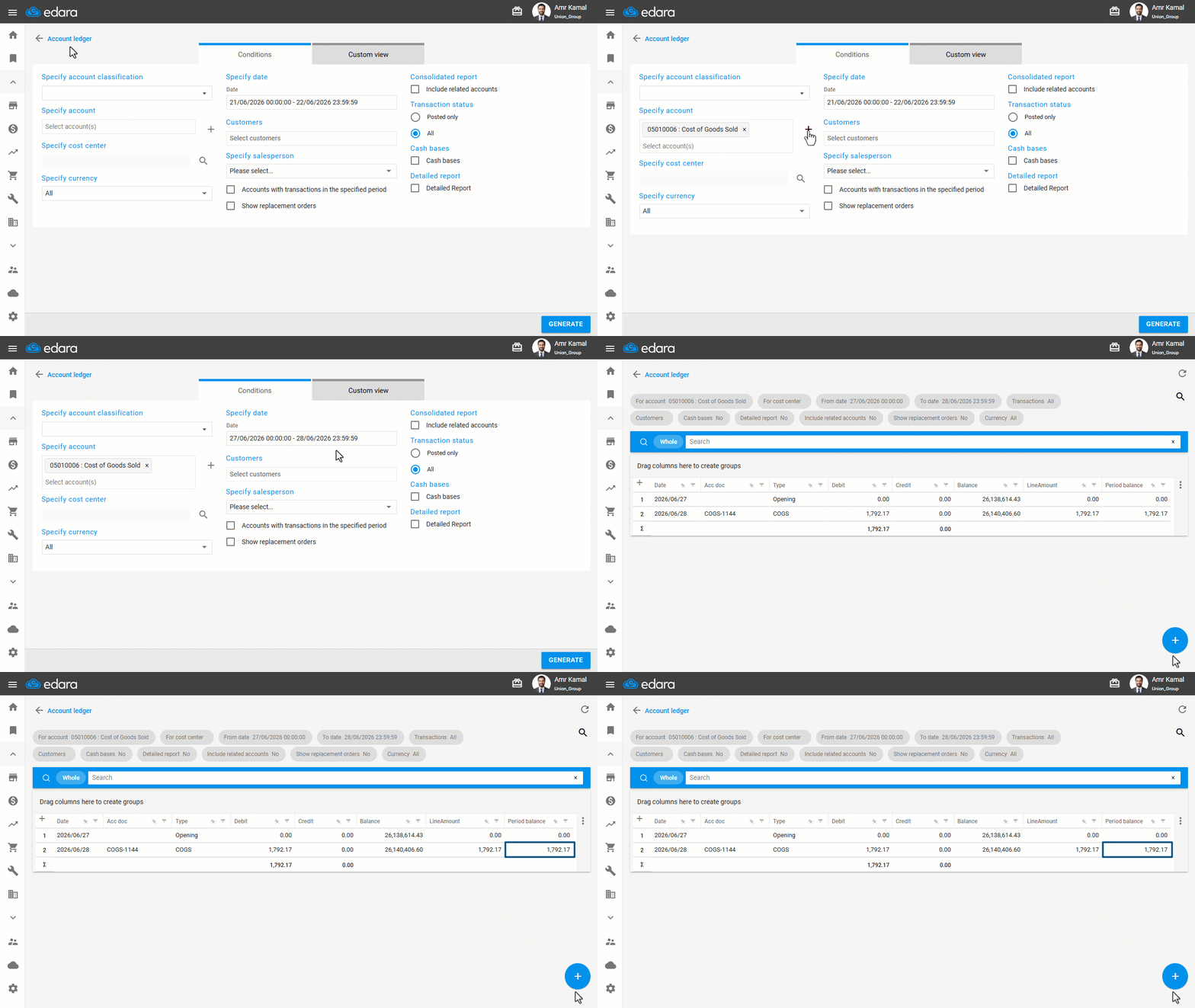
Second: Displaying the Account Ledger Report
- Go to the "Accounting" Module.
- Open the "Account ledger" page.
- Select the same account defined as the COGS account linked to the warehouse.
- Select the same period.
- Choose transaction status "All".
- Click on "Generate".
You will find that the cogs average cost balance shown in the Gross Profit report equals the period balance in the Account Ledger report.
If you encounter any challenges or have questions during these processes, you can contact our technical support team, who are ready to assist you at any time.
Did this answer your question?