

Adding a New Product in WooCommerce
Last updated:
If you have an online store on “WooCommerce” and have activated the integration between “Edara” and the store, you may sometimes need to create a new product in the store and link it to a stock item in “Edara”.
Adding a New Product in WooCommerce
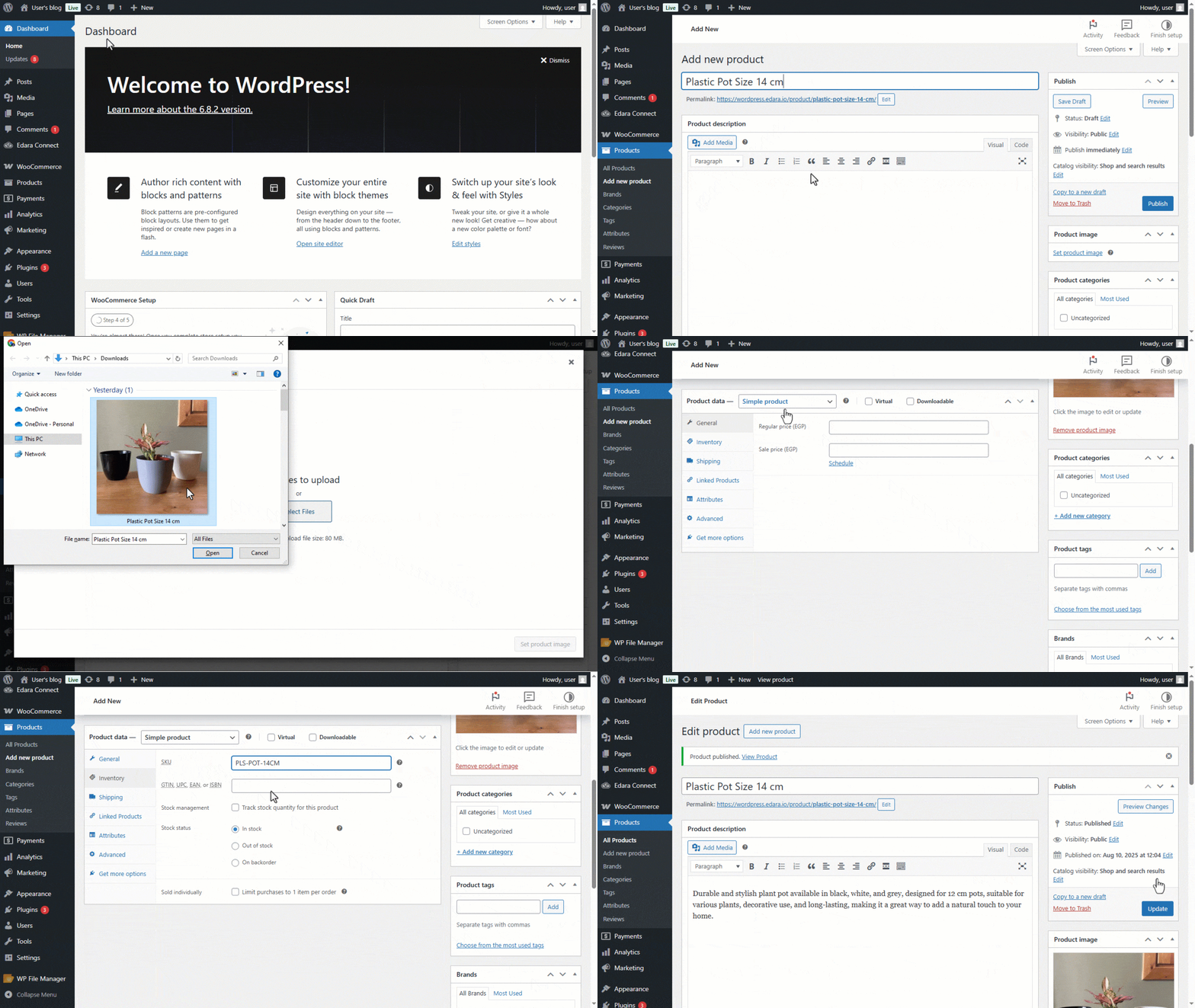
- Go to “WordPress”.
- Click on “Products”.
- Open the “Add New Product” page.
- Enter the “Product Name”.
- Enter the “Product Description”.
- Add a product image by clicking on “Set Product Image”.
- Set the product type to “Simple Product”.
- Specify the product price from the “General” tab.
- Enter the SKU from the “Inventory” tab.
- Set the stock status (In Stock – Out of Stock – On Backorder).
- Click on ”Publish”.
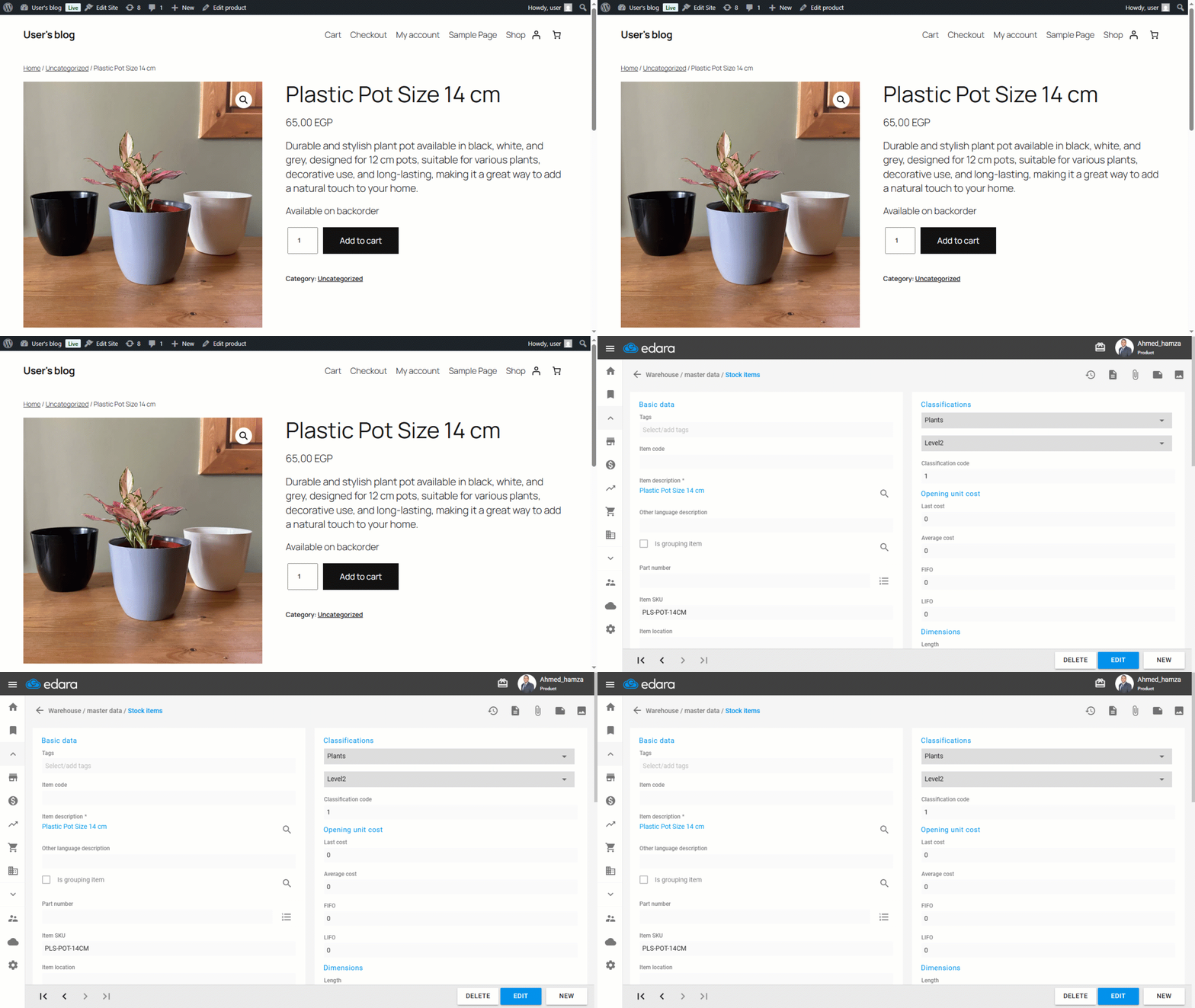
Note: After publishing the new product, it will appear in your store with the details you entered and will also appear in “Edara” as a stock item, as shown in the image below:
If you encounter any challenges or have questions during these processes, you can contact our technical support team, who are ready to assist you at any time.
Did this answer your question?