

Adding Shipping Zones and Shipping Methods in WooCommerce
Last updated:
When your customers place orders through WooCommerce, shipping methods are displayed based on the delivery zones you've configured.
To ensure clarity and transparency in your online store, it's important to define these zones and methods in advance.
Adding Shipping Zones and Shipping Methods in WooCommerce
- Go to "WooCommerce" on WordPress.
- Open the "Settings" page.
- Select the "Shipping" section.
- Click on "Add Zone".
- Enter the “Zone Name”.
- Select the regions of the zone (or zones) that you wish to include within your shipping zone.
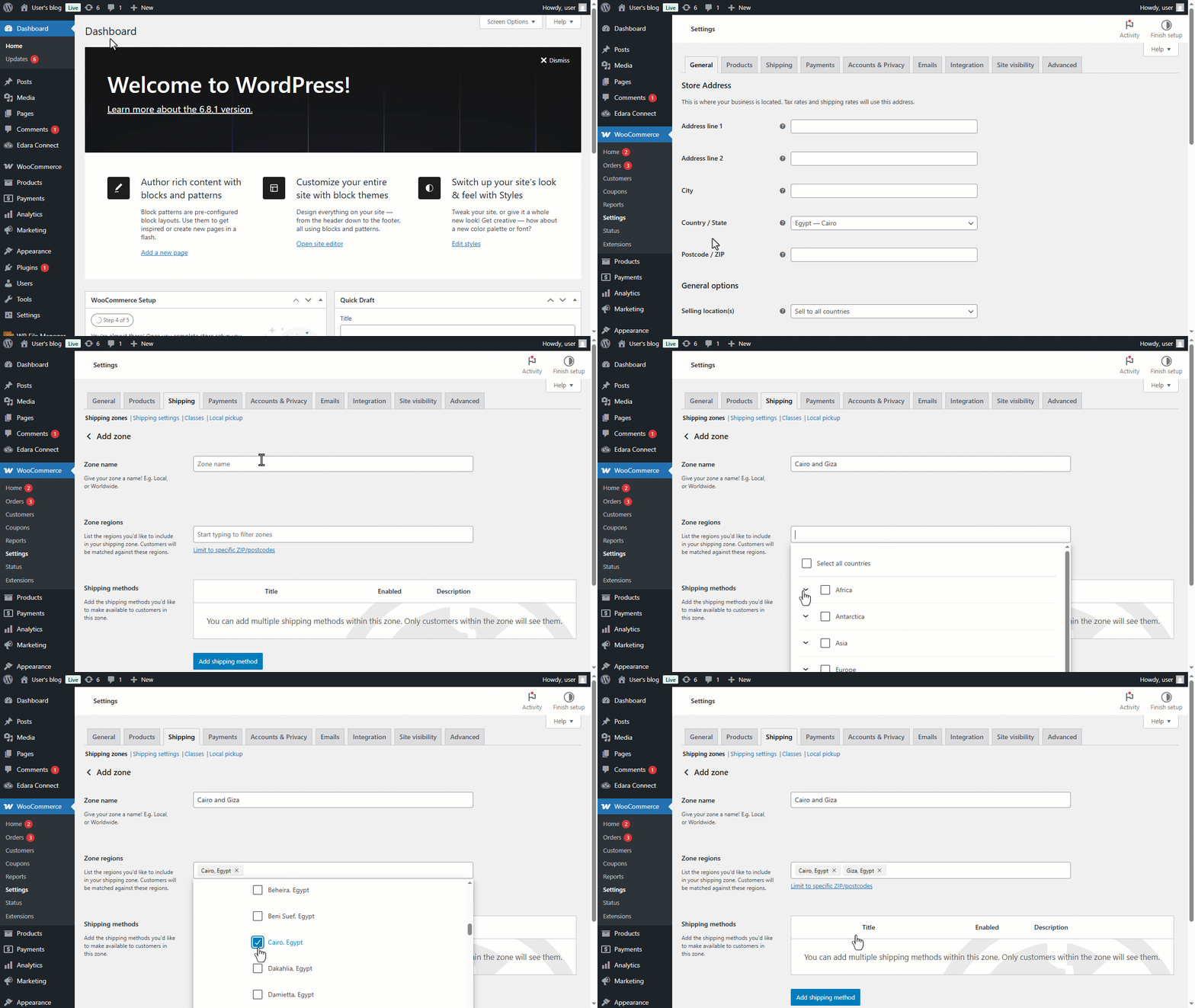
- Click on "Add Shipping Method".
- Select the shipping method.
At this point, you’ll have two main options:
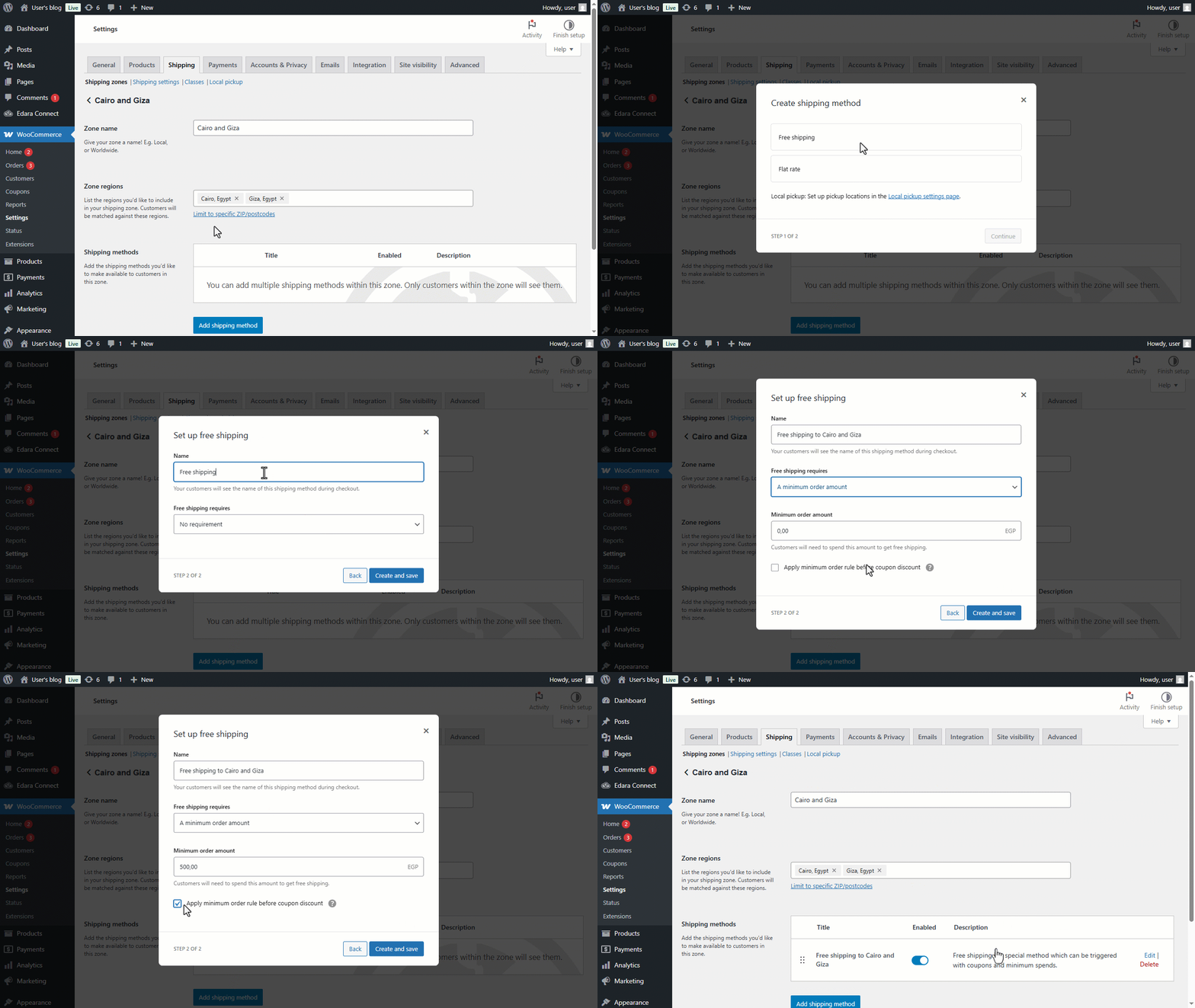
1- Free Shipping
After selecting "Free Shipping", follow the steps below:
- Click on "Continue".
- Specify the name you want to show to your customers while placing orders.
- Specify the free shipping requirements.
- Click on "Create and Save".
2- Flat Rate
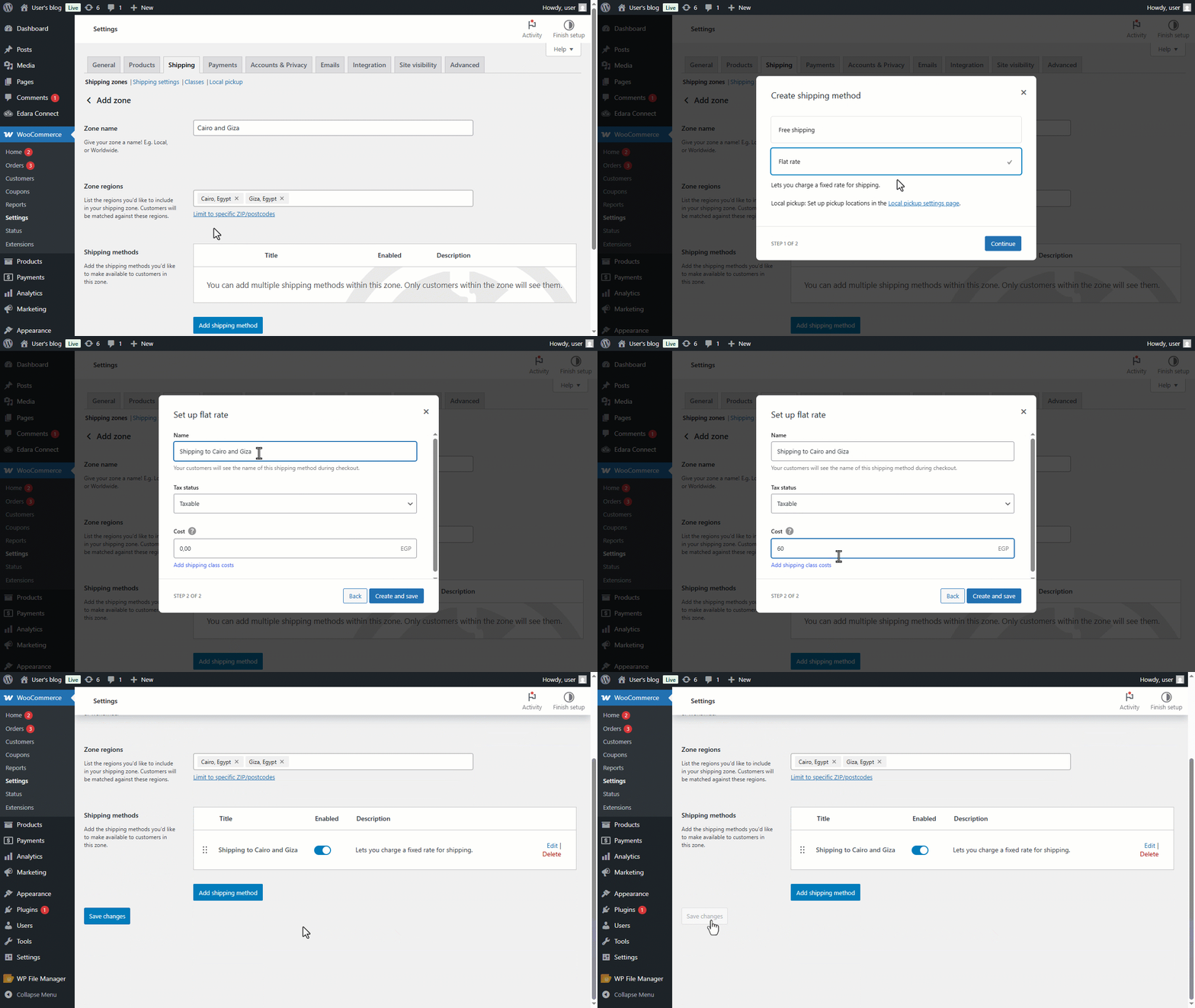
After selecting "Flat Rate", follow the steps below:
- Click on "Continue".
- Specify the name you would like your customers to see while placing orders.
- Select the “Tax status”.
- Select the cost.
- Click on "Create and Save".
If you encounter any challenges or have questions during these processes, you can contact our technical support team, who are ready to assist you at any time.
Did this answer your question?