

Linking a Supplier to a Purchasing Person
Last updated:
Linking suppliers to purchasing persons ensures clear communication and understanding of order requirements, reducing the chances of errors, misunderstandings, and delays, and simplifying the purchasing process. This minimizes the need for rework or corrections.
Here are the steps.
Linking a Supplier to a Purchasing Person
You can do this in two ways:
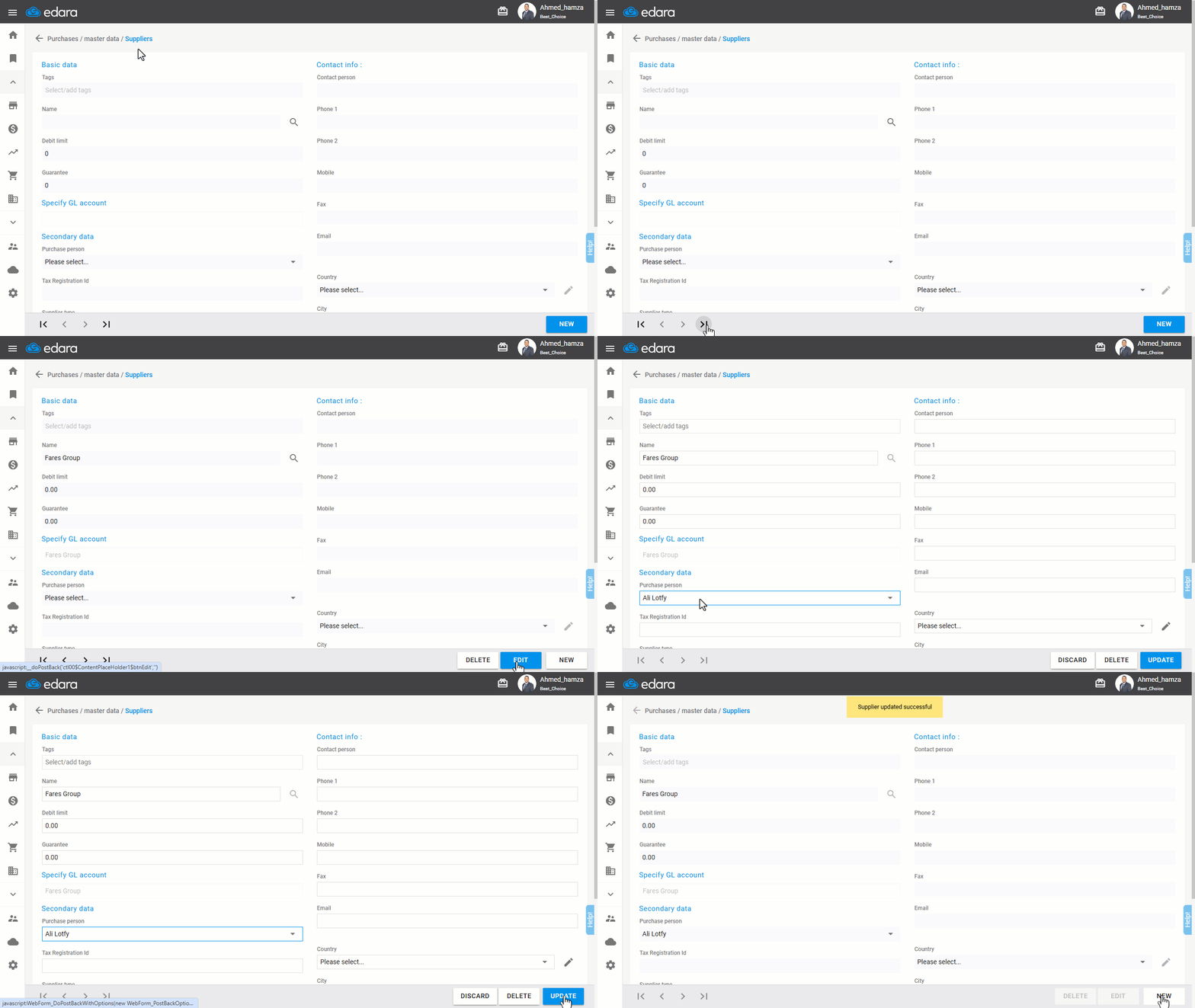
1- From the Suppliers Page
- Go to the "Purchase" module.
- Open the “Suppliers” page.
- Search for the supplier's name using the 🔍 icon or clicking the arrows.
- Click “Edit”.
- Select the purchasing person from the dropdown menu.
- Click “Update”.
2- From the Supplier Data Page
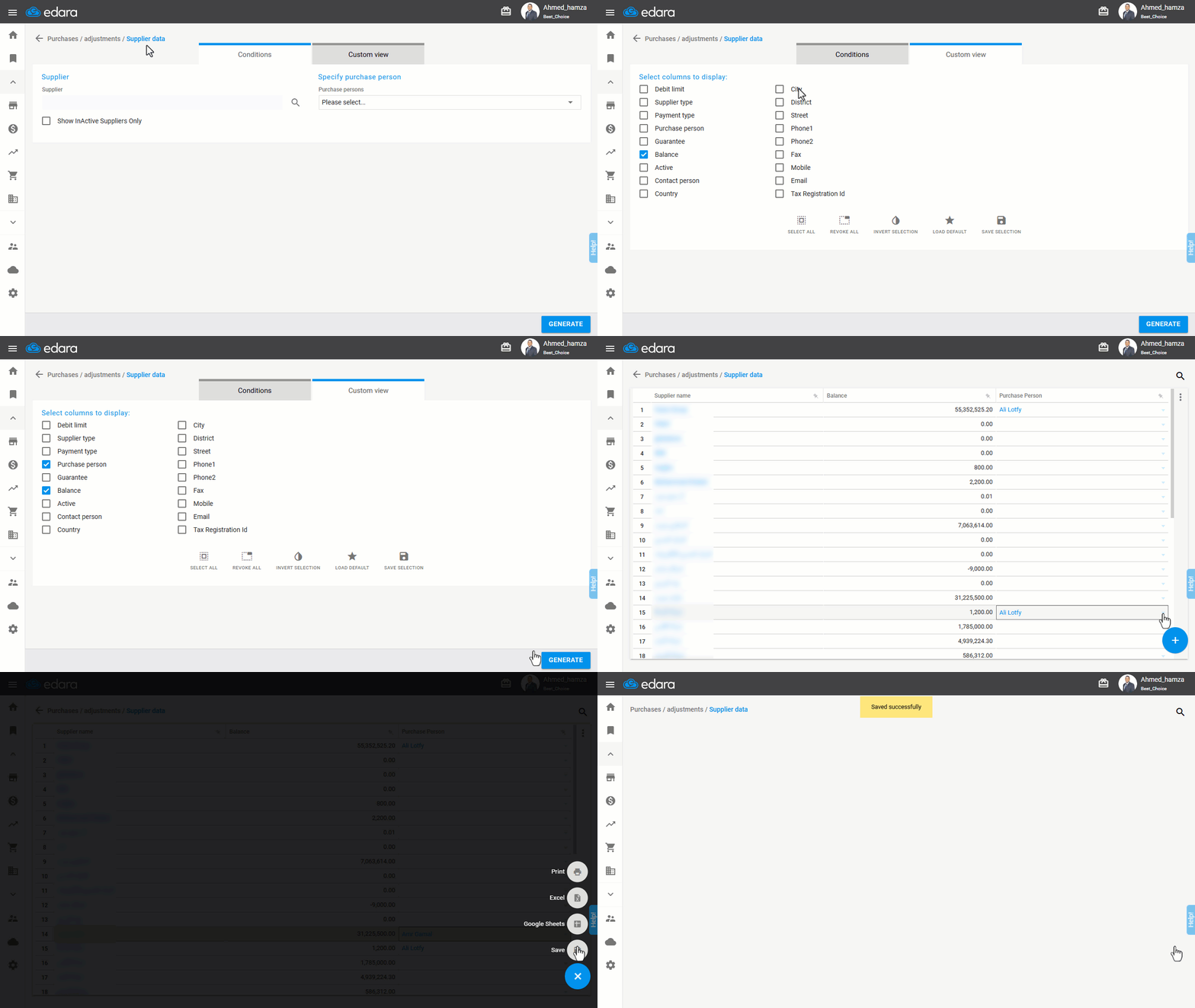
- Go to the "Purchase" module.
- Open the “Supplier data” page.
- Display the "Purchase person" column from “Custom View”.
- Click “Generate”.
- Choose the name of the purchase person to link with the supplier from the dropdown menu in the Purchase Person column.
- Hover over the ➕ icon.
- Click “Save”.
If you encounter any challenges or have questions during these processes, you can contact our technical support team, who are ready to assist you at any time.
Did this answer your question?