

Control the barcode font size
Last updated:
"Edara" allows you to customize barcode properties according to your preferences, including controlling the font size.
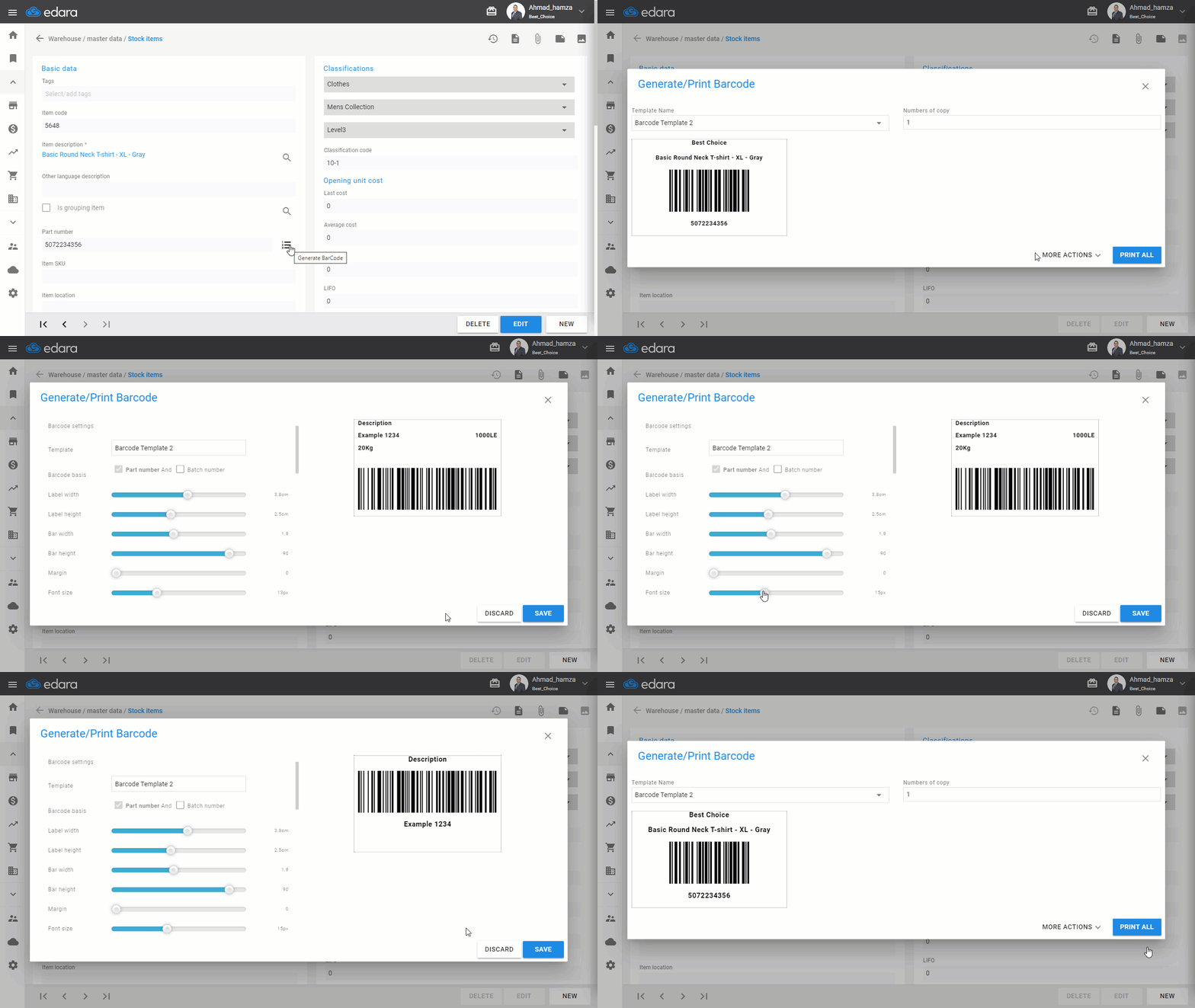
Controlling Barcode Font Size During Printing
Before proceeding, ensure you have created the barcode printing template.
- Select the template name.
- Click "More Actions"
- Click "Edit"
- Choose the appropriate font size
- Click "Save"
If you encounter any challenges or have questions during these processes, you can contact our technical support team, who are ready to assist you at any time.
Did this answer your question?