

Creating an "Order Discount" Promotion
Last updated:
Offering a discount on the total purchase amount (order value) is one of the promotional strategies companies use to attract more customer orders. With “Edara”, you can provide such discounts to all customers or a specific segment of them.
Here’s how you can set it up.
Creating an "Order Discount" Promotion
- Go to the Point of Sale module.
- Open the Promotions page.
- Click on “New”.
- Enter a name for your promotion in the Promotion Name field.
Add additional details about the promotion in the Short Description field to clarify key information (Optional).
- Select the promotion type: Order Discount.
Note: The promotion type cannot be changed after saving.
- Choose who the promotion applies to (any customers or specific ones).
Selecting “Any Customers” allows anyone to benefit from the discount, but selecting “Specific Customers” requires you to assign a promotional code (promo code) to restrict access to the discount. Only customers with the code can avail of the offer.
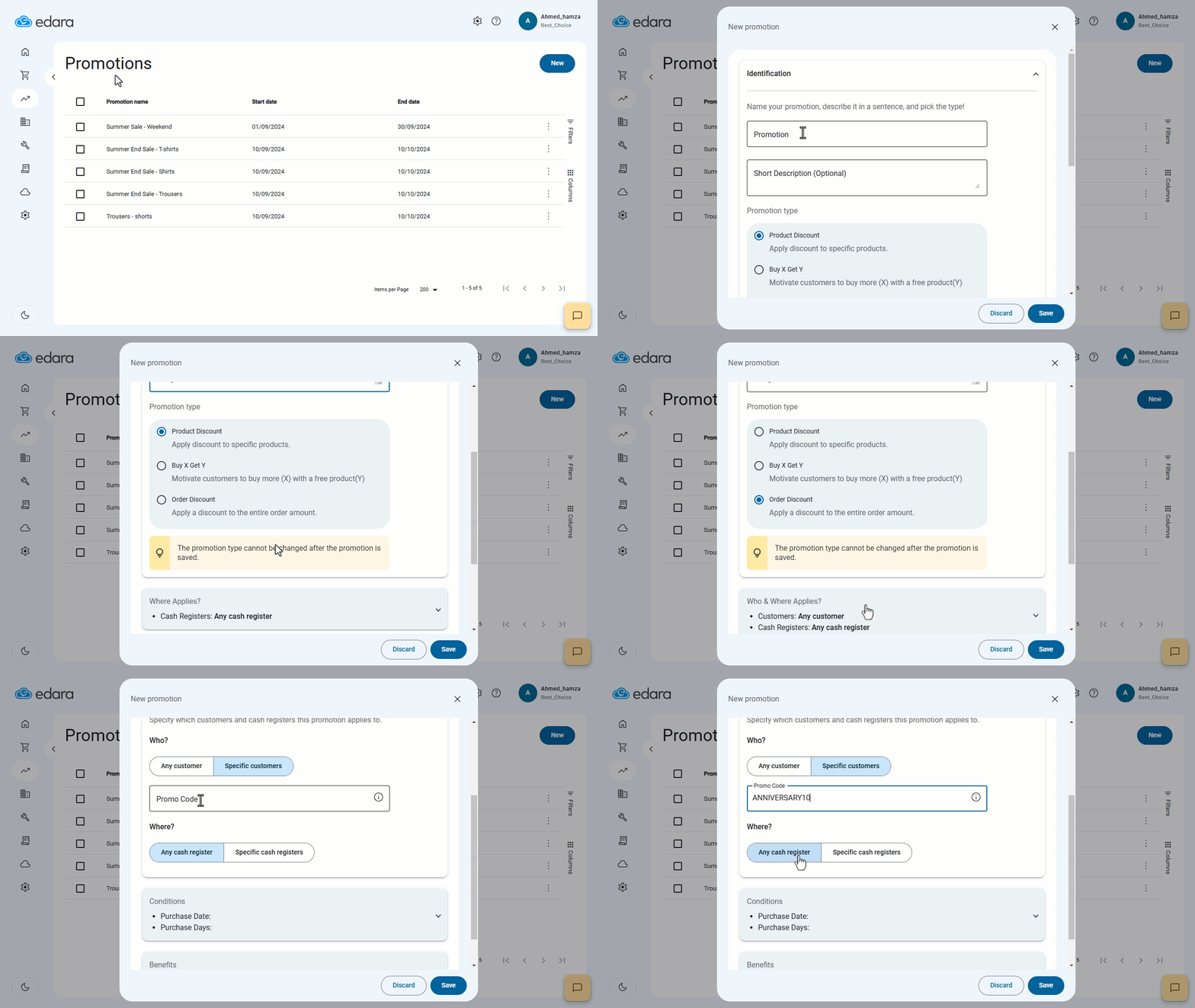
- Specify which cash registers (POS) this promotion applies to (all registers or specific ones).
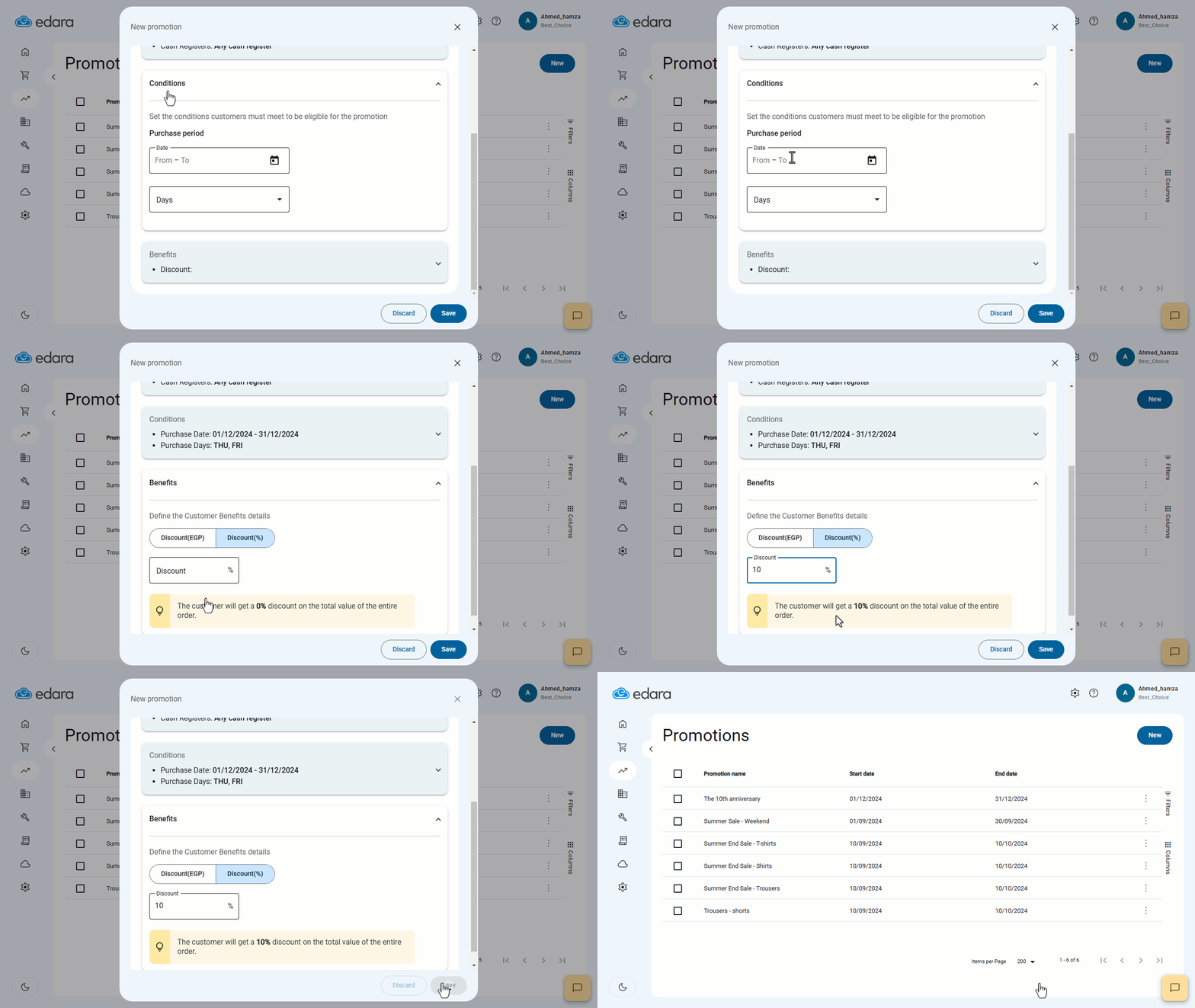
- Define the eligible purchase period.
- Select the days of the week the promotion is valid (all days or specific ones).
- Choose the discount method (percentage or fixed amount).
- Click on “Save”.
Frequently asked questions
How do I limit an order discount to specific customers?
Selecting “Any Customers” allows anyone to benefit from the discount, but selecting “Specific Customers” requires you to assign a promotional code (promo code) to restrict access to the discount. Only customers with the code can avail of the offer.
If you encounter any challenges or have questions during these processes, you can contact our technical support team, who are ready to assist you at any time.