

Creating a "Product Discount" Promotion
Last updated:
Most companies offer product discounts to attract new customers or promote stagnant inventory. “Edara” facilitates applying specific discounts on products through the following steps:
Creating a "Product Discount" Promotion
- Go to the Point of Sale Module.
- Open the Promotions page.
- Click on “New”.
- Enter a name for your promotion in the Promotion Name field.
Add additional details about the promotion in the Short Description field to clarify key information (Optional).
- Select the promotion type: Product Discount.
Note: The promotion type cannot be changed after saving.
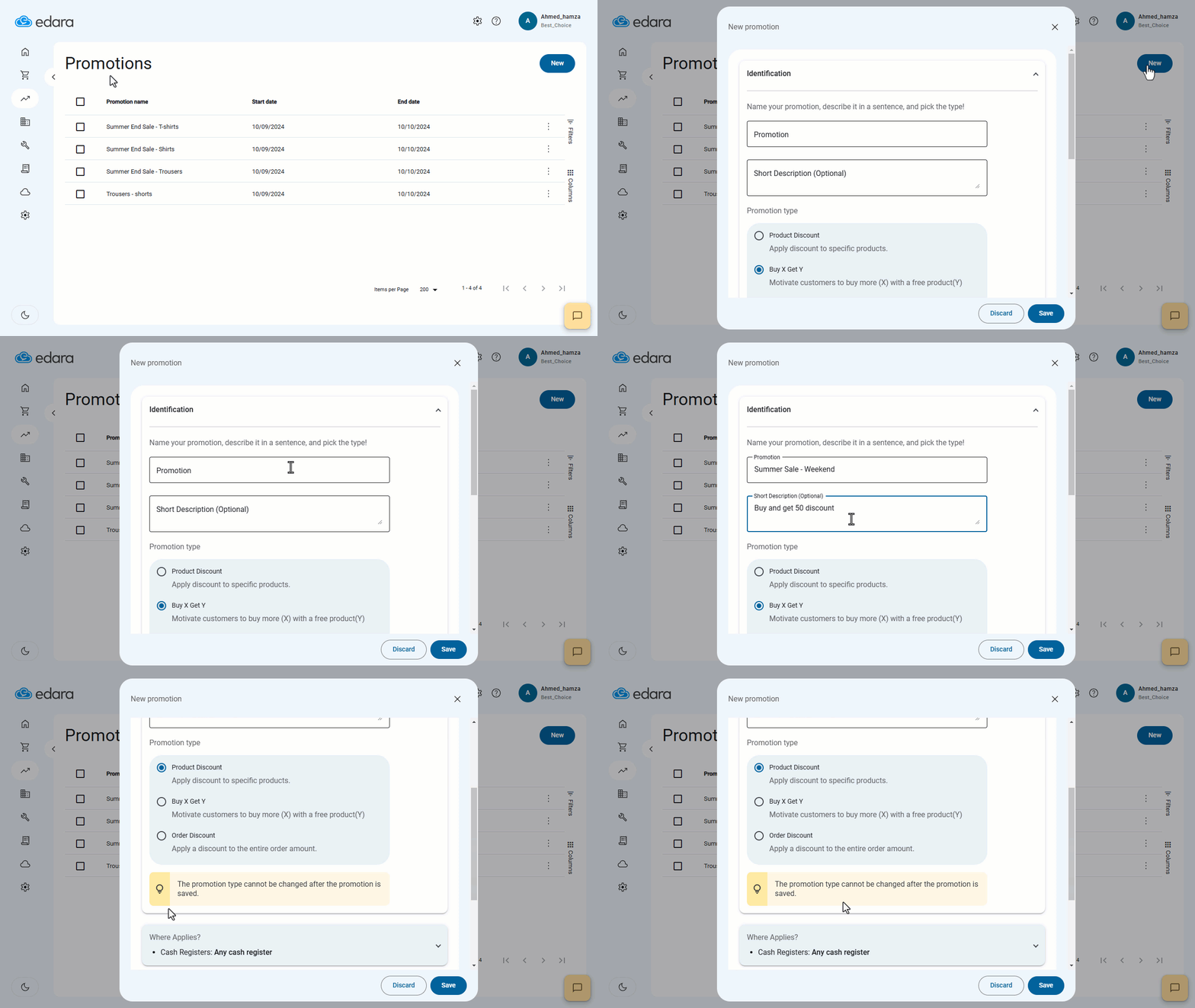
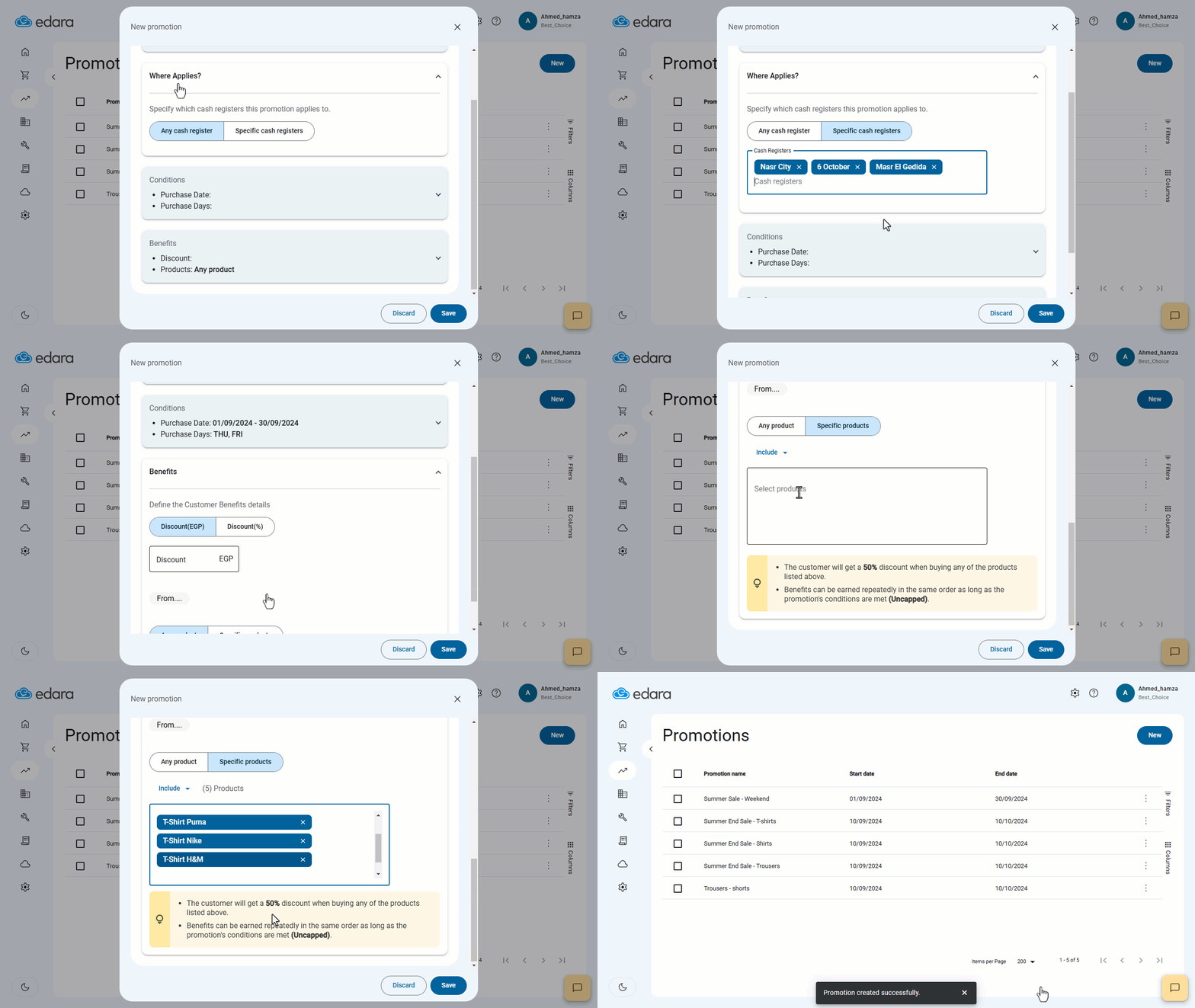
- Specify which cash registers (POS) this promotion applies to (all registers or specific ones).
- Define the eligible purchase period.
- Select the days of the week the promotion is valid (all days or specific ones).
- Choose the discount method (percentage or fixed amount).
- Determine whether the promotion applies to all products or specific products.
If you select specific products, you will see two options:
- Include: List all products eligible for the promotion.
- Exclude: Apply the promotion to all products except those you specify.
- Click on “Save”.
If you encounter any challenges or have questions during these processes, you can contact our technical support team, who are ready to assist you at any time.
Did this answer your question?