

Editing or Deleting a Notes Receivable Document
Last updated:
The accounting team may need to edit a note receivable if there are errors, Such as pricing, quantities, or customer details.
And if a sale is canceled for any reason—such as item unavailability or the customer requesting a different payment method—you'll need to delete the note receivable.
Here’s how to do it.
Editing a Notes Receivable Document
Make sure you have the required permission to edit NR before proceeding, then:
- Go to the Accounting module.
- Open the “Notes Receivable” page.
- Search for the NR using the 🔍 icon or use the arrows at the bottom of the page.
- Click on “Edit”.
- Make the necessary changes.
- Click on “Save”.
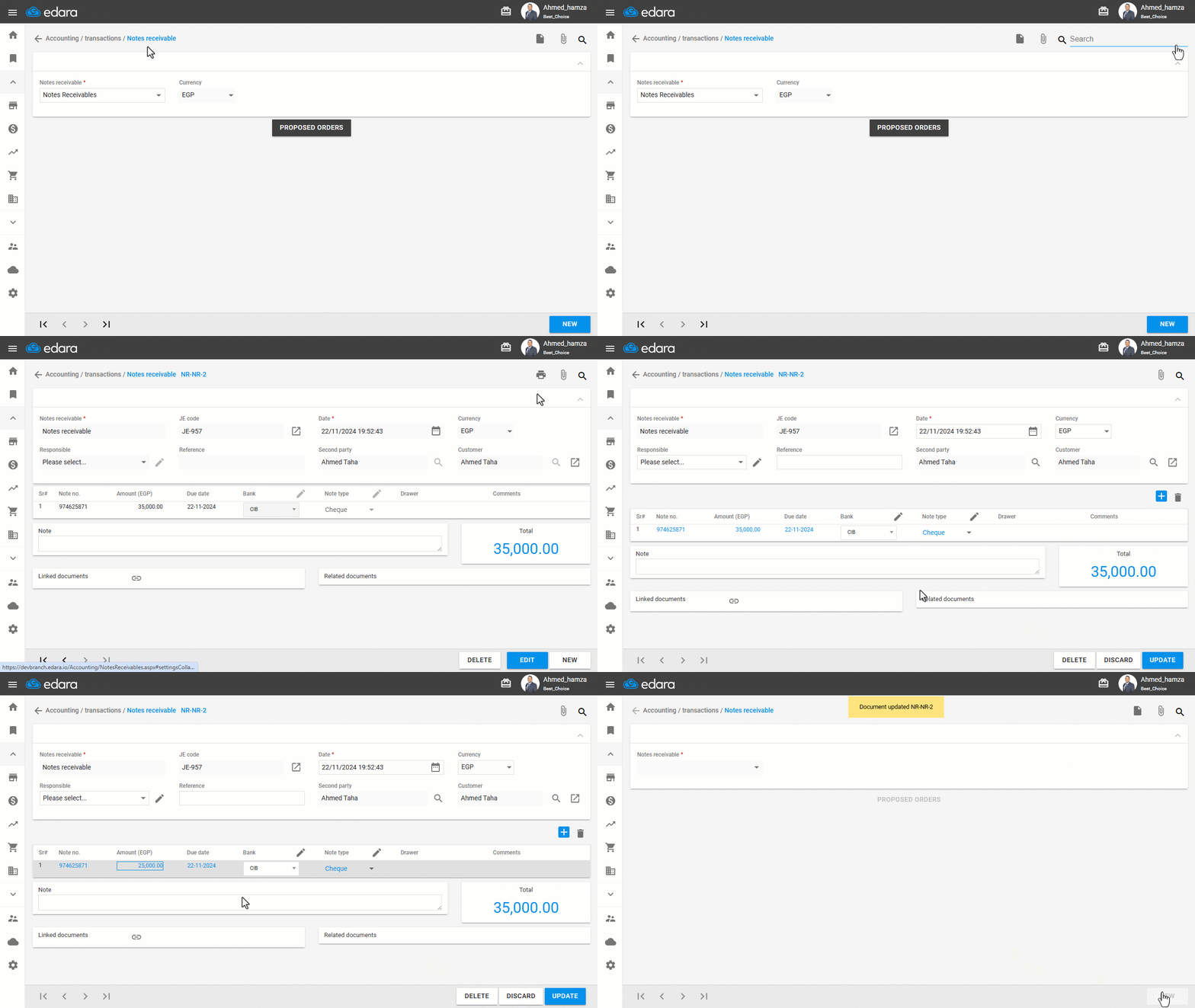
Note: Editing the amount is not available if the NR has been paid, in which case the amount is shown in black.
Deleting a Notes Receivable Document
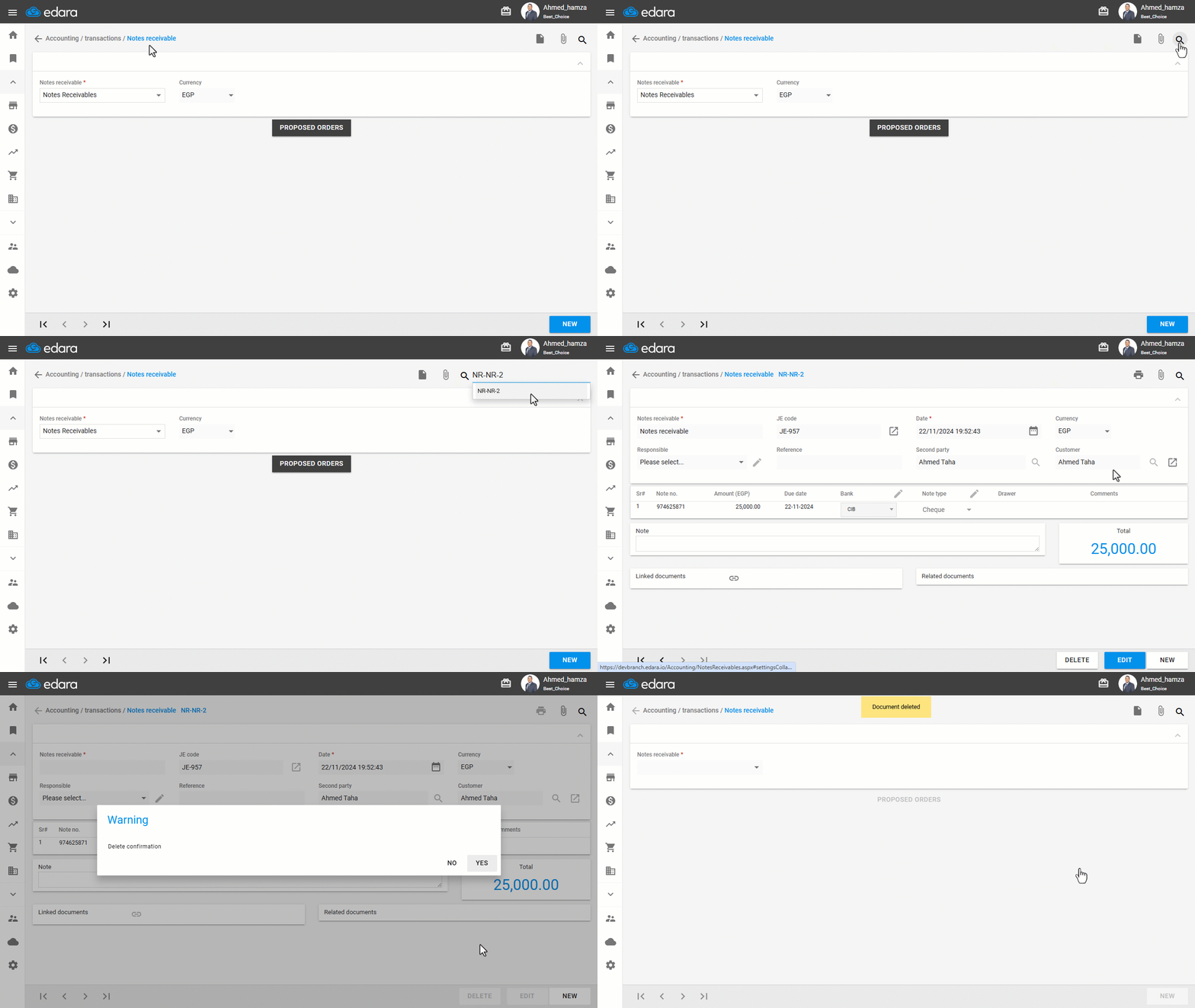
Make sure you have the required permission to perform deletions, then:
- Go to the Accounting module.
- Open the “Notes Receivable” page.
- Search for the NR number using the 🔍 icon or use the arrows at the bottom of the page.
- Click on “Delete”.
- Click “Yes” to complete the deletion.
Frequently asked questions
Why can't I edit the notes receivable amount?
Editing the amount is not available if the NR has been paid, in which case the amount is shown in black.
If you encounter any challenges or have questions during these processes, you can contact our technical support team, who are ready to assist you at any time.