

Converting a Quotation into a Sales Order
Last updated:
In many cases, after presenting a quotation to a client, it gets approved and converted into an official sales order. Converting a quotation into a sales order is a critical step to ensure accurate tracking of orders and proper inventory updates.
If you have a quotation approved by the client, you can effortlessly convert it into a sales order to complete the sale officially through "Edara".
Converting a Quotation into a Sales Order
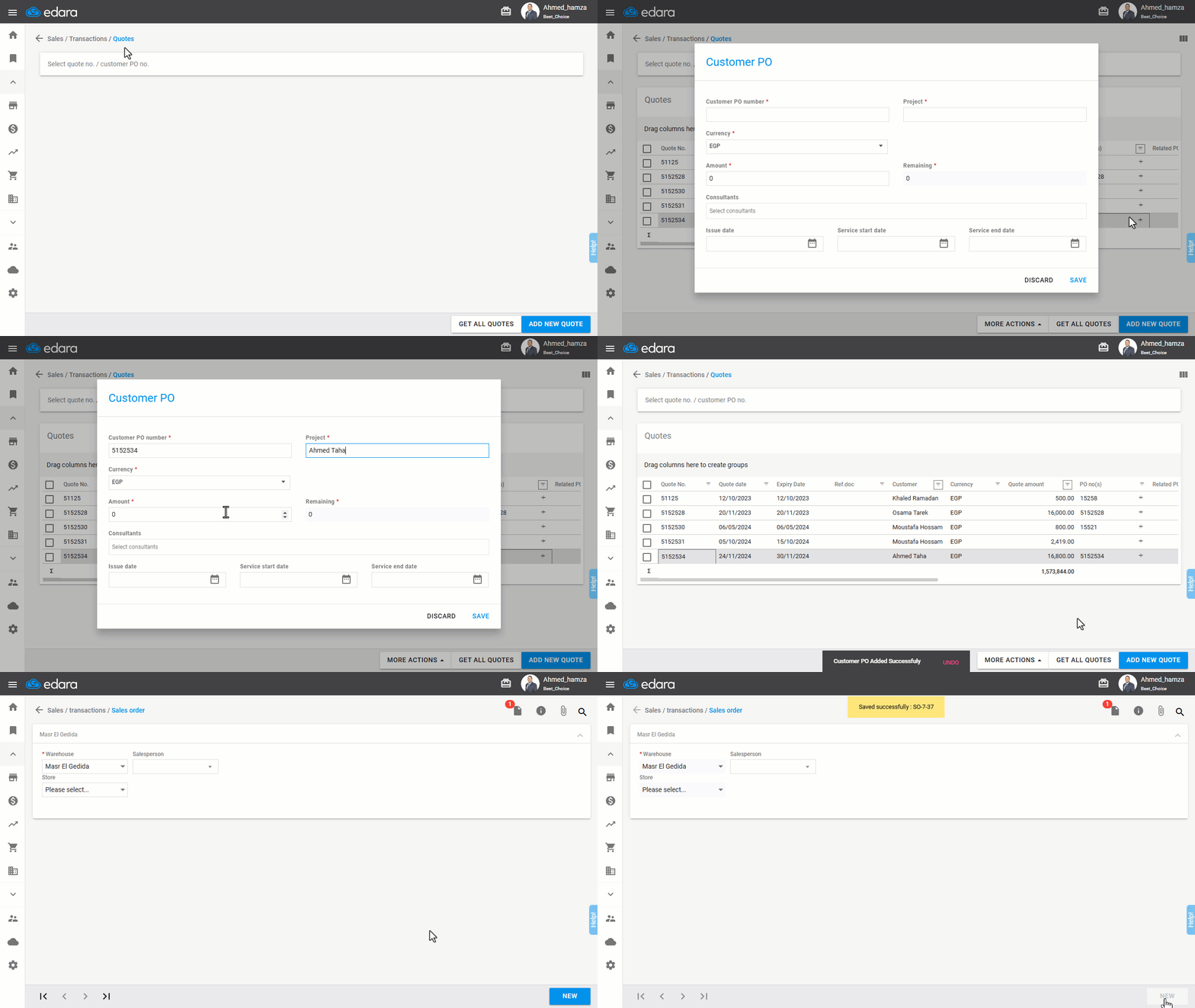
- Go to the Sales module.
- Select “Quotes”.
- Click “Get All Quotes”.
- Press the “+” icon under "PO no(s)" column.
- Enter the “Customer PO number”, “Project name” and “Amount”.
- Click “Save”.
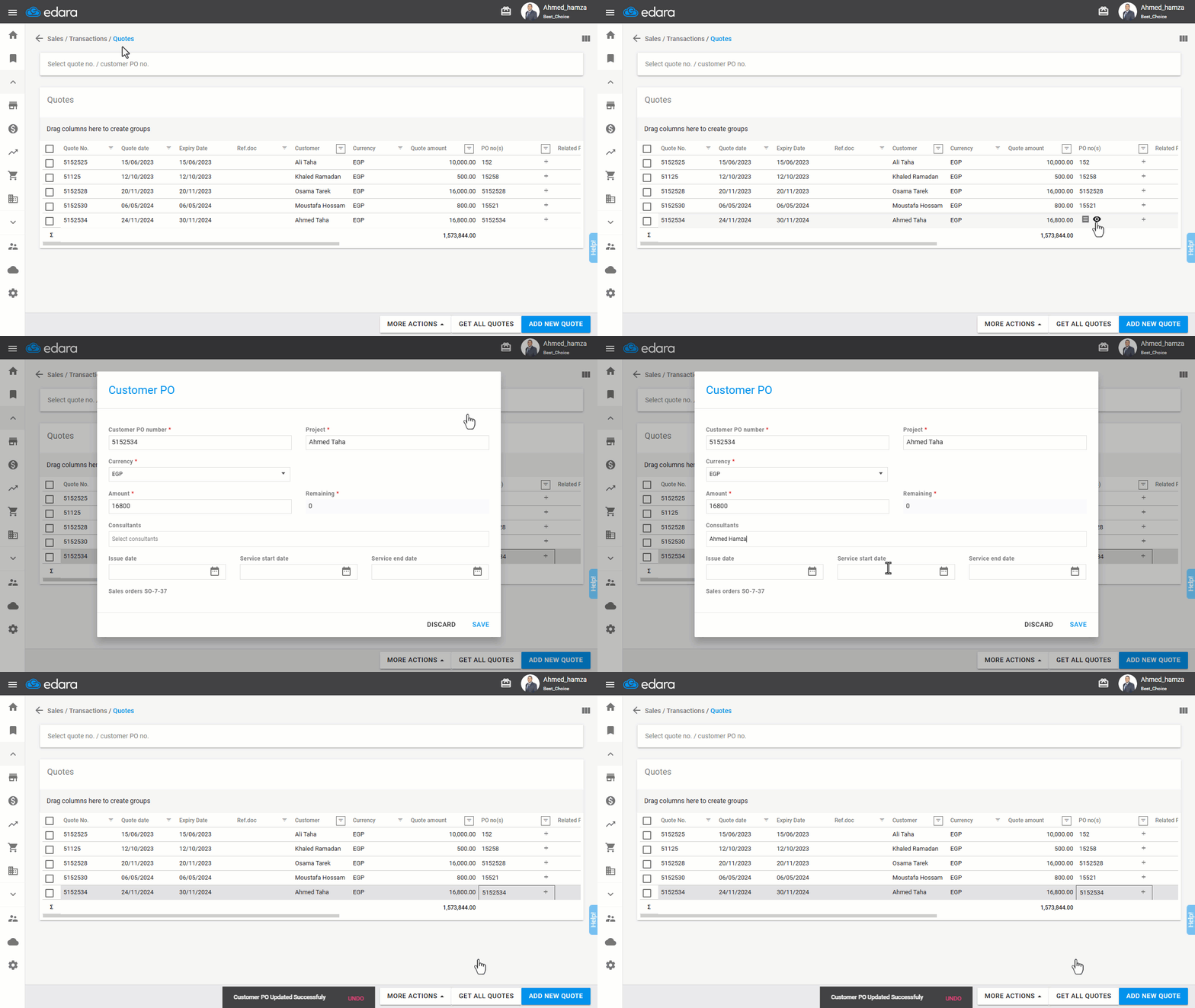
- Hover over the purchase order to reveal 👁️📋.
- Click 📋 to be redirected to the sales order page.
- Select the warehouse from which the sale will be processed.
- Click “New”.
- Press “Save”.
You can use 👁️ to view the client’s purchase order and make any necessary edits after entry.
Frequently asked questions
Can I edit the customer’s purchase order after entering it?
You can use 👁️ to view the client’s purchase order and make any necessary edits after entry.
If you encounter any challenges or have questions during these processes, you can contact our technical support team, who are ready to assist you at any time.
Did this answer your question?