

Adding the Reference document in a Quotation and Printing It
Last updated:
Adding the reference document in a quotation helps you link the quotation to an external reference, making it easier to track documents and review them in the future.
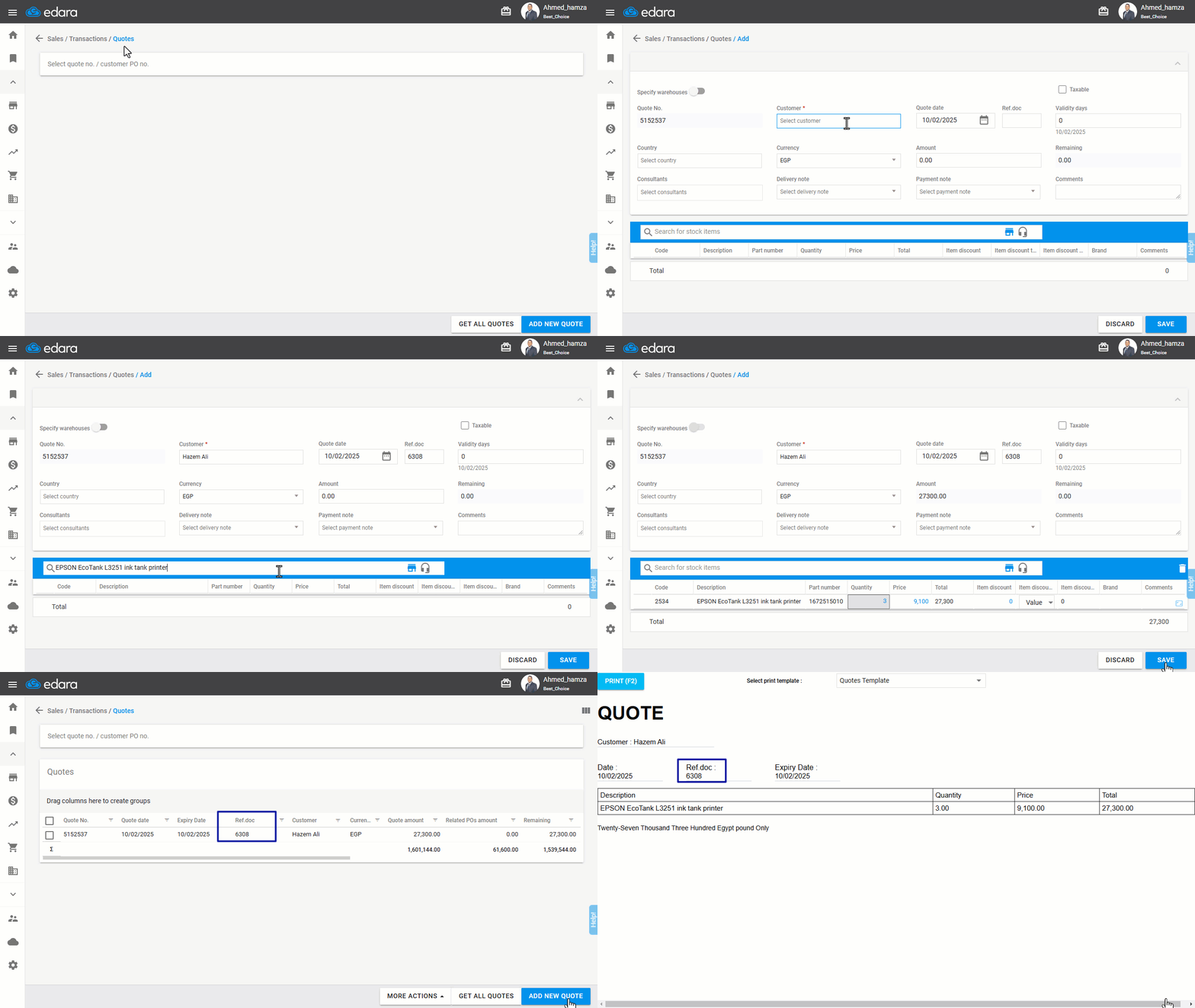
Adding the Ref.doc in a Quotation and Printing It
- Go to the Sales module.
- Open the "Quotes" page.
- Click on "Add New Quote".
- Add the customer's name.
- Enter the Ref.doc.
- Complete the quotation.
- Click on "Save".
If you encounter any challenges or have questions during these processes, you can contact our technical support team, who are ready to assist you at any time.
Did this answer your question?