

Bypassing sales orders
Last updated:
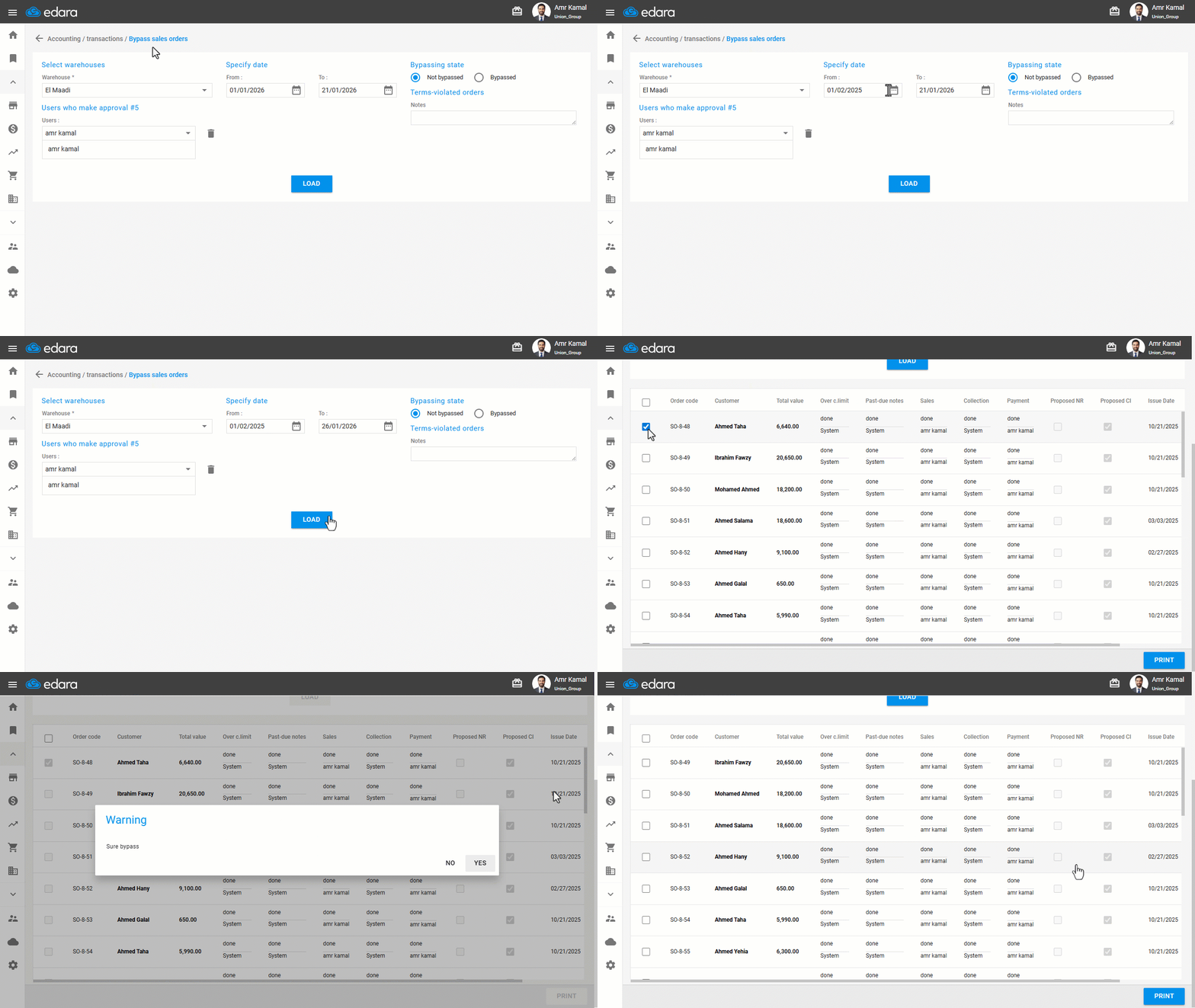
Bypassing Sales Orders is used when you want to exclude specific sales orders from appearing in the suggested orders list.
Bypassing sales orders
- Go to the “Accounting” module.
- Open the “Bypass sales orders” page.
- Specify the date period.
- Make sure to select the bypassing state "Not bypassed".
- Click on “Load”.
- Select the required sales order.
- Click on “Bypass”.
- Click on “Yes”.
If you encounter any challenges or have questions during these processes, you can contact our technical support team, who are ready to assist you at any time.
Did this answer your question?