

Bypassing Notes
Last updated:
Bypass notes help you update their status so they no longer appear as pending within the system.
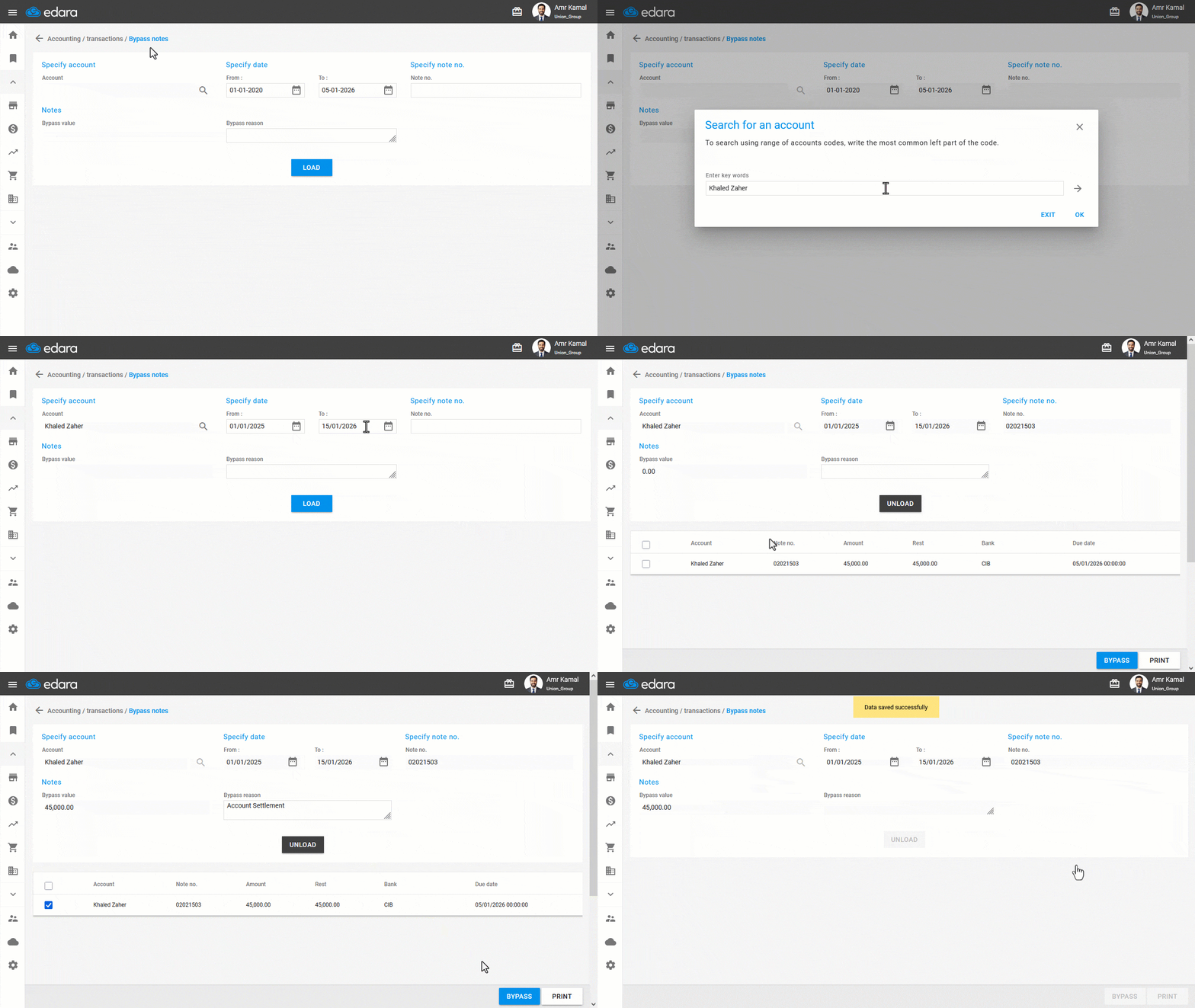
Bypassing Notes
- Go to the “Accounting” module.
- Open the “Bypass notes” page.
- Select the account (the other party for the cheque).
- Specify date (From - To).
- Enter the note no.
- Click on “Load”.
- Select the cheque.
- Enter the Bypass reason.
- Click on “Bypass”.
- Click on “Yes” when the confirmation message appears.
If you encounter any challenges or have questions during these processes, you can contact our technical support team, who are ready to assist you at any time.
Did this answer your question?