

Bulk Editing on Accounts
Last updated:
"Edara" offers the ability to quickly and efficiently update financial account data using the bulk edit feature.
This saves time and effort, especially when dealing with a large volume of financial data.
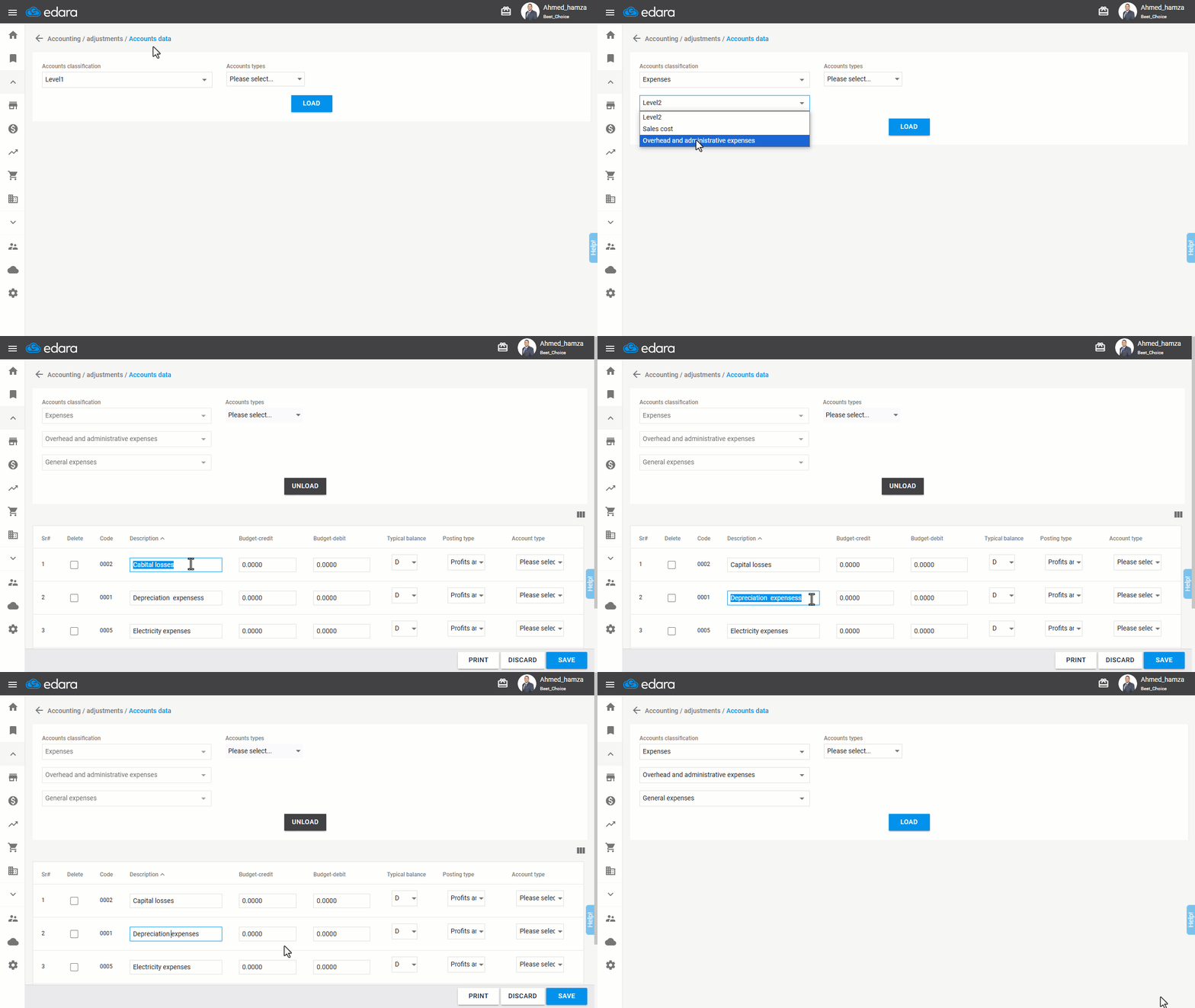
How to perform bulk edits on accounts
- Go to the Accounting module.
- Select the “Account Data” page.
- Choose the Account Classifications, or leave it as "Please select" to view all accounts.
- Click “Load”.
- Select the required columns.
- Make the necessary edits.
- Click “Save”.
If you encounter any challenges or have questions during these processes, you can contact our technical support team, who are ready to assist you at any time.
Did this answer your question?