

Viewing the Opening Balance in the General Ledger Report
Last updated:
In "Edara", you can display the opening balance in the General Ledger report by enabling the appropriate setting.
This allows you to view the balances of accounts at the start of a given period, helping you track the financial status more accurately.
Steps to View the Opening Balance in the General Ledger Report
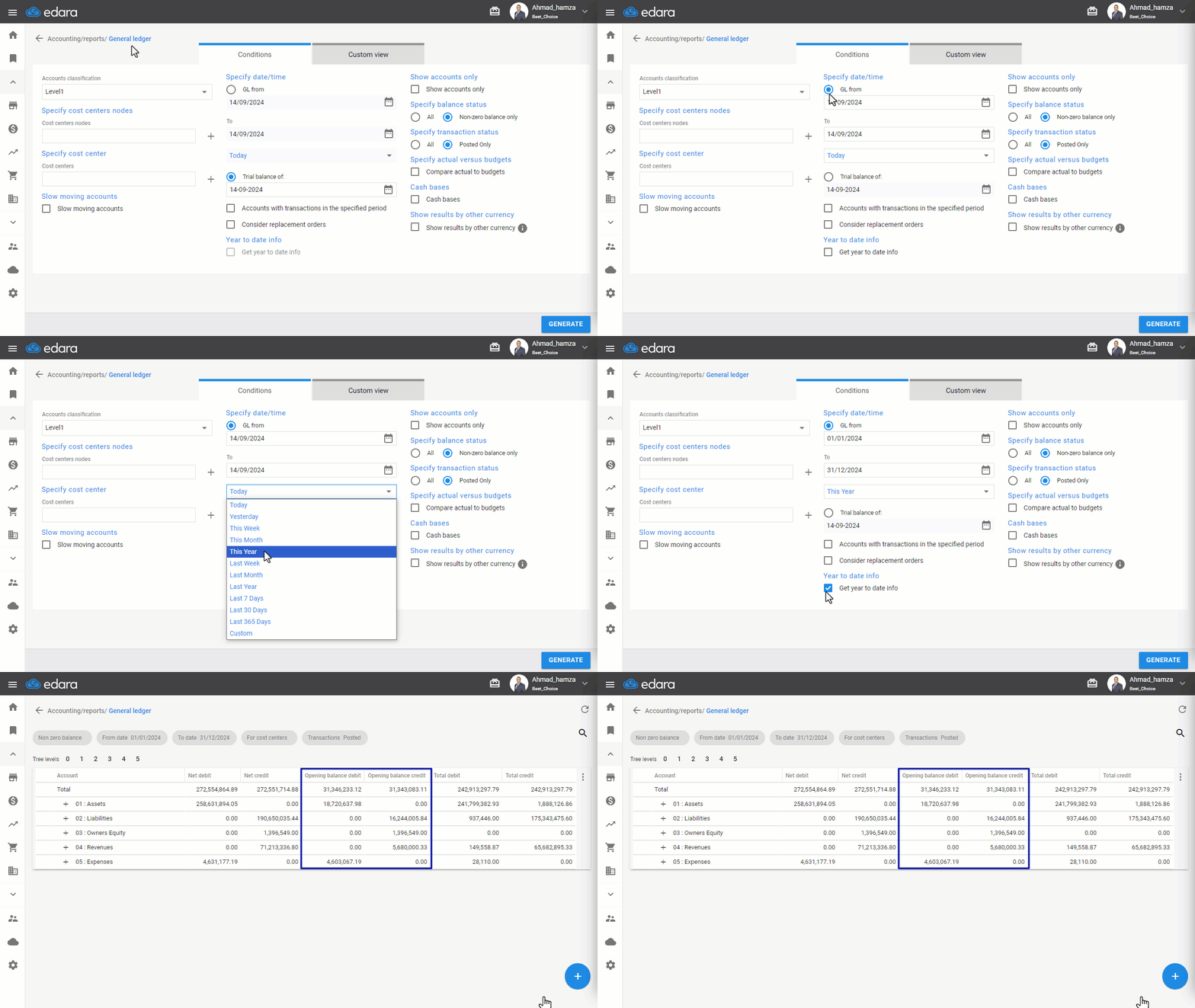
- Go to the Accounting module.
- Open the “General Ledger” report.
- Choose the “GL From Date” or the Period you want to analyze.
- Enable the option “Get year to date info” for the selected period.
- Click on “Generate”.
The opening balances for the selected accounts will be displayed at the start of the report, providing a clearer view of your financial starting point for that period.
If you encounter any challenges or have questions during these processes, you can contact our technical support team, who are ready to assist you at any time.
Did this answer your question?