

Reviewing Cash Flow Statement Sections Using the General Ledger
Last updated:
Cash flow statement sections are reviewed using the General Ledger to verify the accuracy of the net change in cash in the two reports.
Reviewing Cash Flow Statement Sections Using the General Ledger
First, ensure that the Cash Flow Statement has been prepared and that all Journal Entries have been posted before reviewing the Cash Flow Statement Sections.
- Go to the “Accounting” module.
- Open the “General Ledger” page.
- Specify the “Date / Time” for which you want to view the report. You will find two options:
- GL from: Displays balances for the selected period only (From -To), with the option to display opening balances.
- Trial Balance of: Displays balances from the start of system use up to the selected date.
- Select the required conditions.
- Click on “Generate”.
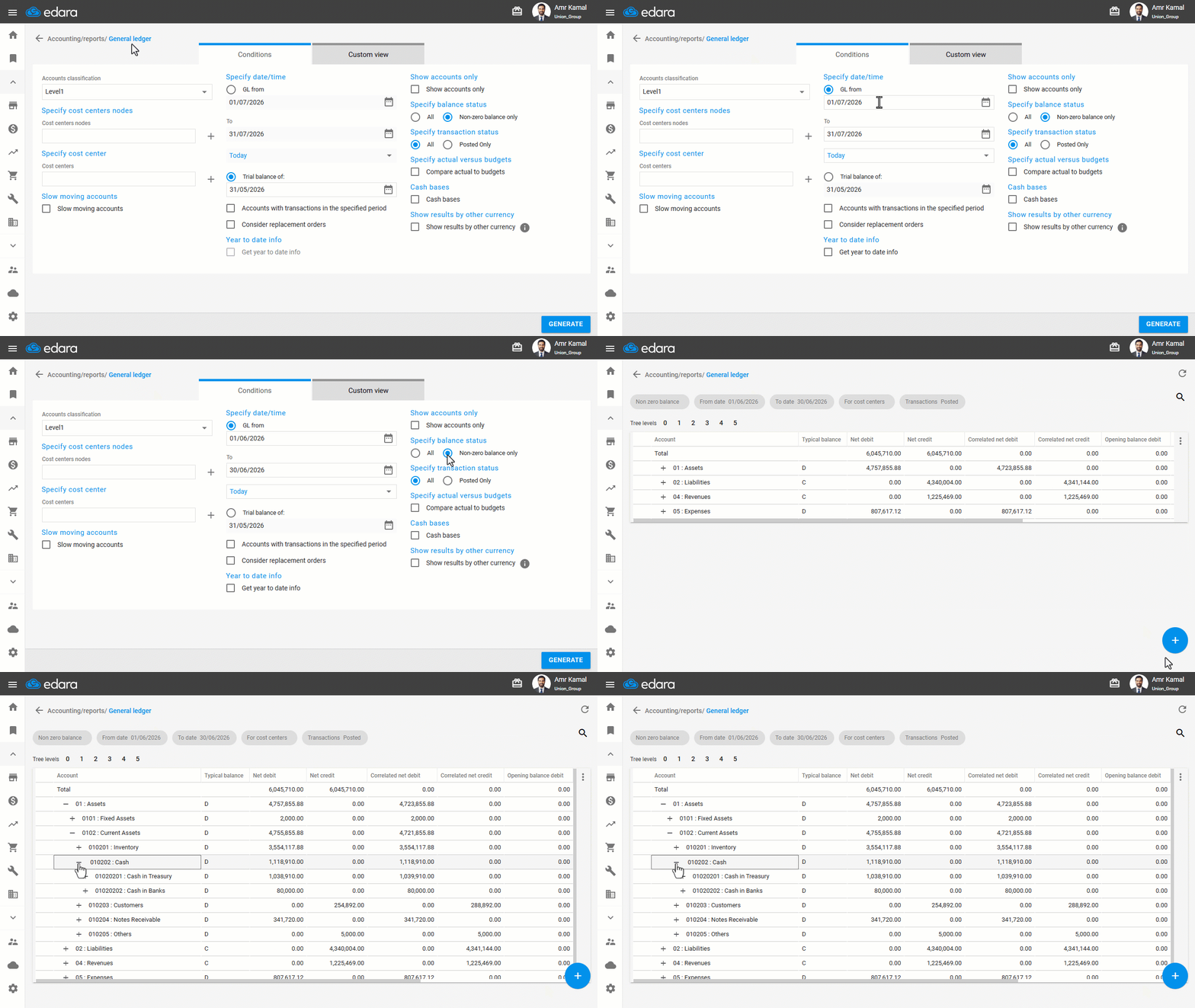
After reviewing the General Ledger report, open the Cash Flow Statement by following these steps:
- Go to the “Accounting” module.
- Open the “Cash Flow Statement” page.
- Select the required “From” and “To” dates for the reporting period.
- Click on “Generate”.
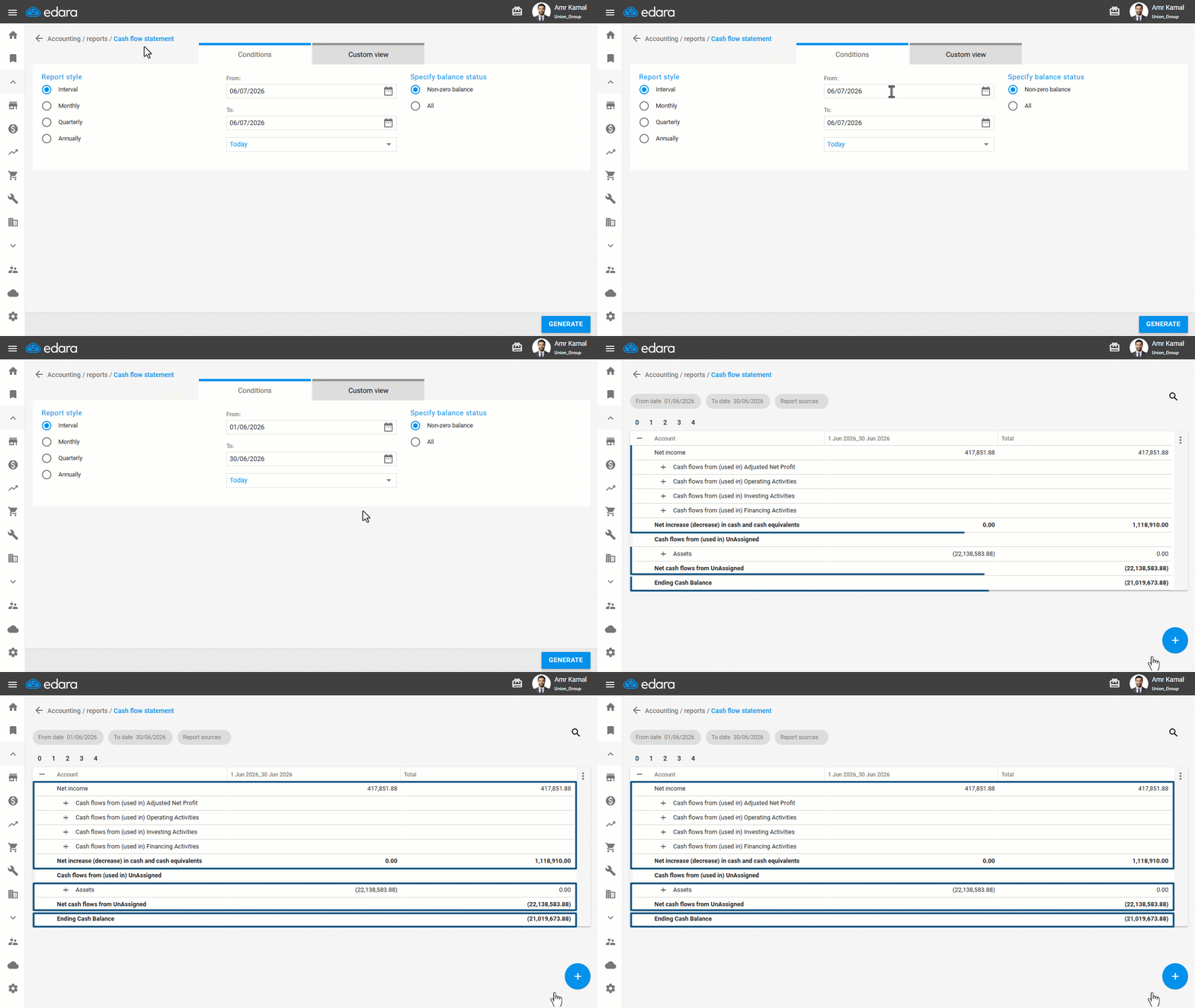
The Cash Flow Statement consists of three main sections:
1- Reviewing the First Section of the Cash Flow Statement
The first section represents the net change in cash flows during the selected period. It should match the General Ledger when the “GL from” option is selected for the same period.
- Follow the previous steps to display both reports.
- Compare the figures shown in the General Ledger with those in the first section of the Cash Flow Statement. You will notice that the figures match.
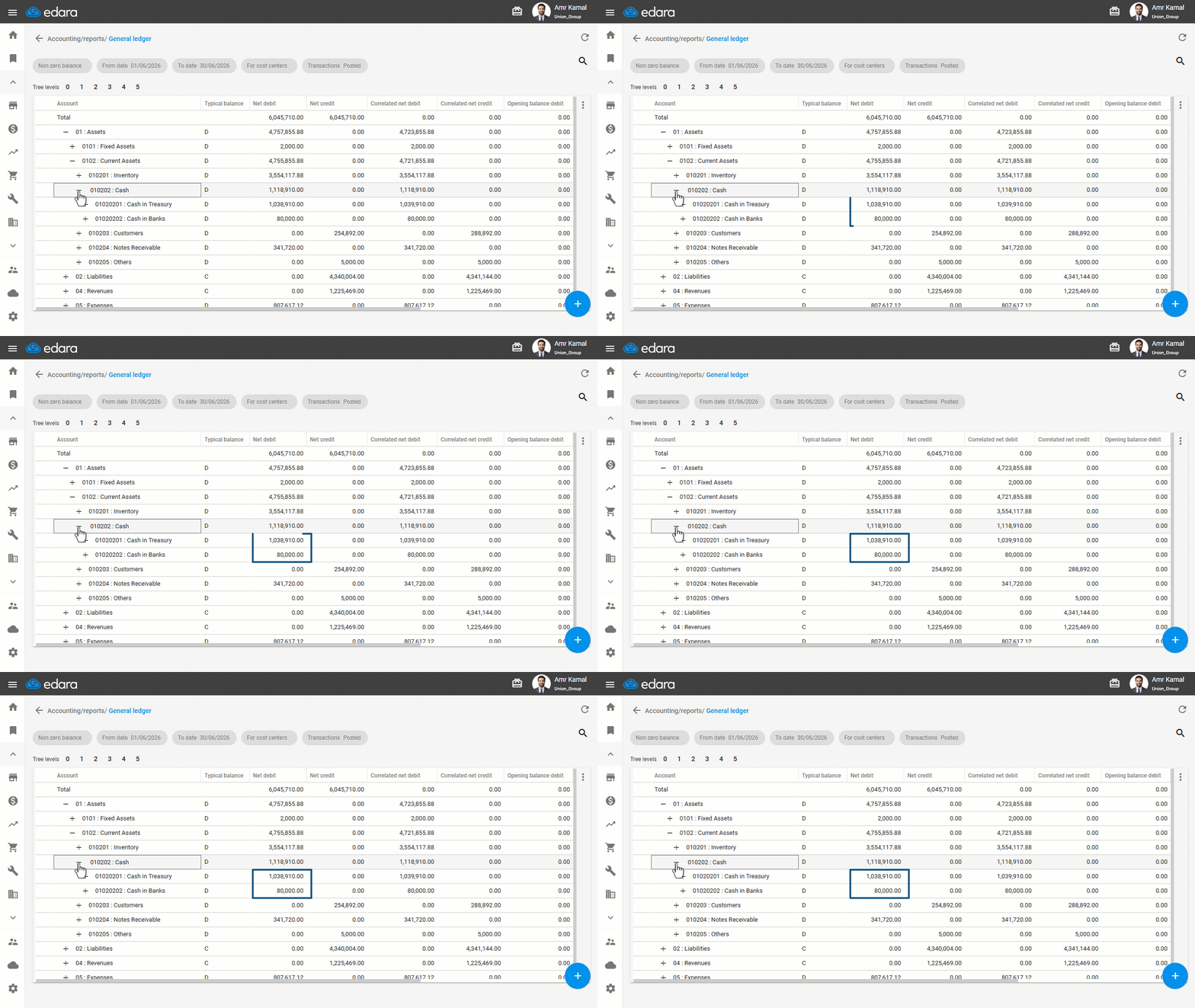
As shown in the image, the total balances represent the net increase or decrease in cash for the selected period.
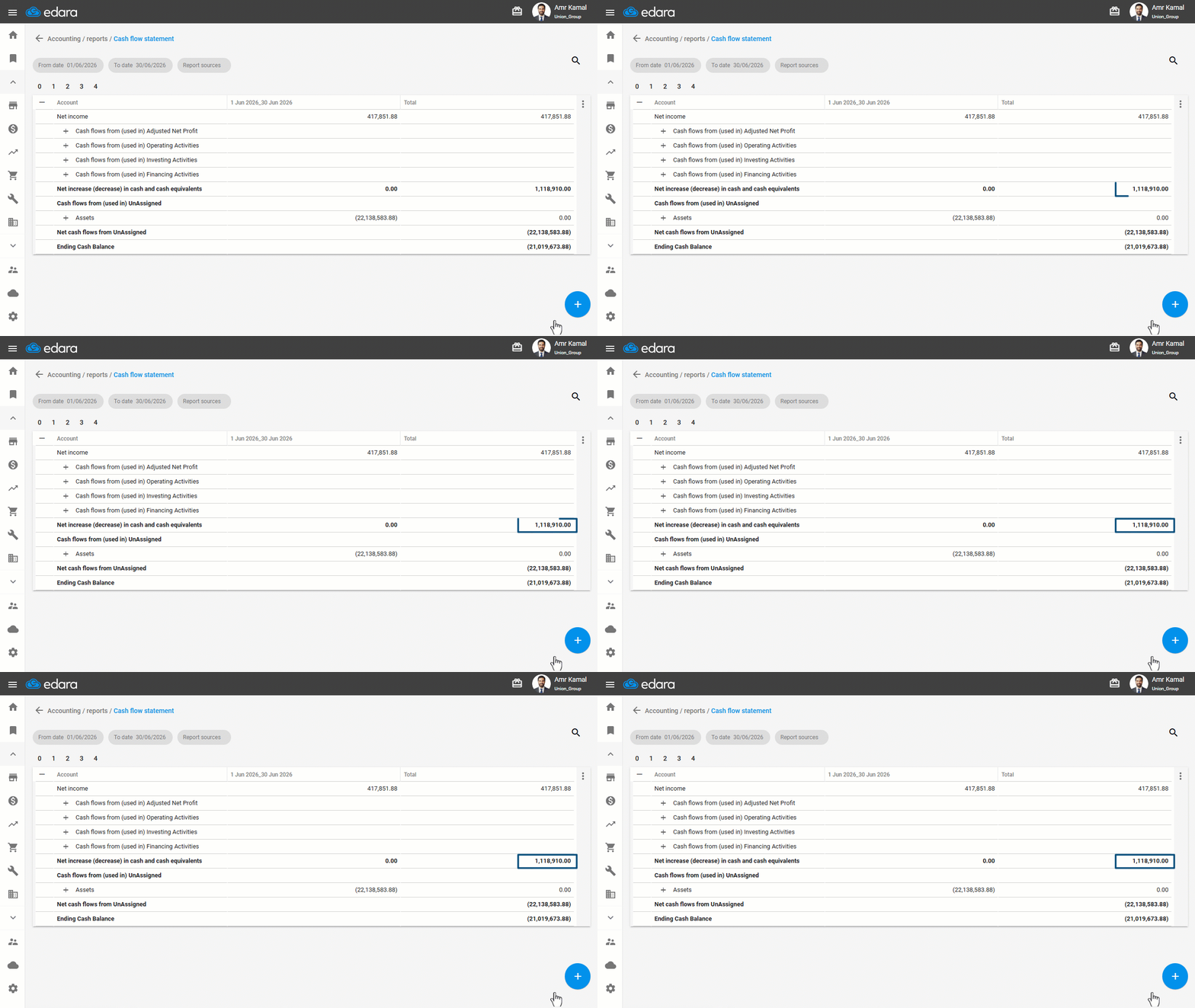
2- Reviewing the Second Section of the Cash Flow Statement
The second section represents the opening cash balance before the selected period. It should match the General Ledger when “Trial Balance of” is selected for a date before the period begins.
- Change the General Ledger report view to “Trial Balance of”.
- Select the date before the beginning of the period.
- Select the Transaction Status to “All”.
- Display both reports.
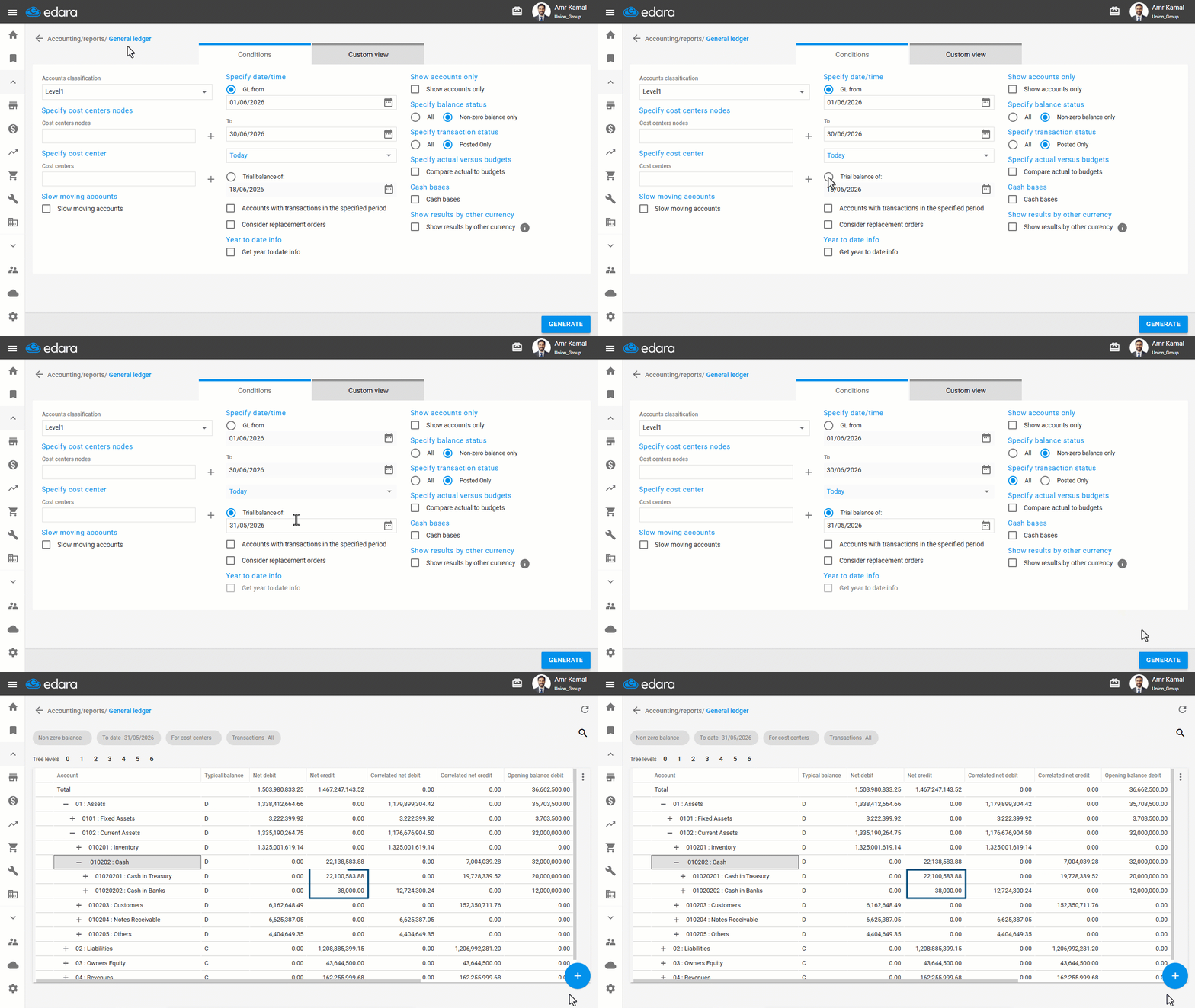
The balance shown in the General Ledger will match the value displayed in the second section of the Cash Flow Statement.
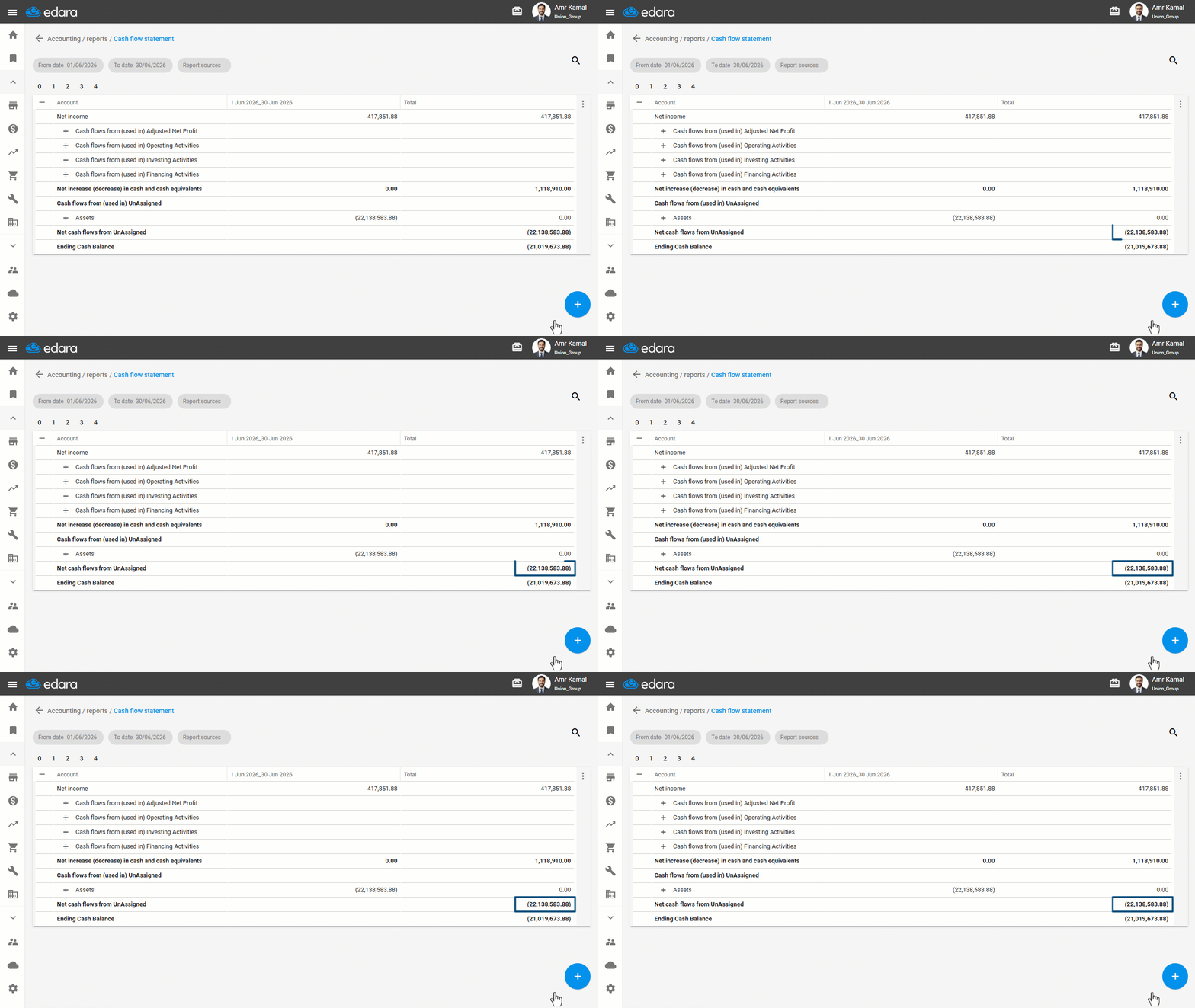
3- Reviewing the Final Section of the Cash Flow Statement
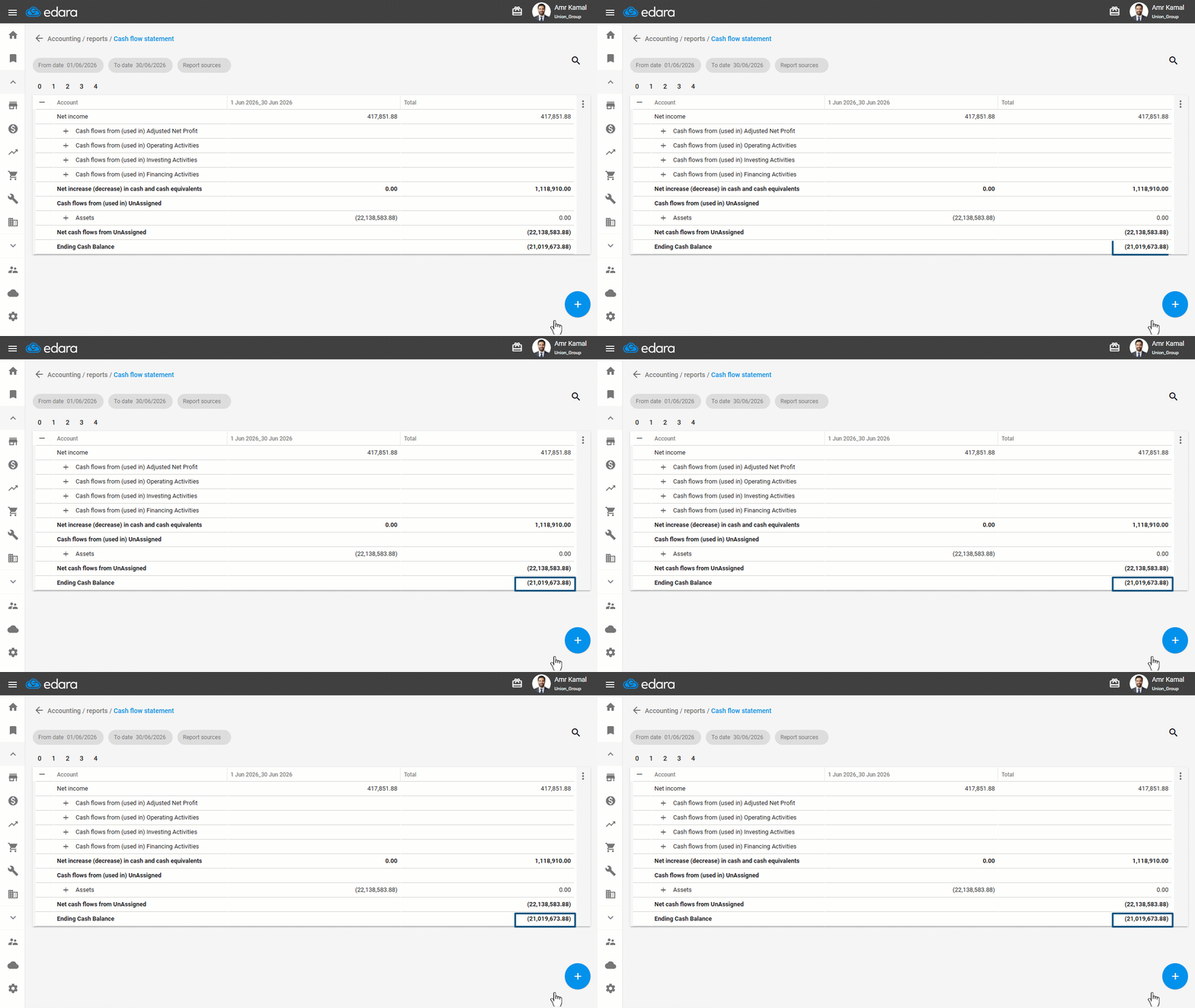
The final section represents the Ending Cash Balance, which is calculated as: (First Section + Second Section)
- Select “Trial Balance of” In the General Ledger report, and set the date to the end of the reporting period, as shown in the image.
- Display both reports.
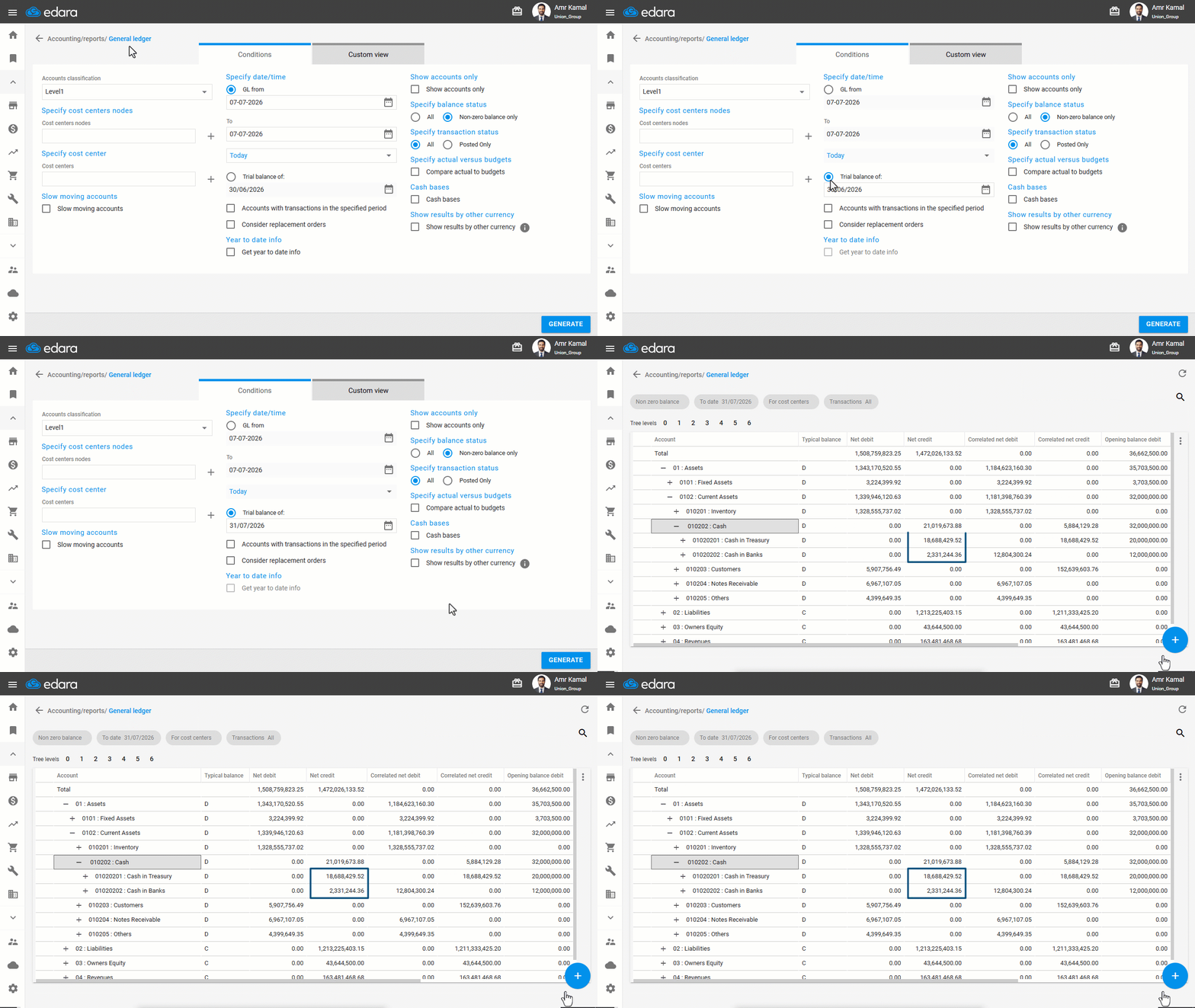
The resulting balance will match the Ending Cash Balance shown in the Cash Flow Statement.
If you encounter any challenges or have questions during these processes, you can contact our technical support team, who are ready to assist you at any time.