

Editing the Chart of Accounts
Last updated:
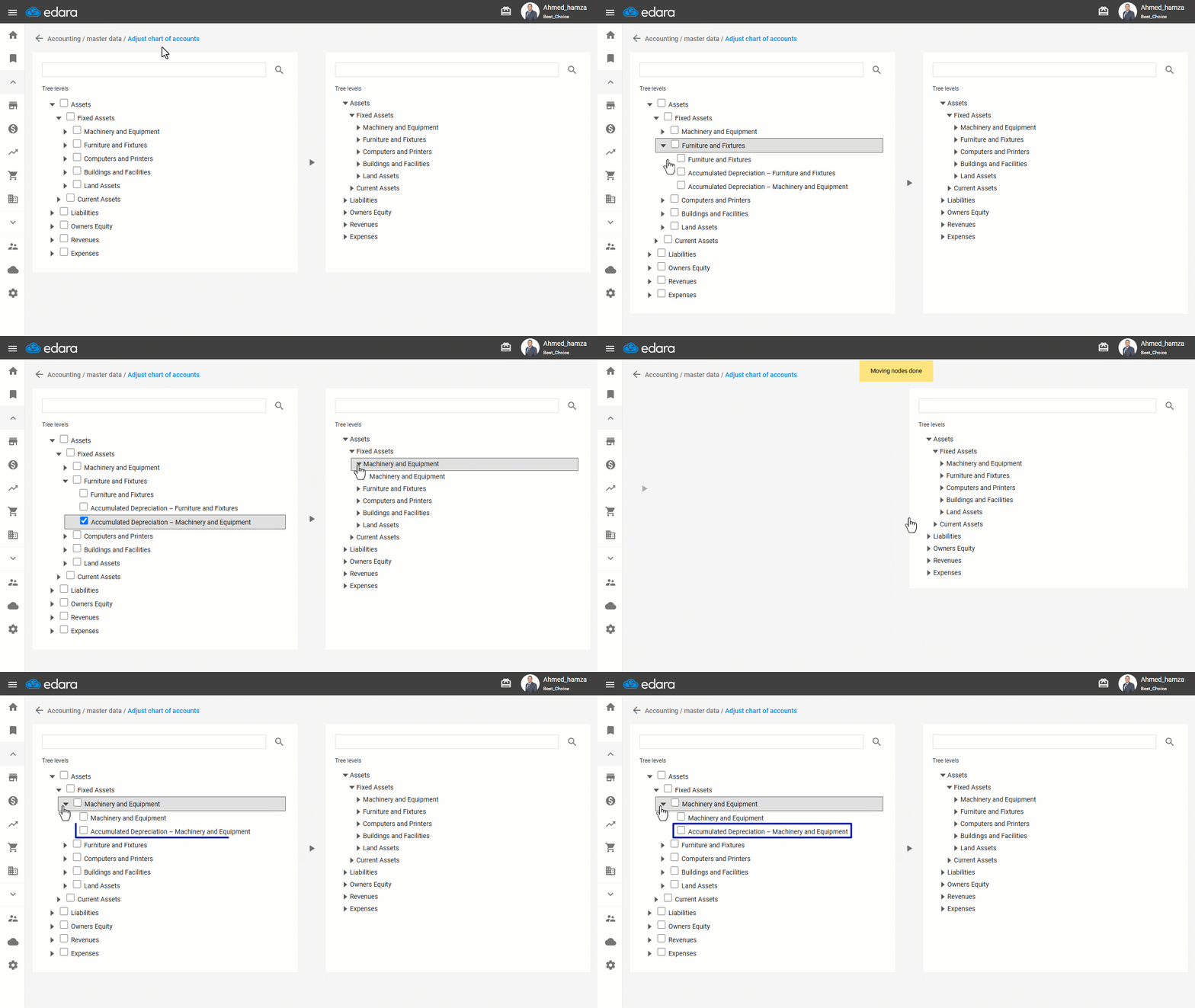
“Edara” offers great flexibility when it comes to managing your Chart of Accounts, including the ability to move accounts or groups from one place to another within the accounts tree.
This allows you to restructure your chart to better reflect the evolving needs of your organization, leading to more efficient financial management and reporting.
Editing the Chart of Accounts
- Go to the Accounting module.
- Open the "Re-locate Accounts" page.
- Select the account or group you want to move by clicking on the "☐" sign.
- Select the corresponding location on the opposite side where you want to move the accounts or groups.
- Click on “▶” to move the accounts or groups.
If you encounter any challenges or have questions during these processes, you can contact our technical support team, who are ready to assist you at any time.
Did this answer your question?