

Configuring and Viewing the Financial Statements Report
Last updated:
If you're the financial officer in a company and the end of the fiscal year is approaching, you certainly need to prepare accurate financial statements for submission to management and auditors.
"Edara" provides clear and straightforward steps to configure account posting types and classifications, allowing you to generate financial statements quickly and accurately while ensuring that the data complies with required accounting standards.
Configuring the Financial Statements Report
Before generating the financial statements report in "Edara", make sure to:
- Post all documents before running the report.
- Determine the account posting type.
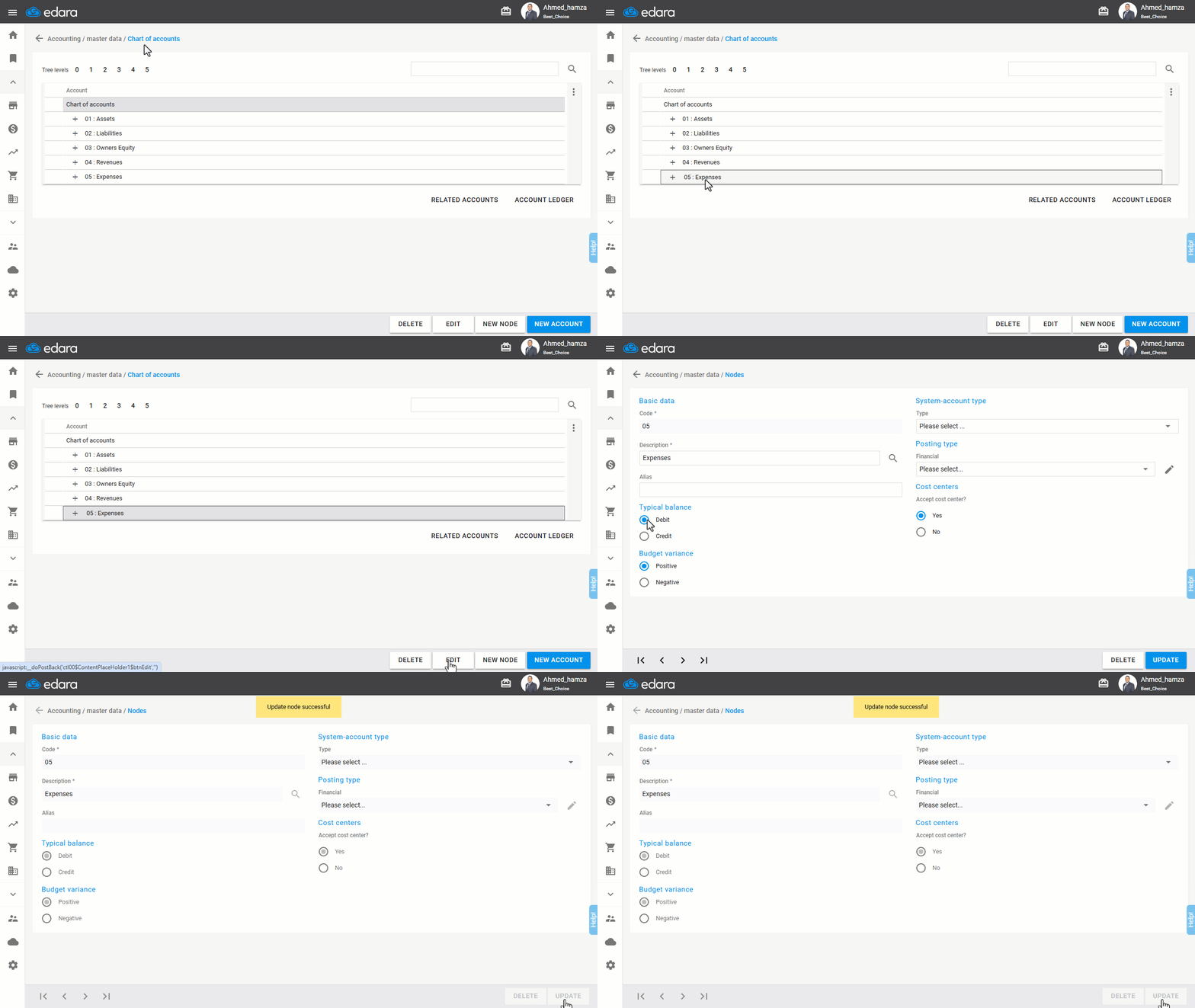
Note: If the type of an account is not defined, you should review the type of the node by following these steps:
- Go to the "Chart of Accounts" page.
- Choose the group for which you want to define the type.
- Click "Edit".
- Set the typical balance (credit or debit).
- Click "Update".
Viewing the Financial Statements Report
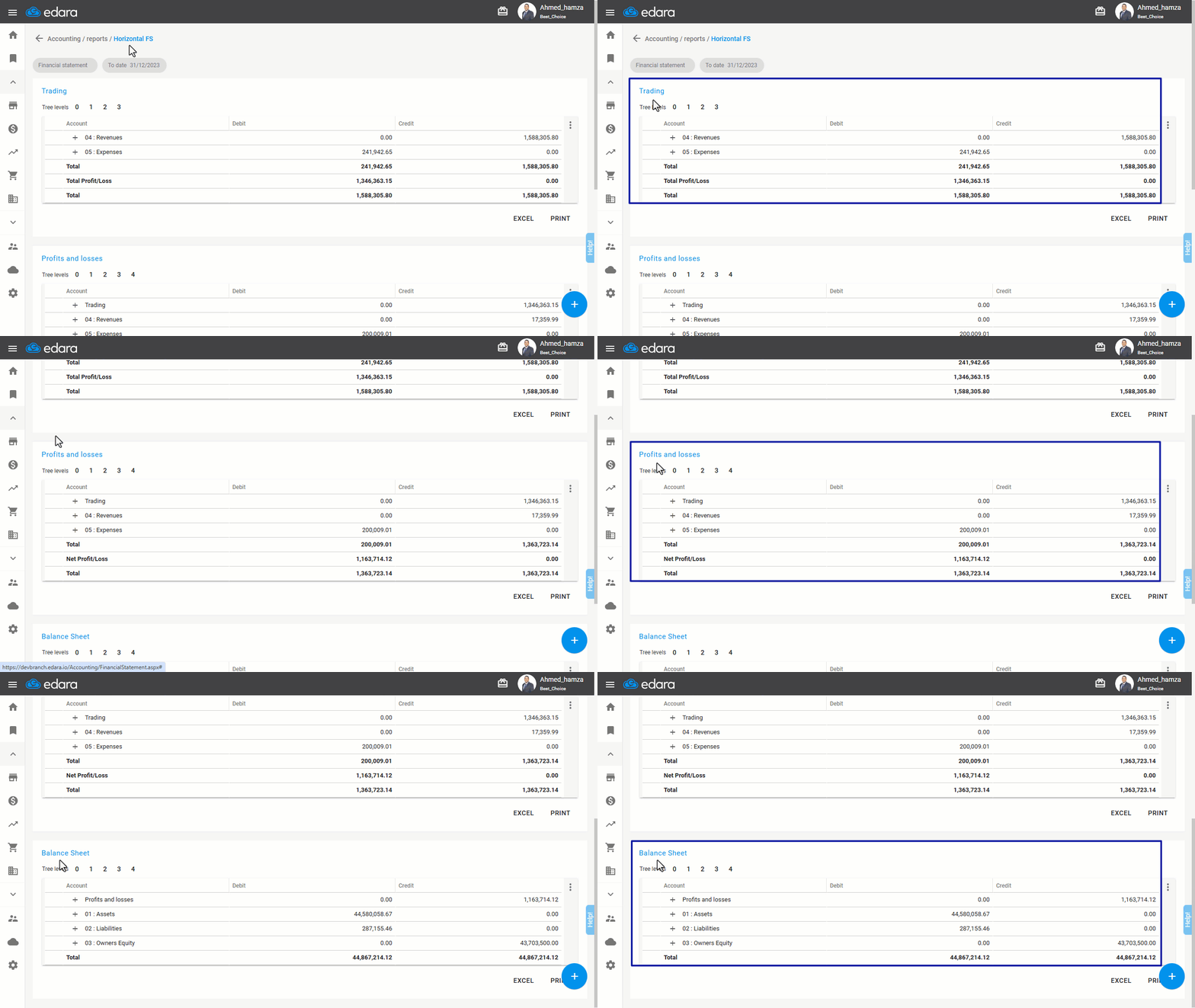
After completing the steps above, you can run the financial statements report from the "Accounts" section, selecting the required period. The report will be divided into three lists as shown:
If you encounter any challenges or have questions during these processes, you can contact our technical support team, who are ready to assist you at any time.