

Integrating “Edara” with “Slack”
Last updated:
To stay up to date on important operations, you can connect “Edara” with “Slack” to receive event notifications directly in your workspace, without having to constantly check the system.
Integrating “Edara” with “Slack”

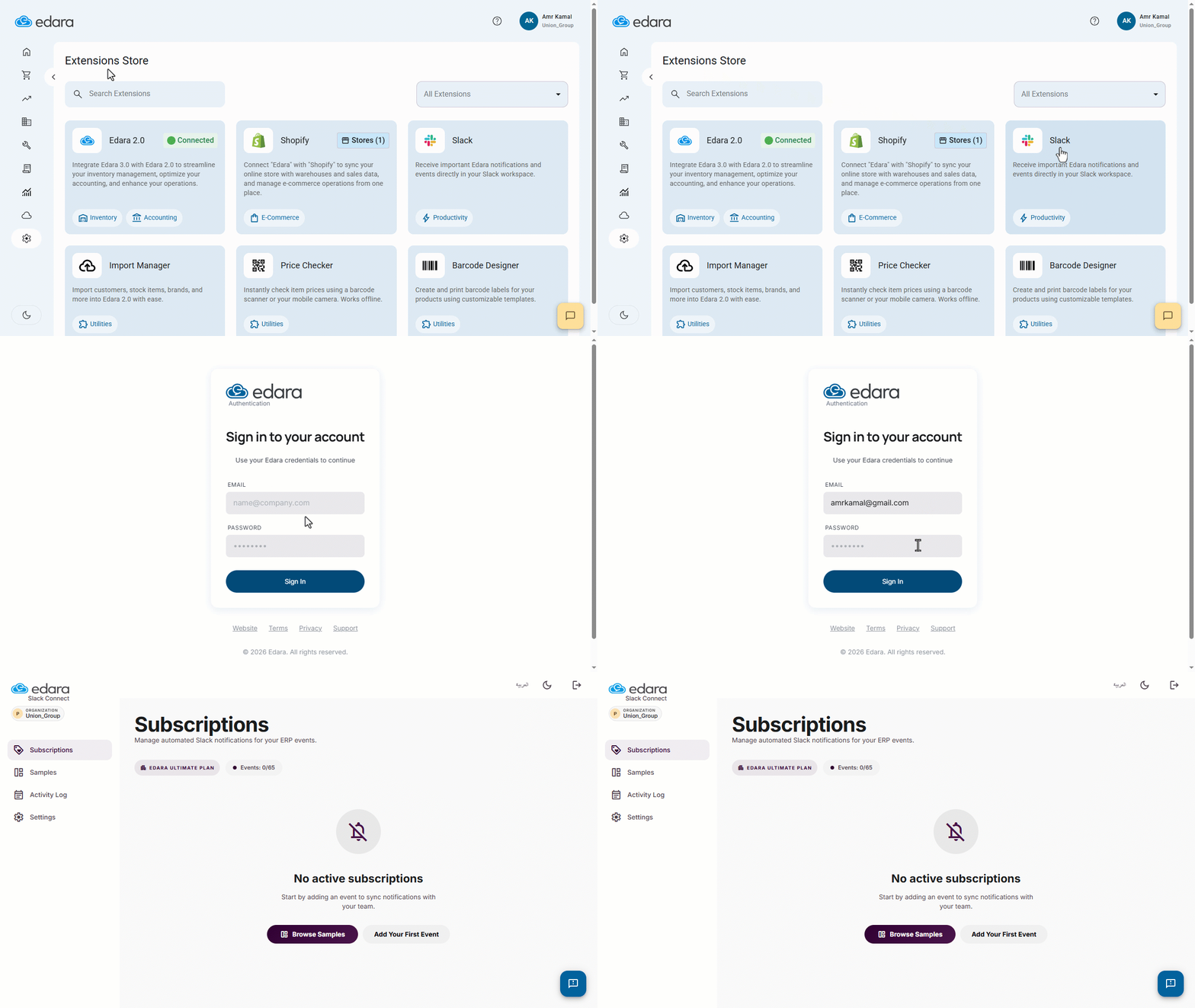
- Go to “System”.
- Open the “Extensions Store” page.
- Click on “Slack”.
- Click on “Sign in with Edara”.
- Enter your Edara account email and password.
Once you sign in, “Edara” will be successfully integrated with “Slack”.
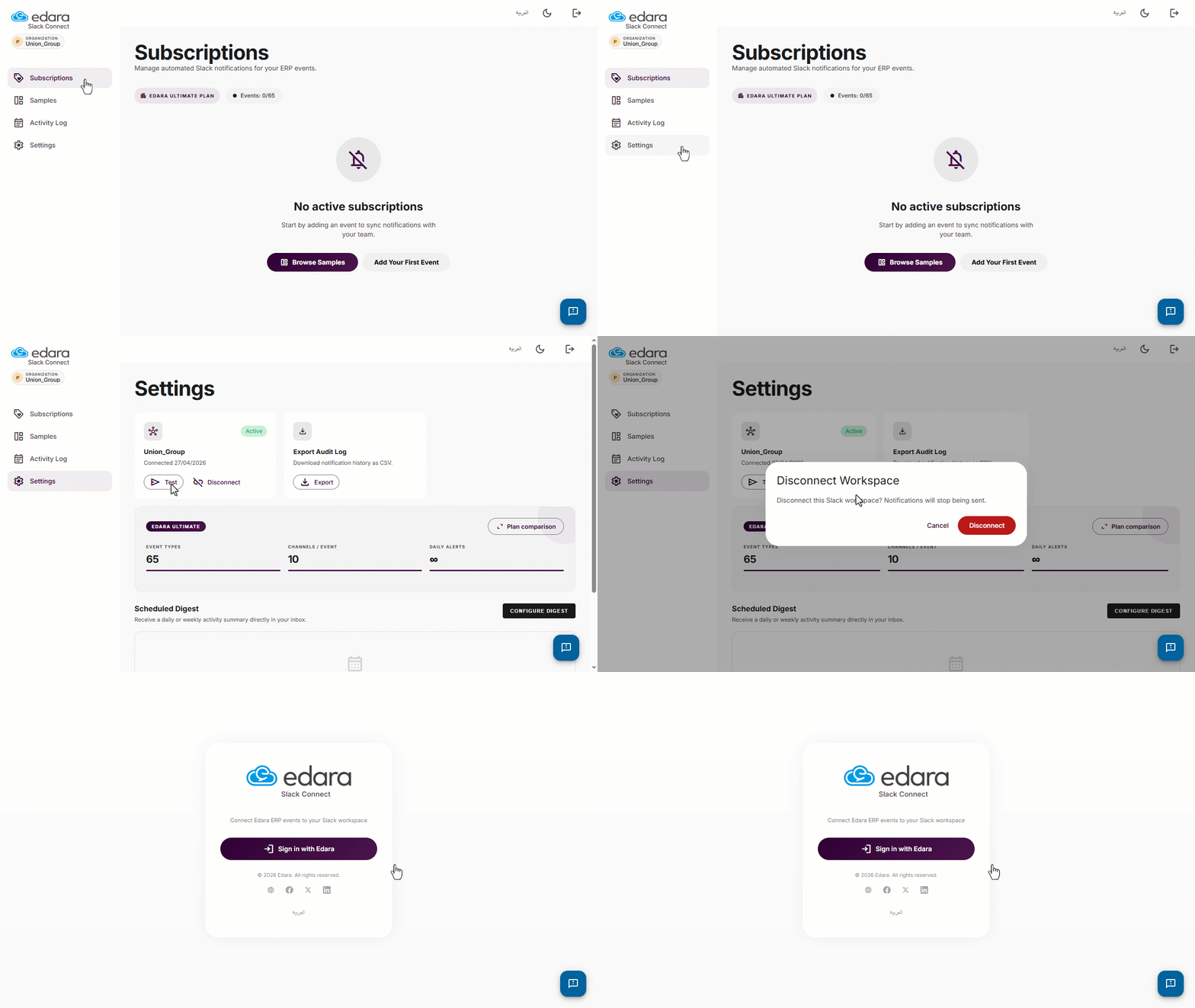
You can disconnect the integration by going to “Settings”, then clicking on “Disconnect”.
If you encounter any challenges or have questions during these processes, you can contact our technical support team, who are ready to assist you at any time.
Did this answer your question?