

Adding the Logo in the POS Print Template
Last updated:
Displaying the company logo on printed point-of-sale receipts adds a higher level of professionalism, enhances transparency, and helps distinguish your company from competitors in the market.
Adding the Logo in the POS Print Template
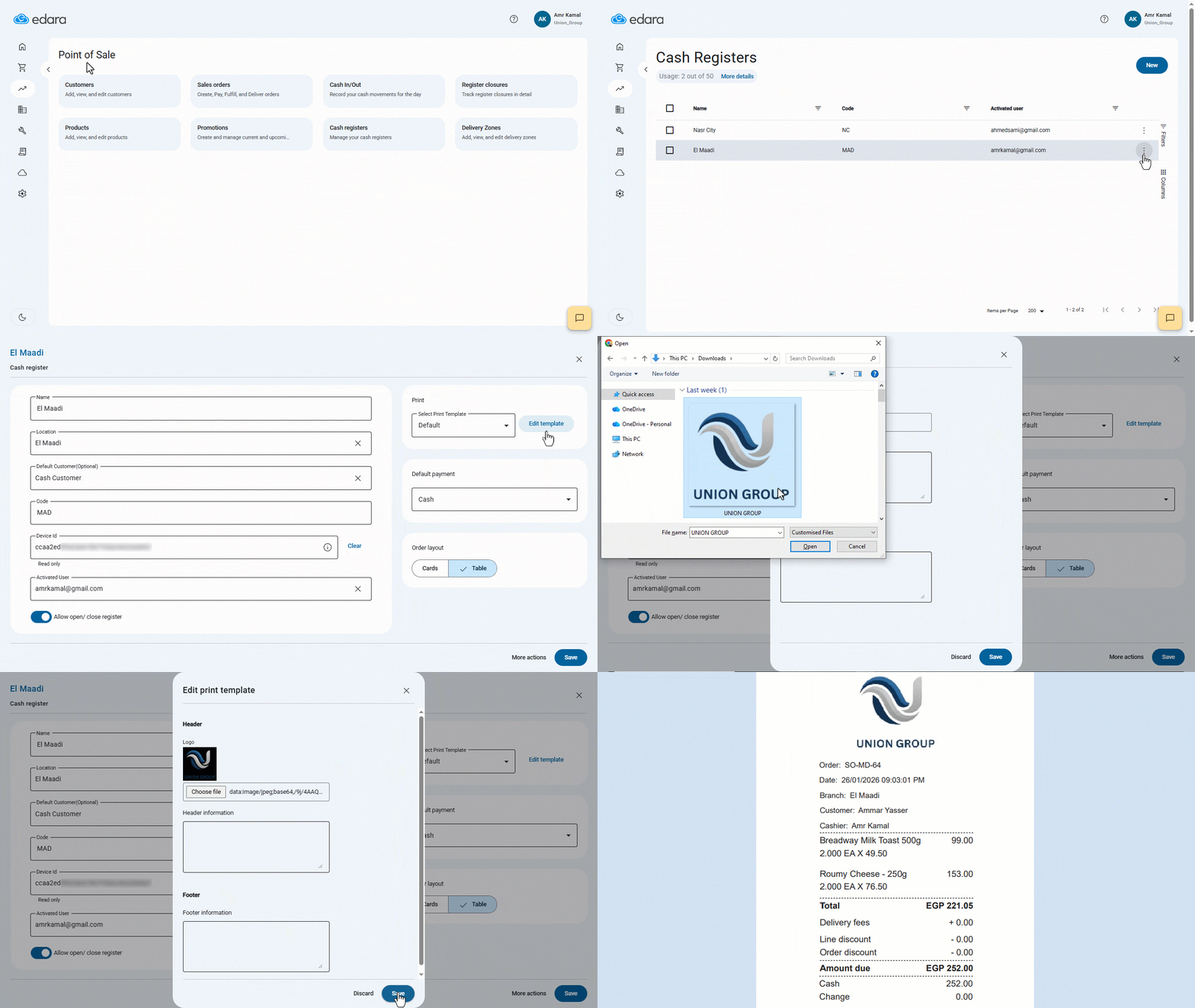
- Go to the “Point of Sale” module.
- Open the “Cash Registers” page.
- Click on “︙” next to the desired cash register.
- Click on “Edit”.
- Click on “Edit Template”.
- Click on “Choose File” under the logo section to upload the logo.
- Click on “Save”.
If you encounter any challenges or have questions during these processes, you can contact our technical support team, who are ready to assist you at any time.
Did this answer your question?