

Changing the Cashier Device and Linking It to the Cash Register
Last updated:
You may need to change the cashier's device when replacing the current device or experiencing an issue accessing the cash register. This can be done by correctly re-linking the device to the cashier's account.
Changing the Cashier Device and Linking It to the Cash Register
First, make sure that the "Edara Desktop" application is running on the device, as "Edara" relies on it to read the (Device ID). Also, make sure that the “Local Network” permission is enabled in the browser.
Note: These steps must be performed using a user account with Admin permissions.
- Go to the "Point of Sale" Module.
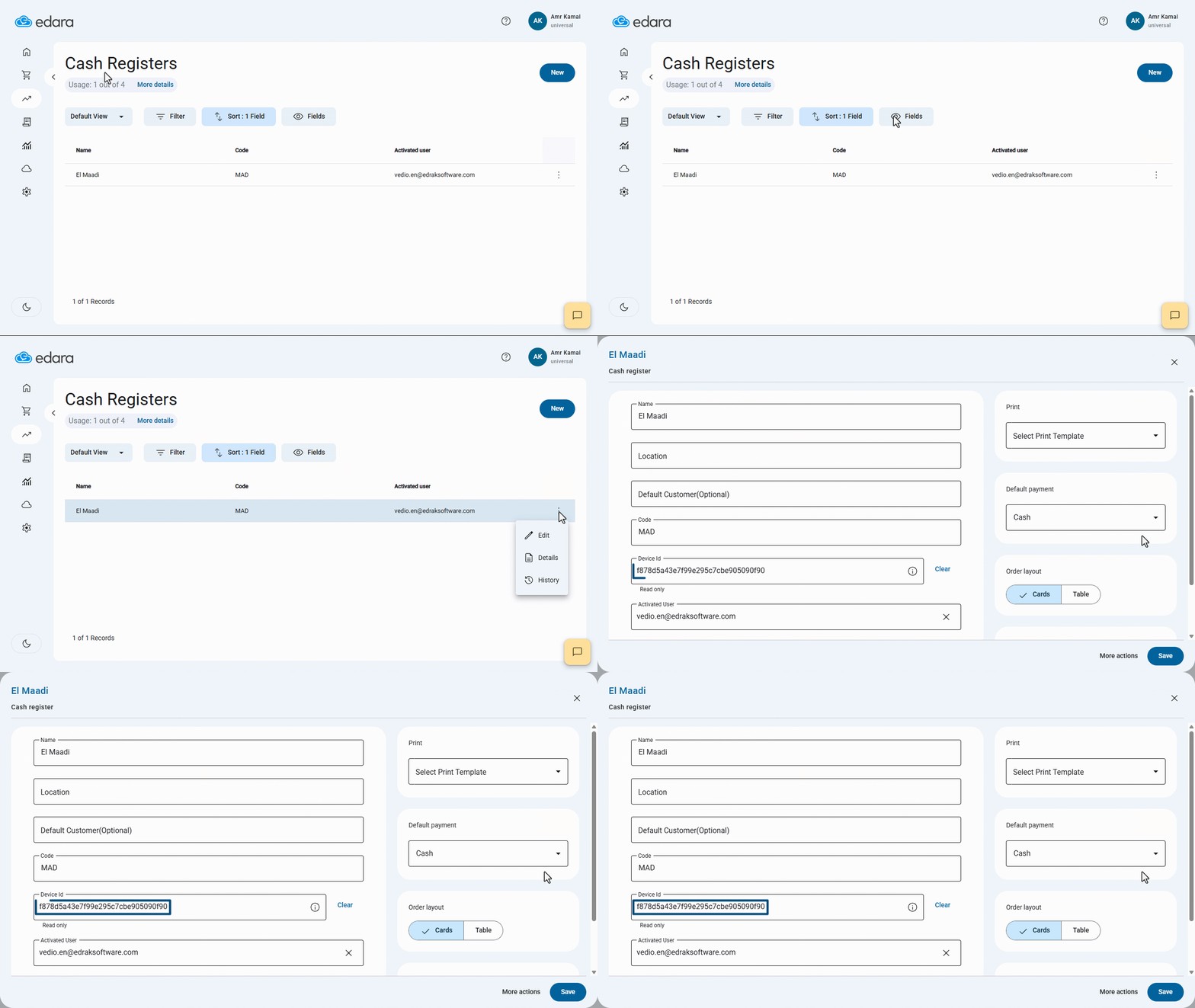
- Open the "Cash Registers" page.
- Select the required cash register.
- Click on "⋮" next to the user.
- Click on "Edit".
- Delete the "Device ID" associated with the old device.
- Click on “Save”.
- Log in from the new device.
- Go to the "Point of Sale" Module.
- Open the "Sales Orders" page.
- Click on “New”
The system will automatically detect the new device ID and link it to the cash register account using the "Edara Desktop" application.
The system will take a few moments to load. During this time, it will automatically detect the Device ID and save it to link it to the cashier's cash register record.
If the " Allow Open / Close register" option is enabled in the cashier's cash register settings, the system will automatically open the cash register, and a window will appear to enter the opening balance to start the shift, after which the cash register will open.
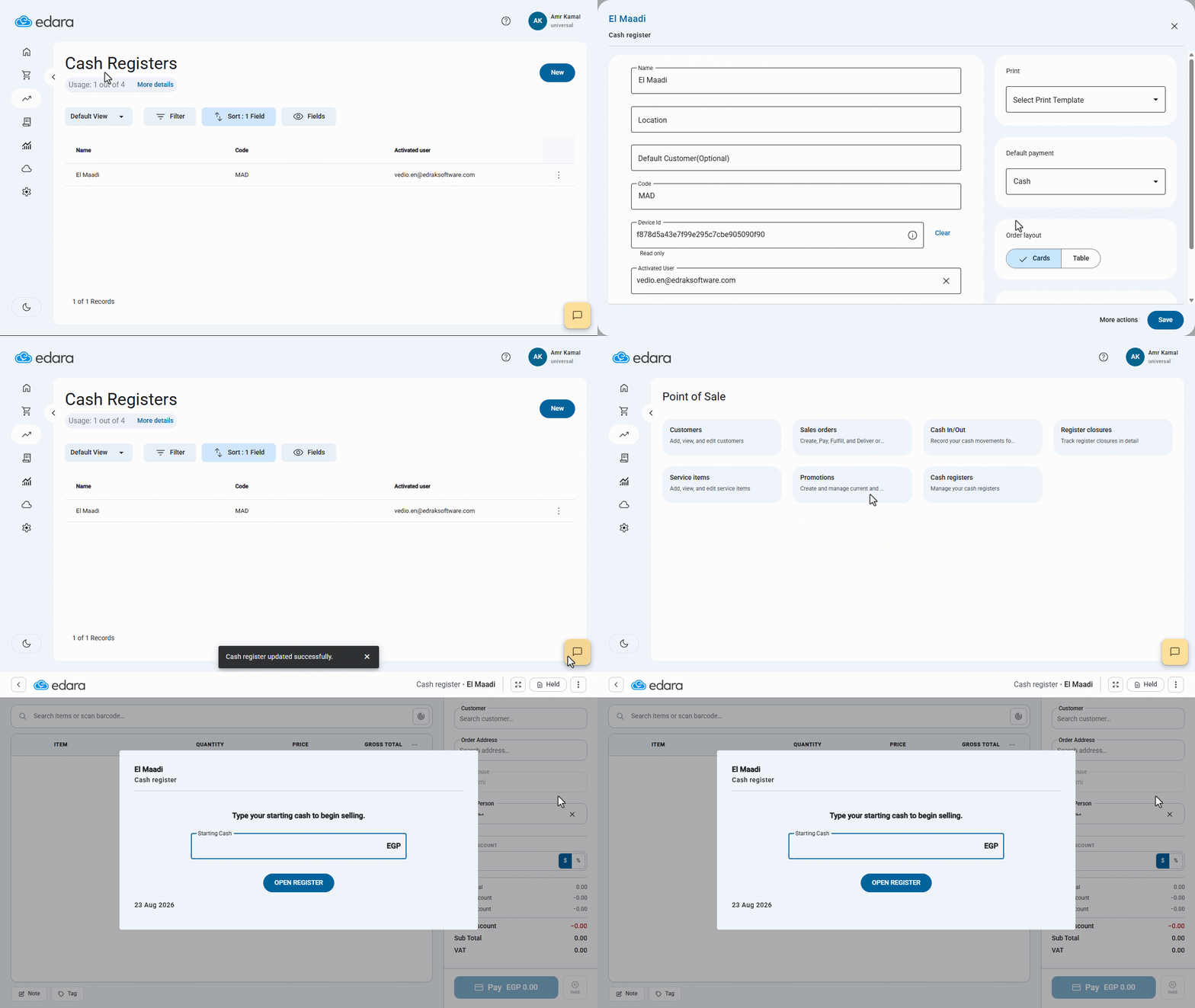
After completing the steps on the cashier's device, the admin can verify that the new device has been successfully linked to the cash register by refreshing the cash register page. The new Device ID will automatically appear in the "Device ID" field, which was previously empty, confirming that the linking process was completed successfully.
Frequently asked questions
Who can change the cashier device?
These steps must be performed using a user account with Admin permissions.
If you encounter any challenges or have questions during these processes, you can contact our technical support team, who are ready to assist you at any time.