

Exporting Customers Data
Last updated:
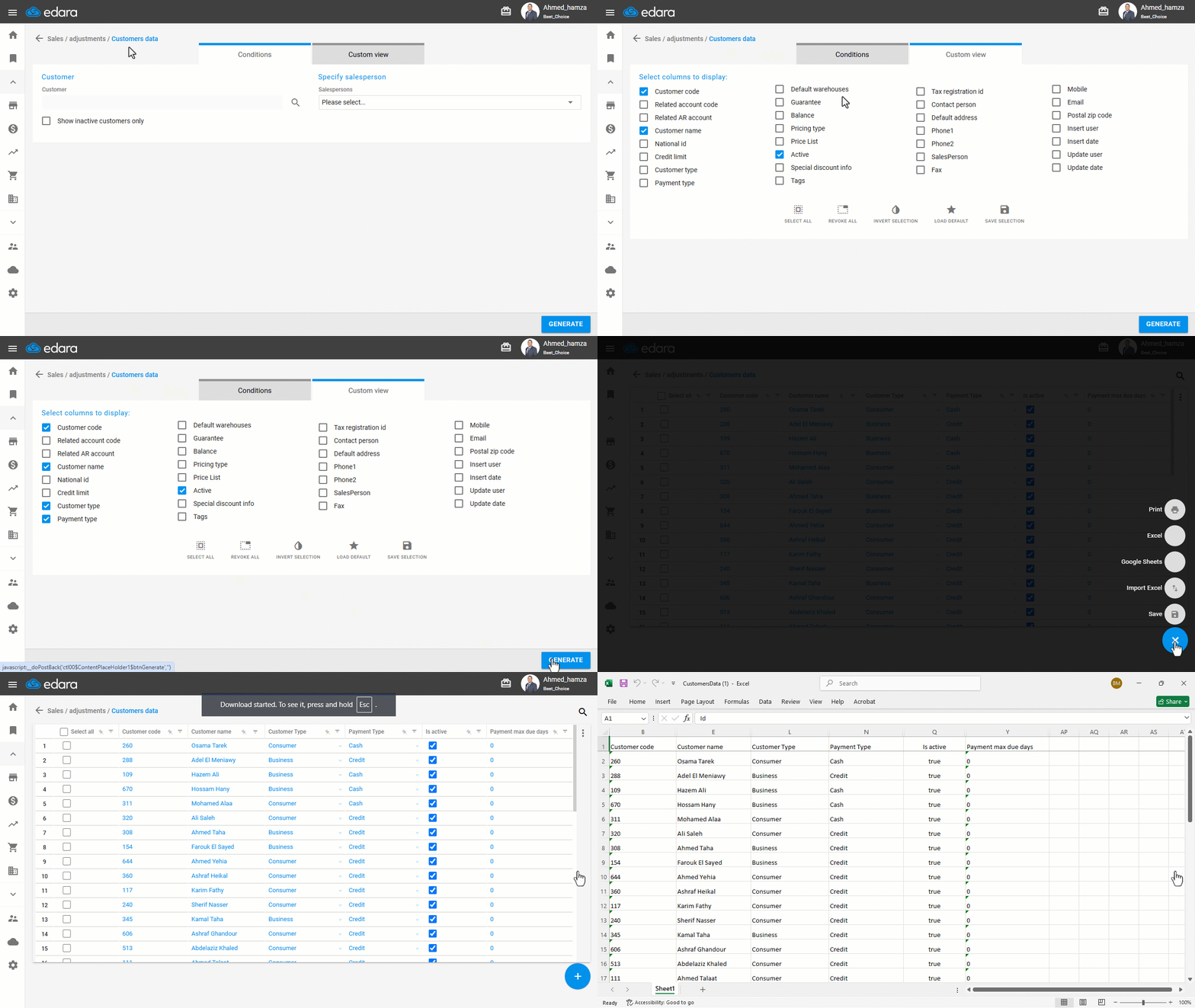
Customer data is among the most important information stored on “Edara”, so the system allows you to export it to an Excel file or Google Sheets — whether to keep a backup, make edits, or re-import the data in bulk later.
Exporting Customers Data
- Go to the Sales module.
- Open the “Customers Data” page.
- Click on “Custom View”.
- Choose the columns you want to export.
- Click on “Generate”.
- Click the ➕ icon.
- Click on “Excel” or “Google Sheets”.
If you encounter any challenges or have questions during these processes, you can contact our technical support team, who are ready to assist you at any time.
Did this answer your question?