

Preventing Browsing Documents with Unpermitted Accounts
Last updated:
If some users have access to all accounting department documents, but you want to restrict their permissions to prevent them from browsing unpermitted documents (such as employee salaries, bonuses, etc.).
Preventing Browsing Documents with Unpermitted Accounts

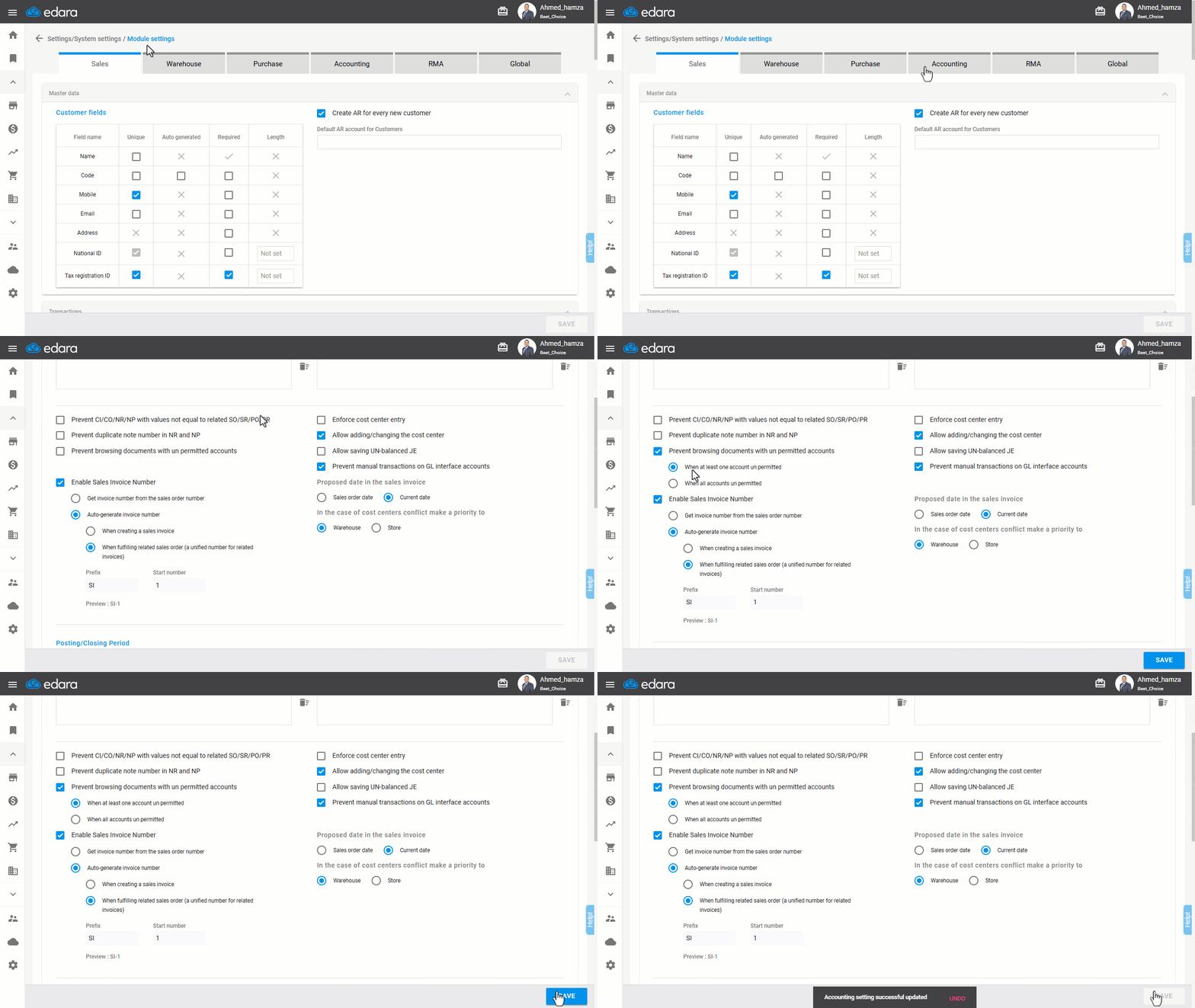
- Go to Settings.
- Open the “Module Settings” page.
- Select the “Accounting” module.
- Enable the option “Prevent browsing documents with unpermitted accounts”.
Note: This setting includes two different options:
- "When at least one account unpermitted": If a document contains multiple accounts and at least one of them is unpermitted, the user will not be able to view the document.
- "When all accounts unpermitted": If a document contains multiple accounts, the user will be prevented from viewing it only if he does not have permission for all accounts in the document.
- Click on “Save”.
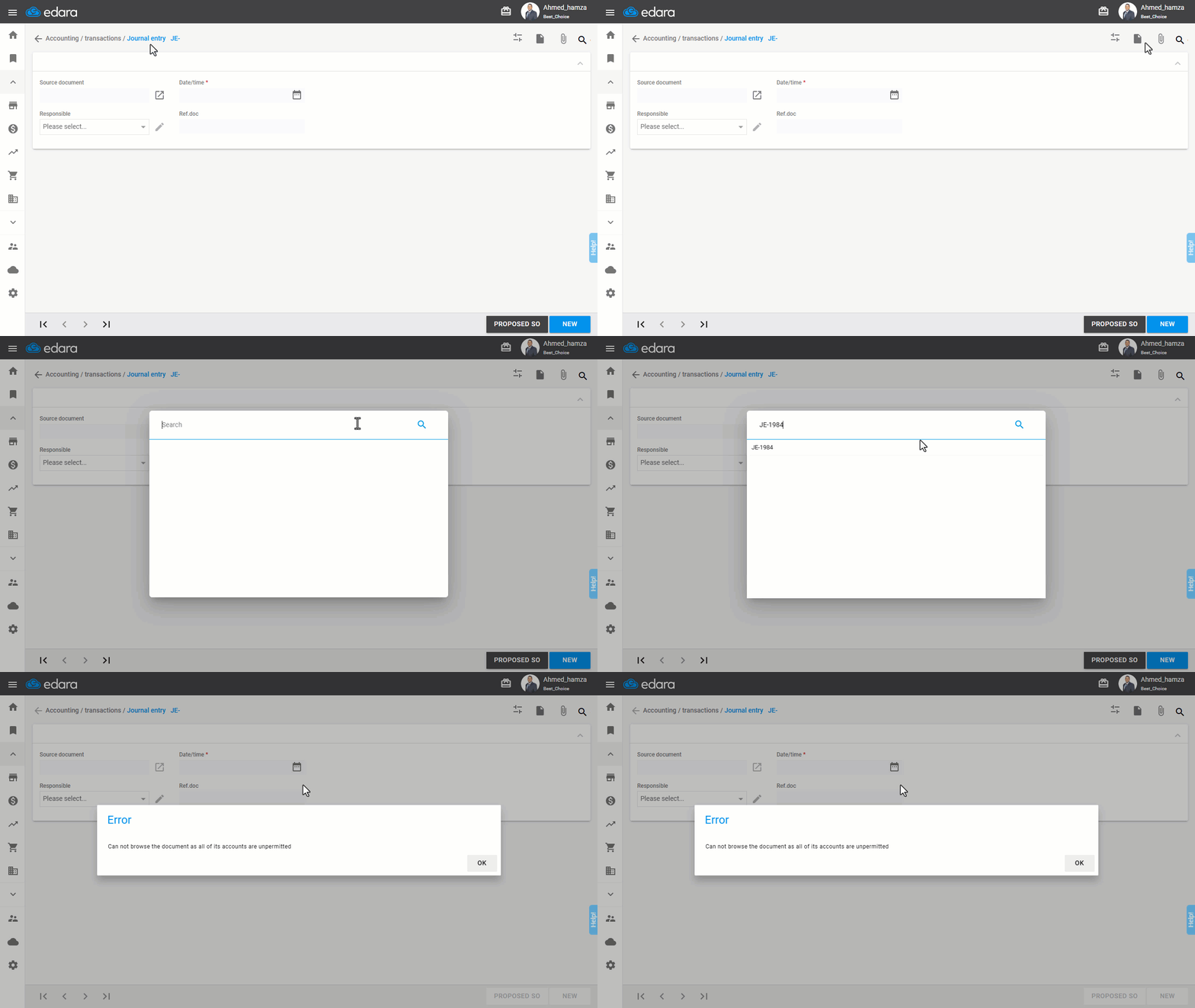
Example: After enabling the setting and selecting "When at least one account unpermitted", the system will prevent the user from browsing an entry if he does not have permission for at least one of its accounts.
Frequently asked questions
What is the difference between “When at least one account unpermitted” and “When all accounts unpermitted”?
This setting includes two different options: "When at least one account unpermitted": If a document contains multiple accounts and at least one of them is unpermitted, the user will not be able to view the document, "When all accounts unpermitted": If a document contains multiple accounts, the user will be prevented from viewing it only if he does not have permission for all accounts in the document.
If you encounter any challenges or have questions during these processes, you can contact our technical support team, who are ready to assist you at any time.