

Displaying Purchase Orders with User Details for Inserting and Updating
Last updated:
"Edara" allows you to identify the user responsible for creating purchase orders, which can be helpful when revisiting past orders to replicate them. Additionally, you can track which user modified the orders, enabling you to audit past changes, detect fraudulent activity, or correct errors.
Displaying Purchase Orders with User Details for Inserting and Updating
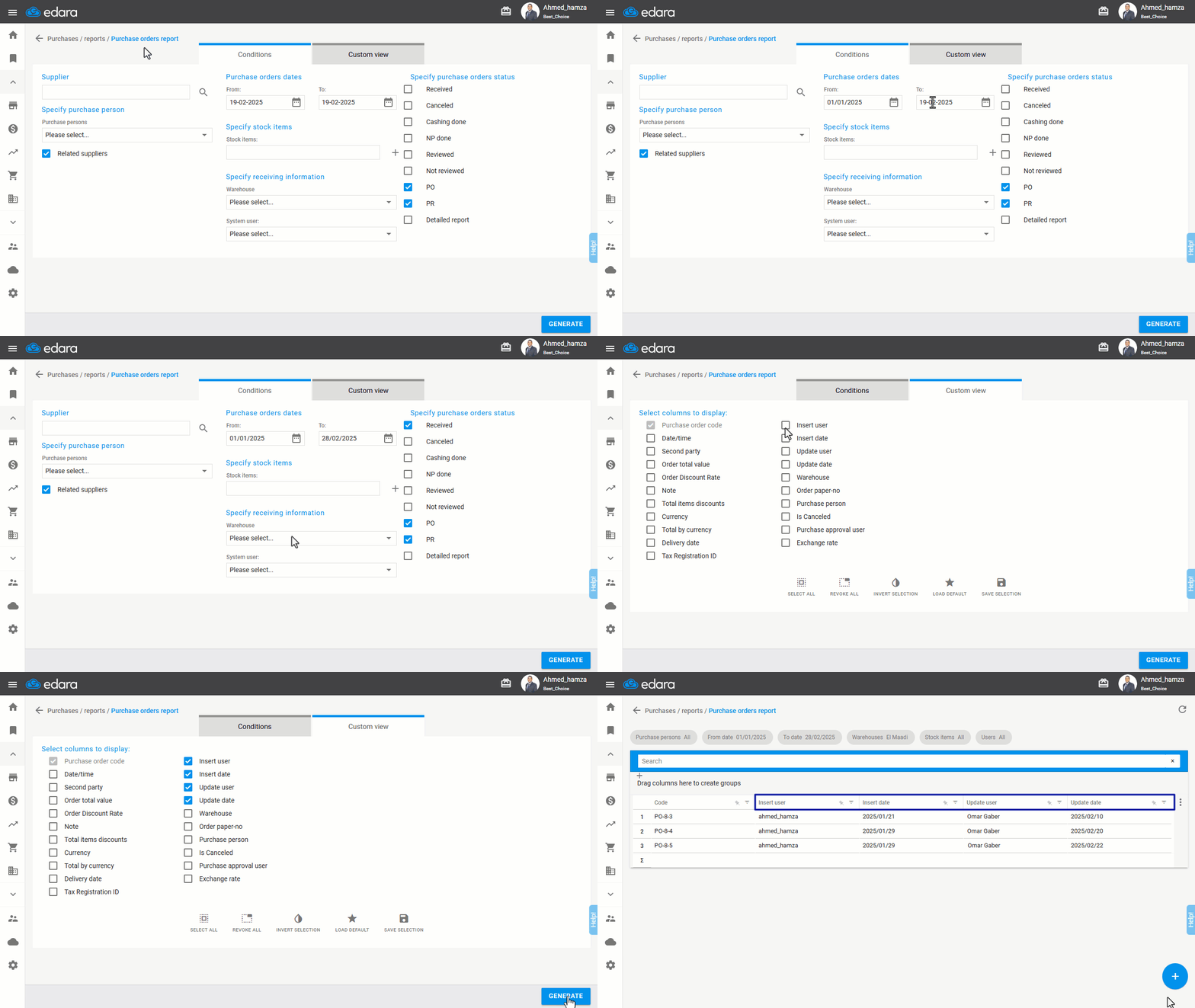
- Go to the Purchase module.
- Open the "Purchase Orders Report”.
- Specify the desired period for the report.
- Select the status of the purchase orders you want to view.
- Navigate to "Custom View".
- Enable the following columns: (Insert user - Insert date - Update user - Update date).
- Click on "Generate".
If you encounter any challenges or have questions during these processes, you can contact our technical support team, who are ready to assist you at any time.
Did this answer your question?