

Deleting an Issue Transfer
Last updated:
If you’ve created an issue transfer order by mistake or decided to cancel the transfer, you can delete the order to restore the correct warehouse balances.
Deleting an Issue Transfer
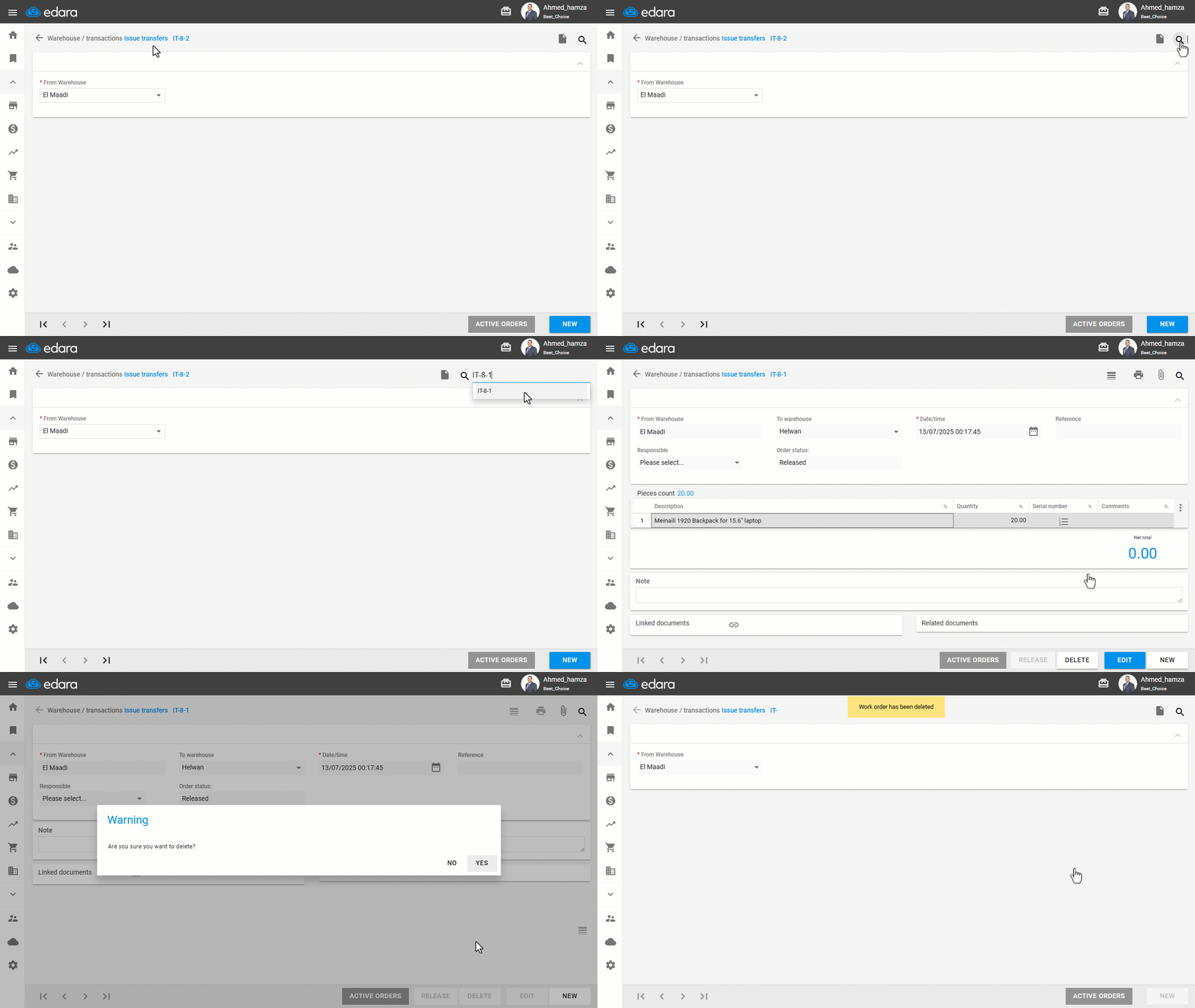
Note: The order must be “Released” or “Rejected” status to be deleted.
- Go to the Warehouse module.
- Open the “Issue Transfers” page.
- Search for the order by clicking the 🔍 icon, entering the order code, and selecting it.
- Click on “Delete”.
If you encounter any challenges or have questions during these processes, you can contact our technical support team, who are ready to assist you at any time.
Did this answer your question?